

- Updated: January 7, 2026
- 6 min read
Why Most Websites Don’t Need Cookie Consent Banners – A Privacy‑First Approach
Why Most Websites Don’t Need Cookie Consent Banners
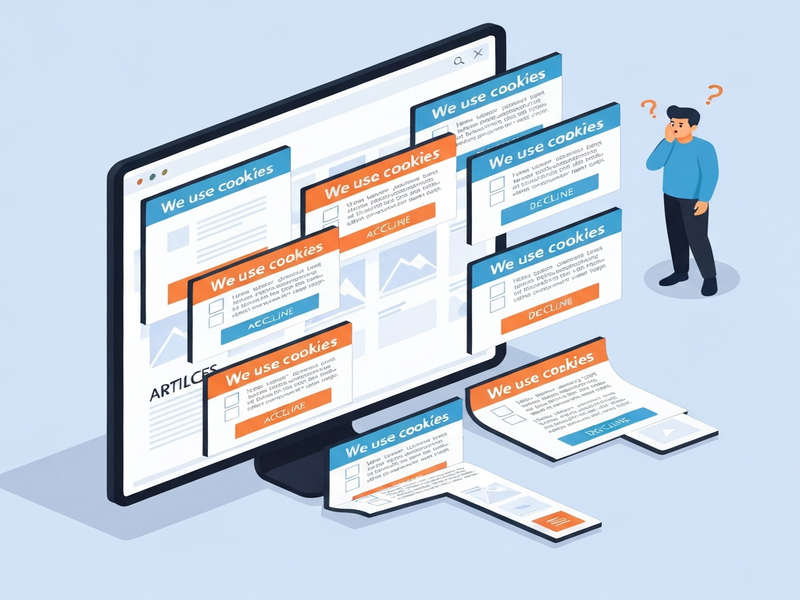
Most websites don’t need cookie consent banners because the law only requires consent for tracking or third‑party cookies, while essential cookies that keep a site functional are exempt.
Introduction: The Cookie‑Consent Conundrum
Digital marketers, web developers, and business owners constantly wrestle with the pop‑up that appears on almost every site: a cookie consent banner. While it feels mandatory, the reality is far more nuanced. In this article we break down why the majority of small‑business sites can safely skip the banner, clarify the difference between essential and tracking cookies, demystify GDPR and U.S. privacy laws, and give you a privacy‑first design roadmap that aligns with UBOS platform overview and modern compliance best practices.
Why Cookie Consent Banners Are Often Unnecessary
Most websites fall into one of two categories when it comes to cookies:
- Essential cookies – required for core functionality (login sessions, shopping carts, form submissions).
- Tracking cookies – used to profile users, serve ads, or share data with third parties.
If your site only uses essential cookies and first‑party analytics that do not identify individuals, the law does not demand an explicit consent banner. Instead, a clear privacy notice is sufficient.
“The GDPR and ePrivacy Directive focus on consent for data processing that infringes privacy, not on the mere presence of cookies.” – Privacy law expert
Consequently, many small‑business sites that rely on simple contact forms, static content, or privacy‑first analytics can eliminate the banner, improving user experience and conversion rates.
Essential vs. Tracking Cookies: A Clear Distinction
Understanding the functional split helps you decide what you truly need to disclose.
Essential Cookies
These are indispensable for the website to operate correctly. Typical examples include:
- Session identifiers that keep a user logged in.
- CSRF tokens that protect form submissions.
- Shopping‑cart identifiers that persist items across pages.
Because they are strictly necessary, they are exempt from consent under both GDPR and most U.S. state laws.
Tracking Cookies
Tracking cookies collect behavioural data for advertising, analytics, or third‑party services. Common culprits:
- Google Analytics (unless configured for IP anonymisation and no personal data).
- Facebook Pixel, TikTok Tag, and other ad‑tech scripts.
- Embedded social media widgets that set third‑party identifiers.
These require explicit opt‑in consent in the EU and, in many U.S. states, an opt‑out mechanism.
GDPR and U.S. Privacy Regulations: What Really Matters
Both regions aim to protect personal data, but they approach cookie consent differently.
European Union – GDPR & ePrivacy Directive
The GDPR does not mandate a cookie banner per se; it requires consent for any processing that is not strictly necessary. The ePrivacy Directive adds that:
- Essential cookies are allowed without consent.
- Any cookie that tracks or profiles users must have prior, informed consent.
In practice, this means you can skip the banner if you only set essential cookies and use privacy‑first analytics like UBOS templates for quick start that avoid tracking.
United States – State‑Level Laws
There is no federal cookie‑consent law, but several states have enacted privacy statutes:
- California (CCPA/CPRA) – Requires a “Do Not Sell My Personal Information” link and clear disclosure.
- Virginia (VCDPA), Colorado (CPA), Connecticut (CTDPA) – Follow a similar opt‑out model.
These laws generally allow you to avoid a banner if you provide a comprehensive privacy policy and honor opt‑out signals (e.g., Global Privacy Control). For more details on how UBOS helps you stay compliant, see our About UBOS page.
Privacy‑First Web Design: Practical Recommendations
Adopting a privacy‑first mindset not only reduces compliance overhead but also boosts performance and trust. Below are actionable steps you can implement today.
1. Choose Privacy‑Focused Analytics
Replace Google Analytics with tools that don’t set tracking cookies, such as AI SEO Analyzer or AI Article Copywriter. These services provide aggregate insights without profiling individual users.
2. Host Assets Locally
Embedding YouTube videos or Google Fonts adds third‑party requests that drop cookies. Download the assets and serve them from your own server or CDN. This reduces latency and eliminates hidden trackers.
3. Audit Third‑Party Scripts
Run a script audit using the Workflow automation studio. Identify every external script, then ask:
- Does it add essential functionality?
- Can it be replaced with a privacy‑friendly alternative?
- Is it truly needed for business goals?
4. Leverage First‑Party Cookies Only
Store session data, cart contents, and user preferences in first‑party cookies that expire with the session. No consent is required, and you retain full control over the data.
5. Provide Transparent Disclosures
Even without a banner, a concise privacy notice on the footer (or a dedicated UBOS pricing plans page) satisfies legal expectations. Include:
- What data you collect.
- Why you collect it.
- How users can request deletion or opt‑out.
6. Use AI‑Powered Consent Management Only When Needed
If you must handle tracking cookies, integrate a lightweight consent manager. UBOS offers a partner program that includes pre‑built consent modules compatible with the ChatGPT and Telegram integration for real‑time compliance monitoring.
Take the Next Step with UBOS
Ready to build a site that respects privacy by design? UBOS provides a full suite of tools to help you launch fast, stay compliant, and delight users.
- Explore the Enterprise AI platform by UBOS for scalable, secure deployments.
- Kick‑start your project with the Web app editor on UBOS, no code required.
- Check out real‑world success stories in the UBOS portfolio examples.
- Need a template? Browse the AI YouTube Comment Analysis tool or the AI Video Generator to accelerate development.
- Join the UBOS for startups program for discounted pricing and dedicated support.
- SMBs can benefit from UBOS solutions for SMBs, which include built‑in privacy controls.
Whether you’re a seasoned developer or a marketer looking to simplify compliance, UBOS equips you with the right building blocks. Visit the UBOS homepage today and start building a privacy‑first web presence.
Conclusion: Less Banners, More Trust
Cookie consent banners are not a universal legal requirement; they become necessary only when you employ tracking cookies that process personal data. By focusing on essential cookies, adopting privacy‑first analytics, and providing clear disclosures, you can eliminate intrusive pop‑ups, improve site speed, and boost conversion rates—all while staying compliant with GDPR, ePrivacy, and U.S. state privacy laws.
Embrace a privacy‑first strategy now, and you’ll not only avoid unnecessary compliance work but also gain a competitive edge with users who value data respect.
Source: Why Most Websites Don’t Actually Need Cookie Consent Banners