

- Updated: February 18, 2026
- 5 min read
VectorNest: Open‑Source Web‑Based SVG Editor Revolutionizes Design
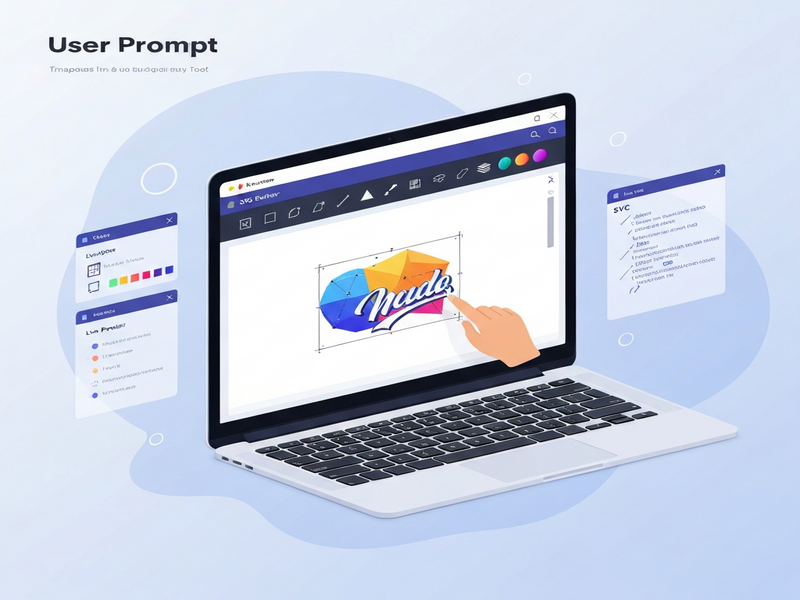
VectorNest is a free, web‑based, open‑source SVG editor that enables designers, UI/UX professionals, and front‑end developers to create, edit, and export vector graphics directly in the browser without installing any software.
Why VectorNest Is Turning Heads in the Design Community
When the demand for fast, collaborative, and device‑agnostic design tools surged, a lightweight yet powerful solution emerged: VectorNest. Unlike heavyweight desktop applications, VectorNest runs entirely in the cloud, delivering a responsive editing experience that scales from a laptop screen to a mobile phone. For web designers and product teams that need to iterate quickly, this online SVG editor offers a compelling blend of accessibility, feature depth, and community‑driven development.
What Is VectorNest and Who Is It For?
VectorNest is an open‑source project built with modern web technologies (React, TypeScript, and SVG.js). Its primary purpose is to provide a web‑based design tool that lets users:
- Create scalable vector graphics (SVG) from scratch or import existing files.
- Edit paths, shapes, text, gradients, and filters with a visual UI.
- Export clean SVG code ready for integration into web projects.
- Collaborate in real time by sharing a URL with teammates.
The tool is especially valuable for:
- Web designers who need quick mock‑ups without launching a full‑blown desktop suite.
- UI/UX designers looking for a responsive canvas that mirrors the final device experience.
- Front‑end developers who want to fine‑tune SVG markup directly in the browser.
- Digital product teams that require a shared, version‑controlled asset hub.
Key Features That Make VectorNest Stand Out
Web‑Based & Responsive
Because VectorNest runs in any modern browser, there’s no installation barrier. Its responsive layout automatically adapts to different screen sizes, ensuring a consistent editing experience on desktops, tablets, and smartphones.
Open‑Source Core
The source code is publicly available on GitHub, inviting contributions from developers worldwide. This transparency guarantees that the tool evolves with community‑driven features and security patches.
Rich SVG Editing Toolkit
VectorNest offers a full suite of vector operations: path editing, Boolean operations, gradient creation, text styling, and layer management. Advanced users can also edit the underlying SVG XML directly.
Instant Export & Integration
Export options include plain SVG, optimized SVG (via SVGO), and PNG snapshots. The generated code is clean, minified, and ready for immediate use in web projects, React components, or design systems.
Community Feedback and Real‑World Use Cases
Since its launch, VectorNest has amassed a vibrant community on GitHub, Reddit, and design forums. Users consistently praise its speed, simplicity, and the fact that it stays online—eliminating the need for license management.
“VectorNest saved our startup hours of design time. We can spin up a quick icon set in the browser and push the SVG straight into our codebase.” – UBOS for startups
Typical use cases include:
- Creating UI icon libraries that scale across devices.
- Designing responsive illustrations for landing pages.
- Generating SVG assets for email templates where file size matters.
- Prototyping interactive diagrams that later become part of web apps.
VectorNest vs. Other Popular SVG Editors
| Feature | VectorNest | Inkscape (Desktop) | Figma (Design System) |
|---|---|---|---|
| Installation Required | No – runs in browser | Yes – desktop app | No – web‑based but not focused on SVG |
| Open‑Source | Yes | Yes | No |
| Real‑Time Collaboration | Basic URL sharing | None | Advanced multi‑user |
| Export Options | SVG, Optimized SVG, PNG | SVG, PDF, PNG, EPS | SVG, PNG, PDF (via plugins) |
| Learning Curve | Low – intuitive UI | Medium‑High | Low‑Medium |
For teams that prioritize speed, zero‑install access, and open‑source flexibility, VectorNest often emerges as the most pragmatic choice.
How VectorNest Fits Into a Modern AI‑Powered Workflow
While VectorNest excels as a standalone SVG editor, its true power shines when combined with AI‑driven platforms like Enterprise AI platform by UBOS. Imagine generating design concepts with an AI model, refining them instantly in VectorNest, and then feeding the clean SVG into an automated marketing pipeline powered by AI marketing agents. This seamless loop reduces manual hand‑offs and accelerates time‑to‑market.
Get Started with VectorNest Today
If you’re ready to adopt a fast, open‑source SVG editor, simply visit the VectorNest official site and start designing instantly. For teams looking to embed VectorNest into larger workflows, consider exploring the following UBOS resources:
- Web app editor on UBOS – build custom front‑ends around your SVG assets.
- Workflow automation studio – automate SVG export to your CI/CD pipeline.
- UBOS templates for quick start – jump‑start projects with pre‑built SVG components.
- UBOS pricing plans – find a plan that scales with your team.
- UBOS partner program – collaborate on joint AI‑enhanced design solutions.
Conclusion: The Future of Online Vector Graphics
VectorNest embodies the next wave of design tooling—lightweight, browser‑native, and community‑centric. Its web‑based design tool nature eliminates friction, while the open‑source model ensures continuous improvement. For web designers, UI/UX specialists, and front‑end developers seeking a responsive, cost‑effective SVG editor, VectorNest offers a compelling alternative to heavyweight desktop suites.
By integrating VectorNest with UBOS’s AI‑enhanced ecosystem, teams can transform raw vector sketches into data‑driven assets that power marketing, product, and development pipelines. The synergy between a free online editor and a robust AI platform creates a virtuous cycle of creativity and efficiency—exactly what modern digital product teams need.
Ready to streamline your vector workflow? Dive into VectorNest now, and let your designs soar from the browser straight into production.