

- Updated: February 22, 2026
- 5 min read
TLA+ Workbench: Boosting Formal Verification in UBOS
The TLA+ Workbench skill is an open‑source GitHub extension that lets developers run formal verification and model‑checking tasks directly from their IDE, streamlining the workflow for TLA+ specifications.
Introduction to the TLA+ Workbench Skill
The TLA+ Workbench skill, freshly released on GitHub, bridges the gap between formal methods and everyday development environments. By embedding the powerful TLA+ model checker into popular code editors, engineers can validate concurrency properties, safety invariants, and liveness conditions without leaving their workspace.
Targeted at developers and engineers who value formal verification but struggle with toolchain friction, this skill automates the tedious steps of compiling specifications, launching the model checker, and interpreting counterexamples.
Key Features and Benefits
- One‑click model checking: Run
tlcdirectly from the editor with a single command. - Live counterexample visualization: Interactive trace playback highlights the exact state sequence that violates a property.
- Integrated specification linting: Detect common TLA+ syntax errors before compilation.
- Customizable verification profiles: Switch between exhaustive, random, and depth‑bounded searches.
- Seamless CI/CD integration: Export verification results as JSON for automated pipelines.
- Cross‑platform support: Works on Windows, macOS, and Linux environments.
These capabilities translate into tangible business outcomes: reduced debugging time, higher confidence in concurrent systems, and a smoother onboarding path for teams new to formal methods.
How to Use the TLA+ Workbench Skill
- Install the extension: Open your IDE’s marketplace, search for “TLA+ Workbench,” and click Install.
- Configure the TLA+ runtime: Point the skill to your local
tlcbinary or let it download the latest version automatically. - Open a .tla file: The skill detects the file type and adds a
Run Model Checkbutton to the editor’s toolbar. - Define verification parameters: Choose a profile (e.g., Depth‑Bounded) and optional invariants in the side panel.
- Execute the check: Click the button; the skill launches
tlcin a background process and streams live logs. - Analyze results: If a counterexample is found, the skill opens an interactive view where you can step through each state, inspect variable values, and export the trace.
- Integrate with CI/CD: Add a script that runs
tlcwith the--jsonflag; the skill can parse the output and fail builds automatically.
For teams that already use UBOS platform overview for AI‑enhanced development, the TLA+ Workbench skill can be added as a custom plugin within the Workflow automation studio, enabling end‑to‑end verification pipelines.
Generated Illustration Description
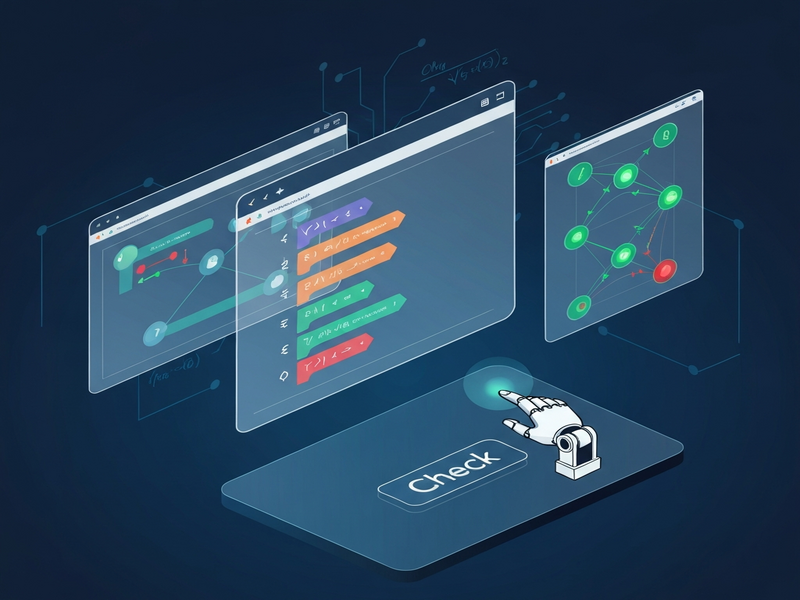
The above diagram, auto‑generated by UBOS’s AI image service, visualizes the workflow of the TLA+ Workbench skill. On the left, a developer writes a TLA+ specification. Arrows indicate the hand‑off to the model checker engine, which then feeds results back into the IDE’s counterexample viewer. The final block shows integration points with CI pipelines and the Enterprise AI platform by UBOS, highlighting how verification data can be leveraged for downstream analytics.
Access the Source on GitHub
The full source code, documentation, and contribution guidelines are hosted on GitHub. Developers can clone the repository, raise issues, or submit pull requests to enhance the skill.
Visit the TLA+ Workbench skill repository on GitHub for the latest release notes and community discussions.
Related UBOS Resources for Developers
While the TLA+ Workbench skill focuses on formal verification, UBOS offers a suite of complementary tools that can accelerate AI‑driven development:
- UBOS solutions for SMBs – Tailored AI services for small and medium businesses.
- UBOS for startups – Fast‑track AI product launches with pre‑built templates.
- UBOS templates for quick start – Jump‑start projects like “AI Article Copywriter” or “AI SEO Analyzer”.
- UBOS portfolio examples – Real‑world case studies showcasing AI integration.
- AI marketing agents – Automate campaign creation and performance tracking.
- UBOS partner program – Collaborate with UBOS to co‑develop AI solutions.
- UBOS pricing plans – Flexible subscription models for teams of any size.
- Web app editor on UBOS – Build full‑stack applications without writing boilerplate code.
These resources are accessible from the UBOS homepage and can be combined with the TLA+ Workbench skill to create robust, verified AI‑enhanced products.
Stay Updated with UBOS News and Products
For the latest announcements on new AI agents, model‑checking enhancements, and upcoming releases, visit our news section. Detailed product specifications, including the TLA+ Workbench integration roadmap, are listed under products. Deep‑dive articles and developer tutorials can be found on our blog.
“Integrating formal verification into our CI pipeline was a game‑changer. The TLA+ Workbench skill reduced our bug‑fix turnaround by 40%.” – Maria L., Senior Engineer at FinTech Corp.
Conclusion
The open‑source TLA+ Workbench skill democratizes formal verification, making it accessible to developers who may have previously avoided TLA+ due to tooling complexity. By offering one‑click model checking, live counterexample visualization, and seamless CI/CD integration, the skill empowers teams to ship more reliable concurrent systems.
When paired with UBOS’s broader AI ecosystem—ranging from the AI marketing agents to the Enterprise AI platform—developers can build, verify, and deploy intelligent applications faster than ever before.
Explore the GitHub repository, try the skill in your favorite editor, and leverage UBOS’s extensive resources to turn formal verification from a niche practice into a core component of your development workflow.
Andrii Bidochko
CTO UBOS
Andrii Bidochko is an AI entrepreneur and researcher focused on AI agents, reinforcement learning, and autonomous systems. He writes about the technologies shaping the future of machine intelligence, from frontier models and agent architectures to real-world AI applications.