

- Updated: March 12, 2026
- 5 min read
Substack Launches Built‑In Recording Studio: A New Era for Creators
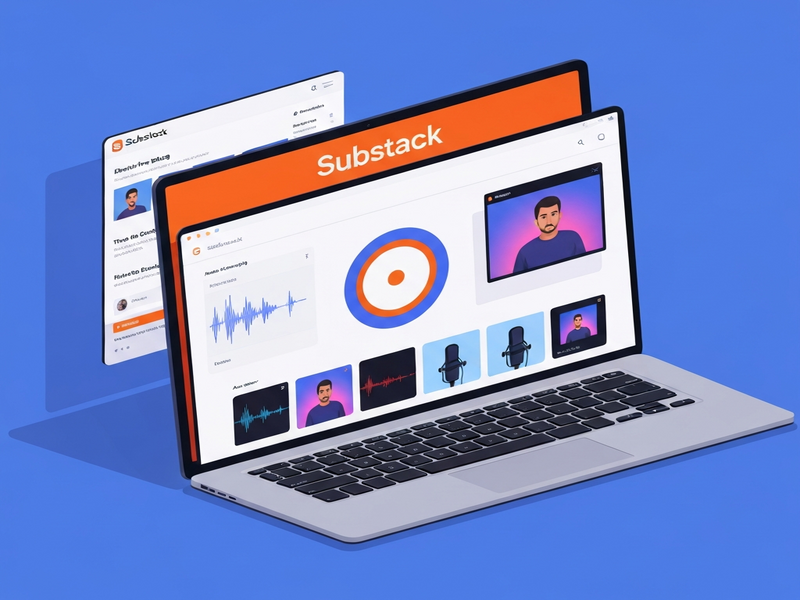
Substack’s new built‑in recording studio lets creators record, edit, and publish video and audio content directly from the desktop platform, eliminating the need for third‑party tools.
Why Substack’s Recording Studio Matters for Modern Creators
In a world where creator tools are fragmented across dozens of apps, Substack’s latest feature consolidates the workflow into a single, intuitive interface. The announcement was covered by TechCrunch, highlighting how the platform is shifting from a pure newsletter service to a full‑fledged multimedia hub.
For tech‑savvy content creators, indie publishers, and digital entrepreneurs, this development promises faster production cycles, lower costs, and a stronger connection with audiences who increasingly prefer video and podcast formats.
Substack Recording Studio: Core Features
- Desktop‑only interface that supports solo recordings and multi‑guest sessions (up to two guests).
- Screen sharing for co‑hosts, enabling live demos or slide presentations.
- Custom watermarks that reinforce brand identity on every video.
- Automatic clip generation – the studio creates short, shareable snippets and thumbnail images immediately after recording.
- One‑click publishing to Substack newsletters, the Substack TV app, or external platforms via embed code.
- Integrated audio‑only mode for podcast‑style recordings without video overhead.
These capabilities replace the “record‑edit‑upload” chain that previously required separate services such as Descript, Riverside, or Adobe Audition. By bundling everything, Substack reduces friction and accelerates time‑to‑publish.
Top Benefits for Creators
Speed and Simplicity
With a single click, creators can start recording, add a watermark, and publish. No more juggling multiple tabs or exporting files between apps.
Cost Efficiency
Substack’s studio is included in existing subscription tiers, eliminating additional licensing fees for third‑party recording software.
Audience Growth
Creators who added video or audio in the past 90 days saw revenue grow 50 % faster than those who stuck to text‑only newsletters, according to Substack’s internal data.
Cross‑Platform Reach
Recorded content automatically appears on the Substack TV app (Apple TV, Google TV) and can be shared on social channels with ready‑made clips.
How Substack Stacks Up Against Competitors
While platforms like Descript and Riverside.fm excel at advanced editing, they require separate accounts and often a steep learning curve. Substack’s studio, by contrast, offers a “good‑enough” solution that is tightly integrated with publishing and monetization tools.
| Feature | Substack Studio | Typical Competitor |
|---|---|---|
| All‑in‑one publishing | ✅ Direct to newsletter & TV app | ❌ Requires manual export |
| Guest support | ✅ Up to 2 guests | ✅ Usually up to 4‑8 guests |
| Automatic clip creation | ✅ Built‑in | ❌ Requires extra step |
| Cost | ✅ Included in Substack plan | 💰 Additional subscription |
For creators who prioritize seamless publishing over high‑end post‑production, Substack’s studio is a compelling choice. Those needing heavy editing may still opt for specialized tools, but the integrated workflow dramatically reduces overhead for the majority of indie publishers.
What Substack’s Leadership Is Saying
“Our goal has always been to empower writers to tell stories in the format that best serves their audience. With the Recording Studio, we’re removing the technical barriers that kept many creators from experimenting with video and audio.” – Rashmi Sinha, Head of Product at Substack
Take Your Content to the Next Level with UBOS
While Substack’s studio streamlines creation, you might still need advanced AI‑driven workflows, voice synthesis, or multi‑channel automation. UBOS offers a suite of integrations that complement Substack’s native features:
- ElevenLabs AI voice integration – generate natural‑sounding narration for your videos.
- OpenAI ChatGPT integration – draft scripts, outlines, or show notes instantly.
- Workflow automation studio – automate publishing to Substack, social platforms, and email lists in one click.
- UBOS templates for quick start – jump‑start your next video series with pre‑built layouts.
- AI marketing agents – let an AI assistant promote your new episodes across channels.
If you’re a startup or SMB looking for a scalable solution, explore UBOS solutions for SMBs. Enterprises can benefit from the Enterprise AI platform by UBOS, which offers robust security and compliance for large‑scale content operations.
Ready to experiment? Try the AI Video Generator template to produce teaser clips for your Substack recordings, or use the AI SEO Analyzer to optimize your episode titles for discoverability.
For a deeper dive into how AI can amplify your creator workflow, visit the Creator Tools resource hub on the UBOS site.
Conclusion
Substack’s built‑in recording studio marks a pivotal shift toward an all‑in‑one creator ecosystem. By unifying recording, editing, and publishing, it empowers independent writers and podcasters to produce richer content without the overhead of multiple subscriptions. When paired with UBOS’s AI‑enhanced integrations, creators can further automate, personalize, and scale their output—turning a single recording session into a multi‑channel growth engine.
Whether you’re just launching your first newsletter or managing a multi‑author media brand, the combination of Substack’s native studio and UBOS’s extensible platform offers a future‑proof workflow that keeps you focused on storytelling, not on tech logistics.
Andrii Bidochko
CTO UBOS
Andrii Bidochko is an AI entrepreneur and researcher focused on AI agents, reinforcement learning, and autonomous systems. He writes about the technologies shaping the future of machine intelligence, from frontier models and agent architectures to real-world AI applications.