

- Updated: February 2, 2026
- 6 min read
Stelvio: A Pure‑Python Serverless Framework for AWS
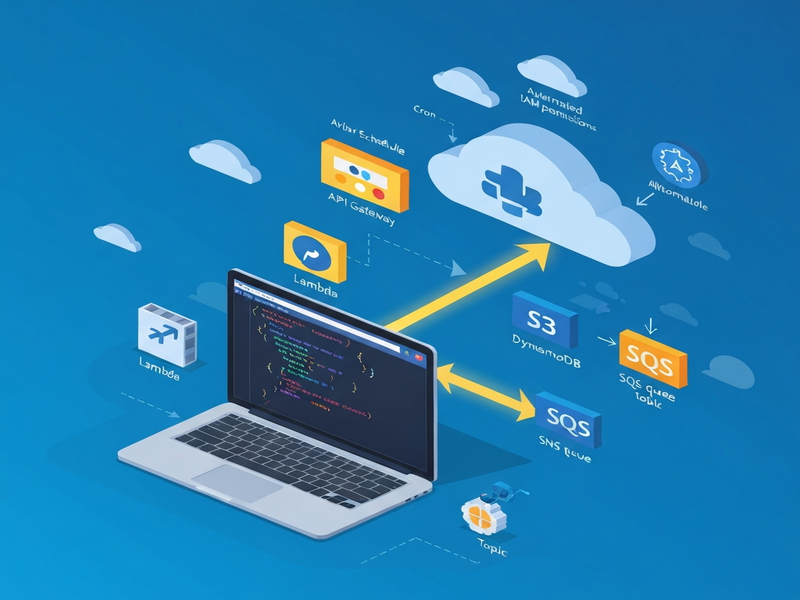
Stelvio is a pure‑Python, server‑less framework that lets developers deploy AWS Lambda functions, API Gateways, DynamoDB tables, S3 buckets, and more—all without writing a single line of YAML.
1. Introduction to Stelvio
When Python developers need to move from monolithic scripts to fully managed cloud services, the learning curve of traditional IaC tools (CloudFormation, Terraform, or even the original Serverless Framework) can be a blocker. Stelvio eliminates that friction by letting you describe every AWS resource directly in Python code. The framework automatically translates your definitions into Pulumi‑backed infrastructure, handling IAM permissions, environment variables, and deployment pipelines behind the scenes.
Because it stays within the Python ecosystem, you can continue using your favorite IDE, linters, and type checkers. No extra DSL, no hidden configuration files—just clean, readable Python. This approach aligns perfectly with the UBOS platform overview, which also champions developer‑first, low‑code solutions for AI‑enhanced applications.
2. Core Features and Supported AWS Components
Stelvio’s feature set is deliberately scoped to the most common serverless building blocks. Below is a MECE‑structured list of what you get out of the box:
- Lambda Functions – Write a handler, attach resources, and let Stelvio provision the function with the correct execution role.
- Scheduled Jobs – Use cron or rate expressions to trigger background tasks without extra configuration.
- S3 Buckets – Create storage, set lifecycle policies, and automatically wire event notifications to Lambda.
- DynamoDB Tables – Define partition and sort keys, enable streams, and link tables to functions for seamless IAM permissions.
- SQS & SNS – Build decoupled architectures with queues and topics, and subscribe functions directly.
- SES Email – Send high‑volume transactional email with a single line of code.
- API Gateway – Declare REST endpoints, custom domains, and route traffic to Lambda or other resources.
- Custom Domains & Router – Consolidate multiple APIs, static sites, and services under one domain with automatic SSL.
Each component follows a link‑first philosophy: you pass a Python object representing a resource to another, and Stelvio automatically creates the necessary IAM policies. For example, linking a Bucket to a Function grants read/write permissions without manual policy edits.
Beyond the core, Stelvio integrates with popular AI services. You can attach an OpenAI ChatGPT integration or a Chroma DB integration to enrich your serverless workloads with vector search or conversational AI.
3. Benefits for Python Developers
Stelvio was built with the Python developer’s workflow in mind. Here are the top advantages you’ll experience:
- Zero‑YAML Overhead – All configuration lives in Python, eliminating the need to maintain separate template files.
- Live Development Mode –
stlv devruns your Lambda locally while keeping the rest of the stack in AWS, cutting redeploy cycles dramatically. - Smart Defaults – Reasonable defaults (memory, timeout, runtime) are applied automatically; you only override when you need to.
- Full Control When Needed – Underlying Pulumi resources are exposed, so you can drop to low‑level Terraform‑style tweaks without leaving Python.
- Unified Testing – Use standard Python testing frameworks (pytest, unittest) to validate both code and infrastructure logic.
These benefits translate into faster time‑to‑market and lower operational overhead. For teams already leveraging AI marketing agents or the Workflow automation studio, Stelvio becomes a natural extension for deploying the backend services that power those agents.
4. Comparison with Other Serverless Frameworks
While the market is crowded with tools like the Serverless Framework, AWS SAM, and Terraform, Stelvio distinguishes itself on three axes: language purity, permission automation, and developer ergonomics.
| Feature | Stelvio | Serverless Framework | AWS SAM |
|---|---|---|---|
| Configuration Language | Pure Python | YAML + Plugins | YAML |
| IAM Permission Management | Automatic linking | Manual or plugin‑based | Manual |
| Live Local Execution | Built‑in dev mode | Requires serverless offline |
SAM CLI |
| Extensibility | Pulumi resource access | Plugin ecosystem | Limited |
For teams that already use Enterprise AI platform by UBOS, the Python‑centric approach of Stelvio reduces context switching and aligns with existing CI/CD pipelines built around Python packaging.
5. Getting Started Guide
Below is a concise, step‑by‑step walkthrough that gets a simple “Hello World” API up and running in under ten minutes.
Step 1 – Install the CLI
pip install stelvioStep 2 – Create a Project
stlv init my‑apiThis scaffolds a stlv_app.py file where you’ll declare resources.
Step 3 – Define an API Gateway and Lambda
from stelvio.aws.apigateway import Api
from stelvio.aws.function import Function

api = Api("hello-api", domain_name="api.example.com")
Function(
    "hello-handler",
    handler="handlers/hello.handler",
    links=[api],
)
The links argument automatically grants the Lambda permission to be invoked by the API.
Step 4 – Add a Simple Handler
# handlers/hello.py
def handler(event, context):
    return {
        "statusCode": 200,
        "body": "👋 Hello from Stelvio!"
    }
Step 5 – Deploy
stlv deployThe CLI provisions the stack, creates the Lambda, API Gateway, and a TLS‑enabled custom domain. You can now call https://api.example.com/ and receive the greeting.
Step 6 – Extend with AI Services (Optional)
If you want to enrich the endpoint with ChatGPT responses, just add the ChatGPT and Telegram integration or the ElevenLabs AI voice integration to your function’s dependencies.
For a visual reference, check the official Stelvio website. The documentation includes a “quick‑start” video that mirrors the steps above.
6. Conclusion & Next Steps
Stelvio redefines what “serverless” means for Python developers: no YAML, no manual IAM, and a seamless bridge to AI services. By keeping the entire stack in a single language, you reduce cognitive load, accelerate delivery, and stay aligned with modern DevOps practices.
If you’re a startup looking for rapid prototyping, explore UBOS for startups. For SMBs, the UBOS solutions for SMBs provide pre‑configured pipelines that pair perfectly with Stelvio‑deployed back‑ends.
Ready to try it yourself? Visit the UBOS homepage for a free account, then follow the quick‑start guide above. Need a ready‑made template? Check out the UBOS templates for quick start—you’ll find a “Serverless API” starter that already includes Stelvio scaffolding.
Finally, if you want to see real‑world implementations, browse the UBOS portfolio examples. They showcase how companies combine serverless back‑ends with AI‑driven front‑ends, often using the same AI Email Marketing or AI SEO Analyzer templates.
Take the first step today—deploy your Python serverless app with Stelvio and let your code run at scale, securely, and with zero‑configuration friction.