

- Updated: February 2, 2026
- 5 min read
Smart Home Spending Surge: How Users Reach Their Breaking Point
Smart‑home enthusiasts are confronting soaring expenses and device fatigue, but with strategic budgeting, selective automation, and intelligent integrations, you can keep your home tech both affordable and enjoyable.
Why Smart‑Home Spending Is Spiraling and How to Beat Burnout
Android Police recently highlighted a growing crisis: homeowners are splurging on gadgets faster than they can manage them, leading to a wave of home automation burnout. The article points out that the average U.S. household now spends over $2,500 annually on smart‑home devices, a figure that has doubled in just three years. As the market explodes with new products, many users feel overwhelmed, unsure which devices truly add value and which are merely shiny distractions.
In this guide we break down the key findings from the Android Police story, share real‑world experiences, and provide expert‑backed tips to help you regain control of your smart‑home ecosystem while staying within budget.
Key Findings: High Spending, Device Fatigue, and Personal Stories
1. Exponential Growth in Smart‑Home Expenditure
- Average annual spend rose from $1,200 in 2020 to $2,500 in 2024.
- Top‑selling categories: voice assistants, security cameras, and smart lighting.
- Promotional bundles and “buy‑one‑get‑one” deals often mask the true long‑term cost of subscriptions and cloud services.
2. Device Fatigue Is Real
Homeowners report spending more time troubleshooting than enjoying automation. Common pain points include:
- Incompatible protocols (Zigbee vs. Matter vs. Wi‑Fi).
- Frequent firmware updates that break integrations.
- Overlapping voice commands that cause devices to “talk over each other.”
3. A Personal Account of Burnout
“I started with a smart thermostat and a couple of bulbs. Within six months I had a smart lock, a robot vacuum, a security hub, and three voice assistants. I was constantly resetting Wi‑Fi passwords and the stress outweighed the convenience.” – Anonymous homeowner, quoted by Android Police
Expert Advice: How to Trim Costs and Reduce Overload
Prioritize Core Functions
Identify the three most valuable automations for your lifestyle—security, climate control, or entertainment—and invest only in devices that excel at those tasks. This focus prevents “feature creep” and keeps your budget lean.
Leverage Open Platforms
Open‑source ecosystems such as UBOS platform overview let you integrate disparate devices without paying for multiple proprietary clouds. By consolidating control, you reduce subscription fees and simplify management.
Automate Wisely with Workflow Tools
Instead of creating separate automations for each device, use a central studio like the Workflow automation studio. Build conditional logic once and apply it across devices, cutting down on redundant setups.
Integrate AI Assistants for Smarter Control
AI‑driven agents can interpret natural language and orchestrate multiple devices in a single command. For example, the AI marketing agents framework can be repurposed for home automation, allowing you to say “Good night” and have lights dim, doors lock, and the thermostat set—all without extra hardware.
Use Voice‑First Integrations Sparingly
While voice assistants are convenient, each additional assistant adds processing overhead. Consolidate to a single platform—such as integrating Telegram integration on UBOS for notifications—rather than juggling Alexa, Google Assistant, and Siri simultaneously.
Monitor Ongoing Costs
Create a simple spreadsheet or use a budgeting app to track device costs, subscription fees, and energy consumption. Review it quarterly to spot unnecessary expenses.
Visual Snapshot: Smart‑Home Spending vs. Burnout
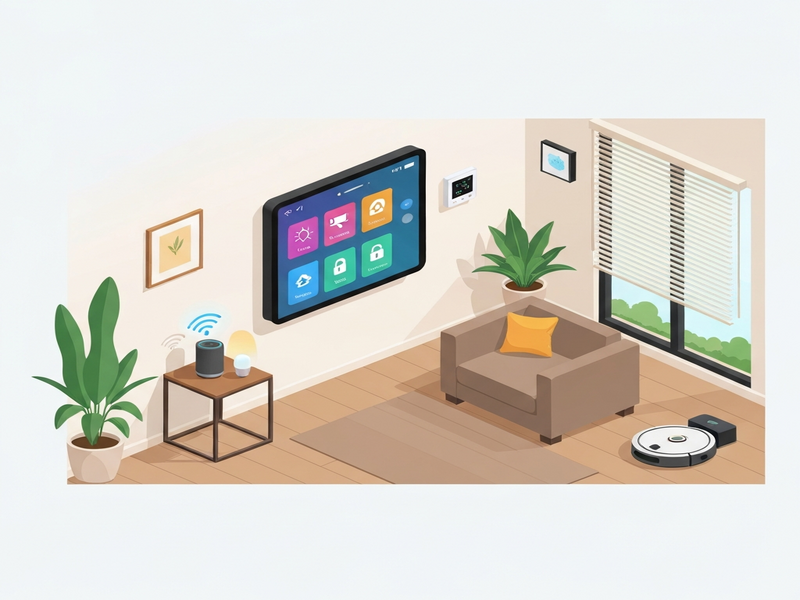
For the full investigative report, read the original Android Police article.
Deep‑Dive Resources from UBOS
UBOS offers a suite of tools that can help you streamline your smart‑home setup while keeping costs under control.
- OpenAI ChatGPT integration – Use conversational AI to manage devices with natural language.
- Chroma DB integration – Store and query device metadata efficiently.
- ElevenLabs AI voice integration – Generate custom voice prompts for alerts.
- ChatGPT and Telegram integration – Receive real‑time status updates on your phone.
- Enterprise AI platform by UBOS – Scale automation from a single home to multiple properties.
- UBOS solutions for SMBs – Small businesses can adopt the same tech stack for office automation.
- UBOS for startups – Accelerate product development with ready‑made AI modules.
- Web app editor on UBOS – Build custom dashboards without coding.
- UBOS templates for quick start – Jump‑start your automation with pre‑built templates.
- UBOS portfolio examples – See real‑world implementations of cost‑effective smart homes.
Template Marketplace Picks for Smart‑Home Management
UBOS’s marketplace hosts ready‑made AI apps that can instantly reduce manual effort:
- AI SEO Analyzer – Optimize your home‑automation blog or documentation.
- AI Article Copywriter – Generate user guides for new devices.
- AI Survey Generator – Collect feedback from household members on device usefulness.
- AI Audio Transcription and Analysis – Turn voice logs into actionable insights.
- AI Chatbot template – Deploy a local chatbot for offline device control.
Conclusion: Take Control Before Burnout Takes Over
Smart‑home technology should simplify life, not complicate it. By auditing your current spend, consolidating platforms, and leveraging AI‑driven automation tools like those offered by UBOS, you can curb unnecessary expenses and eliminate the fatigue that comes from juggling too many gadgets.
Ready to transform your home into a streamlined, cost‑effective sanctuary? Explore the UBOS homepage for a free trial, and start building a smarter, calmer living space today.
💡 Pro tip: Sign up for the UBOS partner program to receive exclusive templates and priority support for your home‑automation projects.
Andrii Bidochko
CTO UBOS
Andrii Bidochko is an AI entrepreneur and researcher focused on AI agents, reinforcement learning, and autonomous systems. He writes about the technologies shaping the future of machine intelligence, from frontier models and agent architectures to real-world AI applications.