

- Updated: February 17, 2026
- 6 min read
Samsung Galaxy Z Fold 7 and Folding Keyboard Redefine Mobile Workstations
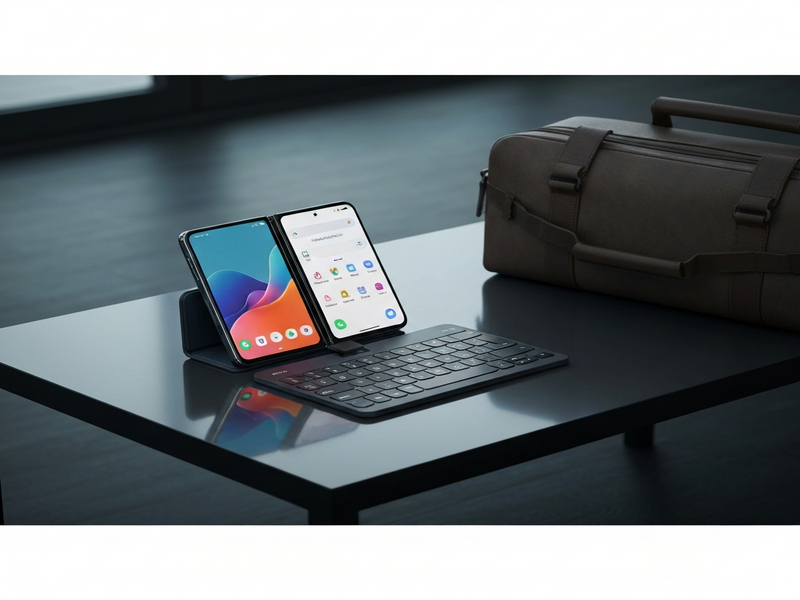
The Samsung Galaxy Z Fold 7 paired with a compact travel keyboard instantly becomes a powerful mobile workstation—what we call a “Purse Computer”—offering laptop‑level productivity in a pocket‑sized form factor.
Why the Galaxy Z Fold 7 and a Travel Keyboard Matter for Mobile Professionals
The newest iteration of Samsung’s flagship foldable, the Galaxy Z Fold 7, refines the thin‑and‑light design that made its predecessor a cult favorite. Weighing just under 250 g when folded and featuring a 7.6‑inch inner display, the device feels more like a premium tablet than a phone. Add a slim, Bluetooth travel keyboard and you have a complete mobile workstation that fits in a messenger bag, a tote, or even a small clutch.
Tech‑savvy professionals, remote workers, and digital nomads have long searched for a “laptop‑replacement” that doesn’t add bulk. The Fold 7 + keyboard combo answers that call, delivering:
- Full‑size typing comfort without the shoulder‑strap fatigue of a laptop.
- Multi‑window multitasking on Android 14’s enhanced split‑screen mode.
- Instant access to 5G connectivity, eliminating the need for a separate hotspot.
The “Purse Computer” Concept Explained
“Purse Computer” is a term coined by mobile‑first influencers to describe a foldable phone paired with a lightweight keyboard that together replace a traditional laptop. The idea hinges on three pillars:
- Portability: The device folds flat, slipping into any bag.
- Productivity: Physical keys restore the tactile feedback needed for long‑form writing.
- Versatility: The inner screen acts as a tablet, while the outer screen handles calls and quick tasks.
Samsung’s own marketing calls this the “mobile workstation” experience, but the community has embraced the more playful “Purse Computer” label because it captures the lifestyle shift from backpack‑laden laptops to sleek, pocket‑ready tools.
Key Features and Real‑World User Experience
1. Seamless Keyboard Pairing
Most reviewers settle on the Logitech Keys 2 Go for its ultra‑thin profile and full‑size keys. The keyboard connects via Bluetooth, automatically waking the Fold 7 when you open a document. Battery life is measured in years thanks to a replaceable coin cell, so you never worry about a dead keyboard mid‑meeting.
2. Optimized Android UI for Foldables
Samsung’s One UI 6.0 detects the unfolded state and expands the app window to the full 7.6‑inch canvas. You can run up to four apps side‑by‑side, resize them on the fly, and even drag‑and‑drop files between windows—functionality that mirrors a desktop OS.
3. Integrated Stand and Case Options
While a separate stand works, Samsung offers a kick‑stand case that locks the device at a comfortable angle for typing. This eliminates the “extra pocket” problem that many mobile workers cite when juggling a phone, keyboard, and stand.
4. Cloud‑First Workflow Automation
Pair the Fold 7 with UBOS’s Workflow automation studio to trigger actions like “Save email attachments to Google Drive” or “Create a meeting note in Notion” with a single tap. The integration works flawlessly on the inner screen, letting you stay in the flow without switching devices.
5. AI‑Powered Productivity Boosts
UBOS’s AI marketing agents and UBOS templates for quick start let you generate content, analyze SEO, or draft emails directly from the Fold 7. For example, the AI Article Copywriter template can spin a blog post in seconds, while the AI SEO Analyzer checks your on‑page optimization without opening a laptop.
Practical Tips and Common Pitfalls
Even the most polished setup can stumble if you overlook a few details. Below are actionable tips to keep your Purse Computer humming:
- Check the keyboard before you leave. A quick “ping” from the phone’s Bluetooth settings confirms it’s paired.
- Carry a lightweight stand. The Web app editor on UBOS includes a built‑in stand template you can 3‑D print or order from a local maker.
- Keep a power bank handy. The Fold 7’s 4400 mAh battery lasts ~12 hours of mixed use, but a 10 000 mAh bank ensures you survive all‑day sessions.
- Use desktop‑mode web apps. For Google Docs, open the
docs.google.comURL in Chrome and request “Desktop site” to unlock the full editing suite. - Mind the “inner screen” orientation. Some Android apps (e.g., Slack) default to a stretched phone layout; opening them in Chrome tabs often yields a cleaner, wider view.
One of the most common mishaps is forgetting the keyboard entirely—leaving you typing on tiny on‑screen keys. To avoid this, make the keyboard the first item you pack, right next to your phone.
How the Fold 7 + Keyboard Stacks Up Against Traditional Laptops
| Feature | Galaxy Z Fold 7 + Keyboard | Typical Ultrabook (13‑inch) |
|---|---|---|
| Weight | ~250 g (phone) + 45 g (keyboard) | ≈1.2 kg |
| Screen Real Estate | 7.6‑inch foldable (≈ 2,200 × 1,800 px) | 13‑inch (≈ 2,560 × 1,600 px) |
| Battery Life (mixed use) | ≈12 hrs | ≈10‑12 hrs |
| Connectivity | 5G, Wi‑Fi 6E, Bluetooth 5.2 | Wi‑Fi 6, Bluetooth 5.0 |
| Software Flexibility | Android + Linux‑based apps via OpenAI ChatGPT integration | Windows/macOS ecosystem |
While the Fold 7 can’t replace a high‑performance workstation for video editing or 3D rendering, it excels for document creation, email, web research, and light‑weight coding. The trade‑off is clear: you gain mobility and instant connectivity at the cost of raw processing power.
Boosting the Purse Computer with UBOS AI Tools
UBOS’s ecosystem is built for exactly this scenario—turning a foldable phone into a full‑featured AI‑enhanced workstation.
- Enterprise AI platform by UBOS lets you run custom models locally, reducing latency when you’re on a train without Wi‑Fi.
- Leverage the Chroma DB integration to store and retrieve vector embeddings of your research notes instantly.
- Turn spoken ideas into text with the ElevenLabs AI voice integration, perfect for dictating meeting minutes on the go.
- Deploy a AI Chatbot template to automate FAQ responses for your side‑hustle directly from the Fold 7.
- Use the AI YouTube Comment Analysis tool to gauge audience sentiment while you draft content.
All of these services are accessible through the UBOS portfolio examples, giving you ready‑made blueprints that you can import with a single tap.
Conclusion: Is the Galaxy Z Fold 7 the Right Choice for Your Mobile Office?
If you value ultra‑light portability, instant 5G connectivity, and a flexible multitasking UI, the Galaxy Z Fold 7 + travel keyboard combo is a compelling alternative to a traditional laptop. It shines in short‑to‑medium work sessions—think coffee‑shop mornings, co‑working afternoons, or quick client calls on the road.
To get the most out of this setup, pair the device with a reliable keyboard, a kick‑stand case, and a suite of AI tools from UBOS. The result is a truly mobile workstation that lives in your purse, not your backpack.
Ready to upgrade your workflow? Explore the UBOS pricing plans and start building your own Purse Computer today.
For a deeper dive into the original announcement, read the original Verge article.
Andrii Bidochko
CTO UBOS
Andrii Bidochko is an AI entrepreneur and researcher focused on AI agents, reinforcement learning, and autonomous systems. He writes about the technologies shaping the future of machine intelligence, from frontier models and agent architectures to real-world AI applications.