

- Updated: March 22, 2026
- 5 min read
RSS Readers: The Lightweight, Ad‑Free Solution for Modern News Consumption
RSS readers give you a fast, ad‑free, and lightweight way to stay informed, eliminating intrusive pop‑ups and massive page loads that plague many modern news sites.
Why the News‑Reading Experience Is Going South
Scrolling through today’s headlines often feels like navigating a minefield of intrusive pop‑ups, endless banner ads, and pages that weigh dozens of megabytes. A recent PC Gamer article highlighted three glaring issues that many readers encounter:
- A notification popup that blocks the content as soon as you land on the page.
- A newsletter sign‑up overlay that dims the background and forces you to click “close” before you can read.
- At least five full‑screen ads that consume bandwidth and distract from the story.
Even worse, the article’s initial load size was a staggering 37 MB. In under five minutes, the site downloaded nearly half a gigabyte of additional ad content, turning a simple read into a bandwidth nightmare.
RSS Readers: The Clean, Efficient Alternative
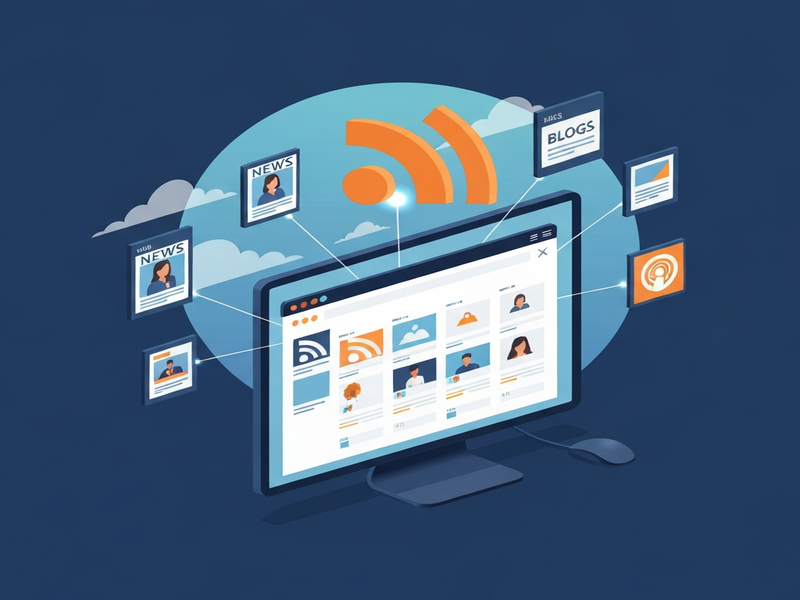
RSS (Really Simple Syndication) readers aggregate content from your favorite sites into a single, streamlined feed. By pulling only the text and essential media, they strip away the clutter that slows down traditional browsers.
Key Benefits of Ad‑Free, Lightweight Reading
- Speed: Most RSS feeds load in under a second, even on slow connections.
- Bandwidth Savings: Without heavy ad scripts, a typical feed consumes less than 1 MB per article.
- Focus: No pop‑ups, no auto‑play videos—just the core content you care about.
- Privacy: Fewer trackers mean less data harvested about your reading habits.
- Customization: Tag, sort, and prioritize feeds to match your professional or academic interests.
For tech‑savvy professionals, students, and anyone who values a distraction‑free workflow, RSS readers are the logical choice.
How to Choose the Right RSS Reader for You
Not all RSS readers are created equal. When evaluating options, consider the following criteria:
- Platform Compatibility: Desktop, mobile, or web‑based?
- Sync Capabilities: Do you need cross‑device synchronization?
- Automation Support: Can the reader integrate with AI tools or workflow engines?
- Open‑Source vs. Proprietary: Open‑source readers often offer more transparency.
- Price Point: Free, freemium, or subscription‑based?
Popular choices include NetNewsWire, Unread, Current, and Reeder. Each excels in different areas—NetNewsWire for macOS simplicity, Unread for a modern mobile experience, Current for powerful filtering, and Reeder for deep customization.
Boosting Your RSS Workflow with AI
While RSS readers already strip away noise, pairing them with AI can turn a simple feed into a knowledge‑engine. The UBOS homepage showcases an UBOS platform overview that lets you build AI‑enhanced pipelines without writing code.
Here are three ways to supercharge your news consumption:
1. Automatic Summarization
Use the AI Article Copywriter template to generate concise summaries of each article as it lands in your feed. This saves time and lets you skim dozens of headlines in minutes.
2. Sentiment & Topic Tagging
Integrate the AI SEO Analyzer or the AI YouTube Comment Analysis tool to automatically label articles by sentiment, industry, or relevance, making it easier to prioritize reading.
3. Voice‑First Consumption
Combine the ElevenLabs AI voice integration with your RSS feed to have articles read aloud on the go, perfect for commuters or multitaskers.
All of these capabilities can be assembled in the Workflow automation studio, where you drag‑and‑drop components, set triggers, and let the system run 24/7.
Step‑by‑Step: Building an AI‑Powered RSS Hub on UBOS
Below is a concise roadmap that leverages UBOS’s low‑code environment to create a personalized news hub.
- Sign up and explore: Visit the About UBOS page to understand the mission and security model.
- Create a new project: Use the Web app editor on UBOS to start a blank dashboard.
- Add an RSS source: Drag the “RSS Feed” widget, paste the URLs of your favorite tech blogs, and set a refresh interval of 15 minutes.
- Attach AI summarizer: Insert the AI Article Copywriter module, map the article body to the input field, and configure the output to appear as a collapsible summary.
- Enable voice output (optional): Connect the ElevenLabs AI voice integration and set a “Read Aloud” button for each summary.
- Automate notifications: Use the Telegram integration on UBOS to push new article alerts to a private channel.
- Combine with ChatGPT: For deeper Q&A, link the OpenAI ChatGPT integration so you can ask follow‑up questions about any article.
- Store embeddings for fast search: Enable the Chroma DB integration to index article vectors, allowing semantic search across your entire feed.
- Deploy and monitor: Review the UBOS pricing plans to select a tier that matches your usage, then hit “Deploy”.
Within minutes you’ll have a personalized, ad‑free news hub that not only aggregates articles but also summarizes, tags, and reads them aloud—all without ever seeing a pop‑up.
Explore More UBOS Solutions Tailored for Your Needs
Whether you’re a solo founder, a growing startup, or an established enterprise, UBOS offers specialized packages:
- UBOS for startups – rapid prototyping with AI‑driven templates.
- UBOS solutions for SMBs – cost‑effective automation for small teams.
- Enterprise AI platform by UBOS – scalable, secure, and compliant AI services.
- AI marketing agents – generate copy, analyze performance, and automate campaigns.
- UBOS templates for quick start – pre‑built RSS‑plus‑AI workflows you can clone in seconds.
- UBOS partner program – collaborate, co‑sell, and earn revenue on AI solutions.
- UBOS portfolio examples – see real‑world deployments across industries.
Ready to Ditch Cluttered News Sites?
Start building your own ad‑free, AI‑enhanced news hub today. Visit the UBOS homepage, explore the UBOS templates for quick start, and launch a personalized RSS workflow in minutes.
Need help? Our About UBOS team is ready to guide you through every step.
For the original analysis of intrusive pop‑ups and massive page loads, see the PC Gamer article that sparked this deep dive.
Andrii Bidochko
CTO UBOS
Andrii Bidochko is an AI entrepreneur and researcher focused on AI agents, reinforcement learning, and autonomous systems. He writes about the technologies shaping the future of machine intelligence, from frontier models and agent architectures to real-world AI applications.