

- Updated: January 18, 2026
- 7 min read
Rails 8 Introduces SolidQueue: Replacing Redis for Background Jobs
Rails 8 eliminates the need for Redis by introducing SolidQueue, SolidCache, and SolidCable, allowing background jobs, caching, and real‑time messaging to run directly on your relational database.
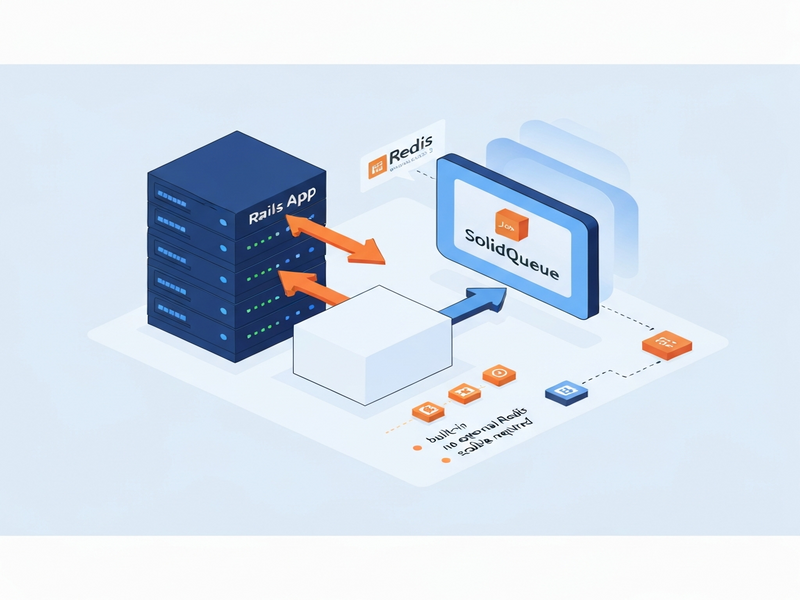
Rails 8’s Strategic Shift: From Redis to Built‑In SolidQueue, SolidCache, and SolidCable
Since its inception, Ruby on Rails has relied on Redis for three core responsibilities:
- Queueing background jobs (commonly via Sidekiq).
- Caching view fragments and query results.
- Transporting ActionCable messages for websockets.
Rails 8 bundles native replacements—SolidQueue, SolidCache, and SolidCable—that operate on the same relational database you already use for ActiveRecord. This consolidation reduces operational overhead, eliminates a separate key‑value store, and aligns with the “one database, one source of truth” philosophy.
Why Redis Became the De‑Facto Standard
Redis’s in‑memory design offers sub‑millisecond latency, atomic operations, and a simple publish/subscribe model. For a decade it powered:
- Sidekiq’s high‑throughput job processing.
- Fragment caching with
redis‑store. - Real‑time chat and notification systems via ActionCable adapters.
Its speed and reliability made it the go‑to choice for Rails teams that needed a dedicated, fast data layer.
The Hidden Cost of Maintaining Redis
Beyond the monthly hosting fee, Redis introduces several operational burdens:
- Provisioning, patching, and monitoring a separate server.
- Designing persistence strategies (RDB snapshots vs. AOF logs).
- Managing memory limits, eviction policies, and HA clustering.
- Maintaining network connectivity, firewall rules, and authentication.
- Coordinating two distinct backup pipelines (RDBMS + Redis).
- Debugging across two data stores with different query languages.
When a Rails or PostgreSQL instance fails, the entire stack stops—simplifying failure domains and reducing the “unknown unknowns” that often plague multi‑service architectures.
How SolidQueue Replaces Redis with PostgreSQL
SolidQueue leverages PostgreSQL’s FOR UPDATE … SKIP LOCKED clause (available since 9.5) to achieve lock‑free, concurrent job acquisition. The workflow is simple:
SELECT * FROM solid_queue_ready_executions
WHERE queue_name = 'default'
ORDER BY priority DESC, job_id ASC
LIMIT 1
FOR UPDATE SKIP LOCKED;
Each worker runs the query, instantly claims the first unlocked row, and proceeds without waiting for other workers. The database guarantees uniqueness, eliminating the need for an external coordinator.
Core Tables Behind SolidQueue
- solid_queue_jobs – stores immutable job metadata (class name, arguments, timestamps).
- solid_queue_scheduled_executions – holds jobs waiting for a future run.
- solid_queue_ready_executions – the “ready” queue polled by workers.
- solid_queue_failed_executions – captures failures for later inspection.
- solid_queue_semaphores – implements concurrency limits (see below).
PostgreSQL’s built‑in autovacuum handles the rapid insert/delete churn, so no special tuning is required for most workloads.
Recurring Jobs Built‑In
Unlike Sidekiq, which relies on third‑party gems (e.g., sidekiq‑cron), SolidQueue ships with native cron‑style recurring jobs. Define them in config/recurring.yml:
production:
  cleanup_old_sessions:
    class: CleanupSessionsJob
    schedule: every day at 2am
    queue: maintenance

  daily_digest:
    class: DailyDigestJob
    schedule: every day at 9am
    queue: mailers
The scheduler moves due jobs into the ready table automatically, guaranteeing deterministic execution even after restarts.
Concurrency Limits Without Extra Cost
SolidQueue’s semaphore tables let you restrict the number of simultaneous executions per key:
class ProcessUserOnboardingJob < ApplicationJob
  limits_concurrency to: 1, key: ->(user) { user.id }, duration: 15.minutes

  def perform(user_id)
    # onboarding logic
  end
end
If a job crashes, the semaphore expires after the duration, preventing deadlocks.
Step‑by‑Step Migration from Sidekiq to SolidQueue
- Switch the queue adapter. In
config/environments/production.rbset:config.active_job.queue_adapter = :solid_queue - Add the SolidQueue gem. Run:
bundle add solid_queue rails solid_queue:install rails db:migrate - Convert cron schedules. Move Sidekiq‑cron entries to
config/recurring.ymlusing natural language syntax (see the example above). - Update your Procfile. Replace the Sidekiq process with SolidQueue’s starter:
web: bundle exec puma -C config/puma.rb jobs: bundle exec rake solid_queue:start - Remove Redis‑related gems. Delete
gem 'redis',gem 'sidekiq', and any cron extensions, then runbundle installandbundle clean --force. - Validate existing jobs. All ActiveJob subclasses continue to work unchanged; retry policies and error handling are preserved.
Benefits of Going Redis‑Free—and When You Might Still Need Redis
Key advantages of adopting SolidQueue in Rails 8:
- Reduced infrastructure complexity (single database).
- Lower total cost of ownership (no separate Redis instance).
- Unified monitoring and backup strategy.
- Native Rails integration—no extra adapters.
- Free concurrency limits and recurring jobs.
Scenarios where Redis remains valuable:
- Ultra‑high‑throughput pipelines (> 1,000 jobs/sec) where sub‑millisecond latency is mission‑critical.
- Complex pub/sub patterns across multiple microservices.
- Rate‑limiting, leaderboards, or atomic counters that benefit from Redis’s Lua scripting.
- Hybrid architectures that already use Redis for caching non‑relational data (e.g., session stores).
For most SaaS, B2B, and internal tools—especially those under 100 jobs/sec—SolidQueue provides ample performance with far less operational friction.
Scaling SolidQueue: Performance Tips for Production
- Separate queue database. Configure a dedicated connection (see Rails 8 updates) to isolate job tables from the primary read/write workload.
- Adjust polling intervals. Default is 0.2 s for ready jobs; increase to 0.5 s for low‑traffic apps to reduce DB load.
- Index critical columns. Add indexes on
queue_name,priority, andscheduled_atfor faster lookups. - Leverage PostgreSQL partitioning. For massive job volumes, partition
solid_queue_jobsby month or queue name. - Monitor with Mission Control. The free SolidQueue guide shows how to mount the dashboard and track failed jobs, throughput, and latency.
Practical Implementation: A Quick Start Guide
Below is a minimal, production‑ready setup for a new Rails 8 app.
# 1️⃣ Create a fresh Rails 8 project
rails new myapp --database=postgresql
cd myapp

# 2️⃣ Install SolidQueue (gem + migrations)
bundle add solid_queue
rails solid_queue:install
rails db:migrate

# 3️⃣ Configure a dedicated queue DB (config/database.yml)
development:
  primary:
    <<: *default
    database: myapp_development
  queue:
    <<: *default
    database: myapp_queue_development
    migrations_paths: db/queue_migrate

# 4️⃣ Tell Rails to use SolidQueue
# config/environments/development.rb
Rails.application.configure do
  config.active_job.queue_adapter = :solid_queue
  config.solid_queue.connects_to = { database: { writing: :queue } }
end

# 5️⃣ Add a sample job
rails generate job EmailReport
# app/jobs/email_report_job.rb
class EmailReportJob < ApplicationJob
  queue_as :default
  retry_on StandardError, attempts: 5, wait: :exponentially_longer

  def perform(user_id)
    user = User.find(user_id)
    ReportMailer.weekly_summary(user).deliver_now
  end
end

# 6️⃣ Enqueue a job (Rails console)
EmailReportJob.perform_later(User.first.id)

# 7️⃣ Mount Mission Control for visibility
# config/routes.rb
mount MissionControl::Jobs::Engine, at: "/jobs"

# 8️⃣ Run everything
bin/dev   # starts web server + SolidQueue worker
Visit http://localhost:3000/jobs to see live job statistics, retry failed jobs, and inspect arguments—all without leaving your Rails console.
Next Steps: Leverage UBOS for Faster AI‑Powered Development
If you’re looking to accelerate AI integration while keeping your stack lean, explore the UBOS platform overview. The platform’s Workflow automation studio lets you stitch together SolidQueue jobs with AI services like OpenAI ChatGPT integration or ElevenLabs AI voice integration—all without writing extra glue code.
Start with a ready‑made template such as the AI Article Copywriter or the AI SEO Analyzer to see how background jobs can power content generation pipelines.
For startups, the UBOS for startups program offers generous free credits, while SMBs can benefit from UBOS solutions for SMBs. Enterprises looking for a full‑scale AI stack should review the Enterprise AI platform by UBOS.
Ready to modernize your Rails background processing? Dive into the UBOS pricing plans, join the UBOS partner program, and start building smarter, faster, and with fewer moving parts.
For a deeper technical walkthrough, see the original announcement on Simple Thread.