

- Updated: February 1, 2026
- 6 min read
PostgreSQL Indexes: The Ultimate Guide to Faster Queries and Smarter Data Access
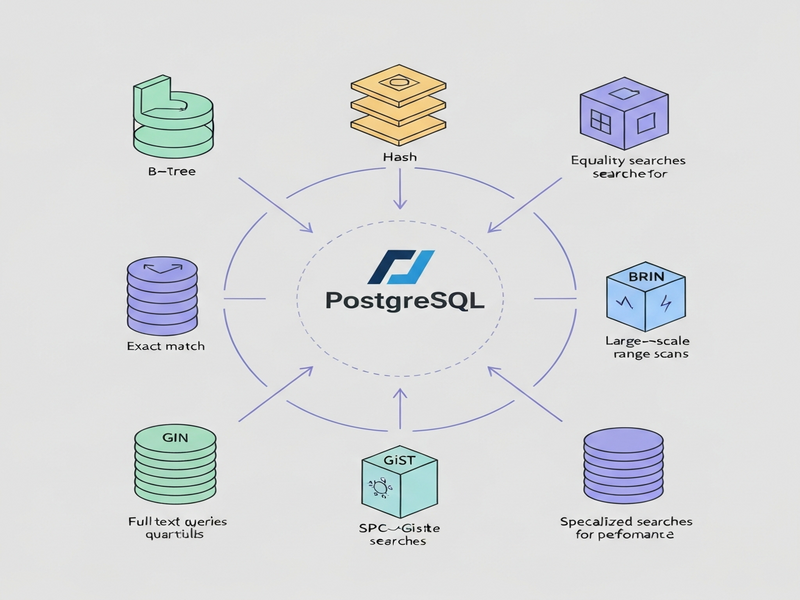
PostgreSQL indexes are specialized data structures that let the database locate rows directly, cutting query execution time from seconds to milliseconds and dramatically reducing I/O load.
Why Indexing Matters in PostgreSQL
For database administrators, backend developers, and data engineers, query performance is the lifeblood of any application. Without indexes, PostgreSQL must perform a sequential scan—reading every 8 KB page of a table—to satisfy a simple WHERE clause. As tables grow into millions of rows, that approach becomes a bottleneck, inflating latency, increasing CPU usage, and driving up cloud‑costs.
Indexes solve this problem by maintaining a sorted (or hashed) map from key values to the physical location of rows (the ctid). The query planner can then jump straight to the relevant pages, dramatically reducing disk reads and memory pressure. However, indexes are not a free lunch; they consume storage, add overhead to write operations, and can mislead the planner if mis‑used. This guide walks you through every built‑in index type PostgreSQL offers, when to apply each, and advanced techniques to keep your database both fast and lean.
PostgreSQL Index Types at a Glance
PostgreSQL ships with six native index access methods, each optimized for different data patterns and query shapes.
B‑tree
The default and most versatile index. Ideal for equality, range, and ORDER BY queries on scalar data types.
Hash
Stores a 32‑bit hash of the indexed value. Best for pure equality checks on large, fixed‑size columns (e.g., UUIDs).
BRIN
Block Range Indexes summarize min/max values per page range. Perfect for massive append‑only tables or time‑series data.
GIN
Generalized Inverted Index, optimized for array, JSONB, and full‑text search where a single row can contain many searchable elements.
GiST
Generalized Search Tree, a flexible framework for geometric, network, and range types. Supports nearest‑neighbor queries.
SP‑GiST
Space‑Partitioned GiST, useful for non‑balanced structures like quad‑trees, often employed for spatial indexing.
When to Use Each Index Type – Real‑World Scenarios
-
B‑tree: Most CRUD applications. Use for primary keys, foreign keys, and columns frequently filtered with
=,<,>,BETWEEN, or sorted withORDER BY. Example:SELECT * FROM orders WHERE created_at BETWEEN '2024-01-01' AND '2024-01-31'. -
Hash: When you only need equality checks on high‑cardinality columns such as
uuidorsha256hashes. Example:SELECT * FROM sessions WHERE token = $1. -
BRIN: Ideal for log tables, sensor data, or any append‑only dataset where values are naturally ordered (e.g., timestamps). A BRIN on
event_timecan reduce index size to a few megabytes even for billions of rows. -
GIN: Use for full‑text search on
tsvector, JSONB containment (@>), or array membership (@>). Example:SELECT * FROM articles WHERE tags @> ARRAY['postgresql']. -
GiST: Perfect for geometric data (points, polygons) and range types. Example:
SELECT * FROM locations WHERE geom && ST_MakeEnvelope(...). - SP‑GiST: Best for custom non‑balanced trees, such as hierarchical categories or specialized spatial indexes where query patterns differ from classic B‑tree assumptions.
Advanced Indexing Techniques
1. Multicolumn Indexes
Combine two or more columns into a single B‑tree to satisfy queries that filter on the leftmost prefix. Order matters: (a, b) can serve a = ? and a = ? AND b = ?, but not b = ? alone.
2. Partial Indexes
Index only a subset of rows using a WHERE clause. This reduces size and maintenance cost. Example for an “active” flag:
CREATE INDEX idx_active_users ON users (last_login) WHERE is_active = true;3. Covering (Include) Indexes
PostgreSQL 11+ allows INCLUDE columns that are stored only in leaf pages. Queries that need those columns can be satisfied by an index‑only scan, avoiding heap lookups.
CREATE INDEX idx_orders_cover ON orders (customer_id) INCLUDE (order_total, status);4. Expression Indexes
Index the result of a function or expression. Great for case‑insensitive searches or computed columns.
CREATE INDEX idx_lower_email ON users (LOWER(email));5. Concurrent Index Creation
Use CREATE INDEX CONCURRENTLY on production tables to avoid locking writes. It takes longer but keeps the service online.
Performance Benefits and Trade‑offs
| Aspect | Benefit | Potential Cost |
|---|---|---|
| Read Latency | Orders of magnitude faster lookups (ms → µs) | Extra disk I/O for index pages |
| Write Overhead | Minimal for low‑write tables | Each INSERT/UPDATE must also modify the index |
| Storage Footprint | Enables complex queries without full scans | Indexes can be larger than the base table (especially B‑tree on wide columns) |
| Planner Complexity | More options for the optimizer to choose the cheapest path | Too many indexes may increase planning time and cause sub‑optimal choices |
The rule of thumb “index only if the query returns < 15 % of rows” is a useful starting point, but real‑world workloads often deviate. Use EXPLAIN (ANALYZE, BUFFERS) to verify that an index is actually being used.
Practical Tips for Index Maintenance
-
Monitor Bloat: Run
pg_stat_user_indexesandpgstattupleto detect oversized indexes. Re‑index withREINDEX INDEX CONCURRENTLYwhen bloat exceeds 20 %. -
Leverage Autovacuum: Ensure
autovacuum_vacuum_scale_factorandautovacuum_analyze_scale_factorare tuned for high‑write tables so statistics stay fresh. - Prefer Partial Over Full Indexes: When a column is heavily skewed, a partial index on the selective subset can be dramatically smaller.
- Use Covering Indexes Sparingly: Including many columns inflates leaf pages; only add columns that are frequently selected together.
-
Test with Real Workloads: Synthetic benchmarks can mislead. Capture production query logs, replay them with
pgbench, and compare plans before and after index changes.
Figure: Visual overview of PostgreSQL index types and their typical use‑cases.
Conclusion: Index Wisely, Query Faster
PostgreSQL offers a rich toolbox of index types, each tuned for specific data shapes and query patterns. By selecting the right index, employing advanced techniques like partial and covering indexes, and maintaining them with disciplined vacuuming and monitoring, you can achieve sub‑second response times even on massive datasets.
Ready to put these strategies into practice? Explore the UBOS platform overview for a low‑code environment that lets you prototype, test, and deploy PostgreSQL‑backed services in minutes. Need a starter template? Check out the UBOS templates for quick start, including an AI SEO Analyzer that can automatically surface slow queries in your database.
If you’re a startup looking for a managed AI‑enhanced data stack, the UBOS for startups program offers generous credits and expert guidance. For larger enterprises, the Enterprise AI platform by UBOS integrates seamlessly with PostgreSQL, providing built‑in Chroma DB integration for vector search and OpenAI ChatGPT integration for intelligent query assistants.
Want to automate routine data‑pipeline tasks? The Workflow automation studio lets you trigger index rebuilds after bulk loads, while the Web app editor on UBOS helps you build dashboards that visualize index usage in real time.
Stay ahead of the curve—optimize your PostgreSQL indexes today and watch your applications soar.