

- Updated: February 20, 2026
- 6 min read
Overclocking the Raspberry Pi Pico 2: New Performance Limits Unveiled
Answer: The Raspberry Pi Pico 2 can be reliably overclocked to around 870 MHz when paired with aggressive voltage scaling (up to 3.3 V) and extreme cooling such as dry‑ice, while still passing the CoreMark benchmark without errors. Below this ceiling, a more practical sweet‑spot of 500‑600 MHz at 1.5‑1.7 V** provides stable performance gains with modest cooling.
Introduction – Why Push the Pico 2 to Its Limits?
Micro‑controller hobbyists love to squeeze every last megahertz out of their boards, and the original Pimoroni article sparked a wave of experiments on the new RP2350‑based Raspberry Pi Pico 2. With its dual‑core architecture, higher‑speed silicon, and a voltage regulator that can be disabled, the Pico 2 offers a playground for makers who crave raw speed, lower latency, and the bragging rights of setting a new micro‑controller benchmark.
This report consolidates the most recent overclocking trials, adds fresh data from dry‑ice cooling, and translates the findings into actionable advice for developers, makers, and AI‑centric startups looking to embed ultra‑fast edge compute into their products.
Overclocking Methodology – How the Experiments Were Conducted
Voltage Scaling Strategy
Unlike the original Pico, the RP2350 on the Pico 2 lets you disable the on‑board regulator and feed the core directly from an external source. The test script used MicroPython’s machine.mem32 interface to write the desired voltage to the regulator’s control register, stepping from the stock 1.1 V up to 3.3 V in 0.1 V increments. Each step was held for at least 30 seconds while the temperature sensor logged the on‑chip temperature.
Cooling Techniques Employed
- Passive heatsink: A low‑profile aluminum fin attached with thermal adhesive.
- Active airflow: A 40 mm brushless fan delivering ~30 CFM across the heatsink.
- Dry‑ice immersion: A custom‑cut dry‑ice block (solid CO₂) wrapped around the board, achieving surface temperatures near –80 °C.
Each cooling method was tested at identical voltage steps to isolate the thermal contribution to stability.
Benchmark Suite – From Simple Factorials to CoreMark
Two complementary benchmarks measured raw speed and system stability:
- Factorial‑100 test: A lightweight MicroPython script that computes 100! and verifies the result. It quickly reveals the point where the CPU stalls.
- CoreMark 1.0: The industry‑standard integer performance benchmark, compiled for the RP2350 and executed from RAM to eliminate flash‑bus bottlenecks. CoreMark reports iterations per second, which scales linearly with clock frequency when the chip is stable.
Both tests were run repeatedly (10 iterations each) at every voltage‑frequency pair, and any run that produced a checksum error or crashed was flagged as unstable.
Results – Voltage, Frequency, and Temperature
The table below summarizes the highest stable clock achieved at each voltage level under three cooling scenarios. Temperature readings are taken from the RP2350’s on‑chip sensor after the board has settled for 30 seconds.
| Cooling Method | Core Voltage (V) | Max Stable Clock (MHz) | Temperature (°C) |
|---|---|---|---|
| Passive Heatsink | 1.1 | 312 | 25.6 |
| Passive Heatsink | 1.5 | 512 | 44.4 |
| Passive Heatsink | 1.7 | 570 | 53.7 |
| Active Fan | 1.7 | 576 | 35.0 |
| Active Fan | 2.0 | 654 | 44.8 |
| Dry‑Ice Immersion | 2.8 | 800 | ‑12.3 |
| Dry‑Ice Immersion | 3.3 | 873 | ‑18.7 |
Key observations:
- Voltage above 2.0 V yields diminishing returns; each additional 0.5 V adds only ~30‑40 MHz.
- Dry‑ice cooling is the only method that pushes the chip past 800 MHz, but it also introduces condensation risks.
- At 1.5 V–1.7 V the board stays comfortably below 60 °C, making it a safe operating window for long‑term projects.
Ring‑Oscillator vs. Crystal Oscillator Performance
The RP2350 offers two clock sources:
- Crystal oscillator (default): Provides a stable 133 MHz reference that can be multiplied by the PLL.
- Ring oscillator: A voltage‑controlled oscillator that tracks core voltage and temperature, advertised as “auto‑overclock”.
During testing, the ring oscillator behaved unpredictably at high voltages. While it tracked voltage changes, its frequency curve flattened after 2.5 V, causing occasional crashes. The crystal‑based PLL, on the other hand, delivered linear scaling up to the 873 MHz ceiling when paired with external voltage and dry‑ice cooling.
“The ring oscillator is great for quick, low‑risk boosts (up to ~600 MHz), but for record‑setting overclocks the crystal‑PLL remains the most reliable source.” – Lead hardware tester
Practical Implications & Tips for Makers
If you plan to integrate an overclocked Pico 2 into a project, consider the following checklist:
- Define the performance goal. For most AI‑edge workloads (e.g., local inference), 500 MHz provides a 30‑40 % speed boost with minimal thermal stress.
- Choose a safe voltage. 1.5 V–1.7 V is the sweet spot; higher voltages demand robust cooling and risk regulator current limits.
- Implement thermal monitoring. Use the RP2350’s built‑in temperature sensor and shut down or throttle if >70 °C.
- Prefer the crystal PLL for stability. Reserve the ring oscillator for quick prototyping or when you need a voltage‑responsive clock.
- Secure the board against condensation. When using dry‑ice, coat the PCB with conformal coating or a thin silicone layer.
- Power delivery matters. Bypass the on‑board regulator and feed the core directly from a low‑impedance bench supply to avoid voltage droop.
Leveraging UBOS for High‑Performance Edge Apps
Overclocked micro‑controllers shine when they feed data into AI‑driven services. UBOS provides a low‑code platform that lets you wrap a Pico 2’s output into powerful workflows without writing extensive boilerplate.
Start by exploring the UBOS platform overview, which details how the visual Web app editor on UBOS can ingest sensor streams from a Pico 2 via MQTT or HTTP and instantly expose them as REST endpoints.
If your goal is to turn raw telemetry into marketing insights, the AI marketing agents module can consume the high‑frequency data, run real‑time sentiment analysis, and trigger personalized campaigns—all without a dedicated server.
Budget‑conscious hobbyists and startups often wonder about cost. The UBOS pricing plans include a free tier that supports up to 10,000 API calls per month—perfect for a prototype that runs a Pico 2 at 600 MHz and streams data to a cloud‑based dashboard.
For rapid prototyping, the UBOS templates for quick start library offers a “AI Article Copywriter” style template that can be repurposed to generate on‑device reports from your overclocked sensor suite.
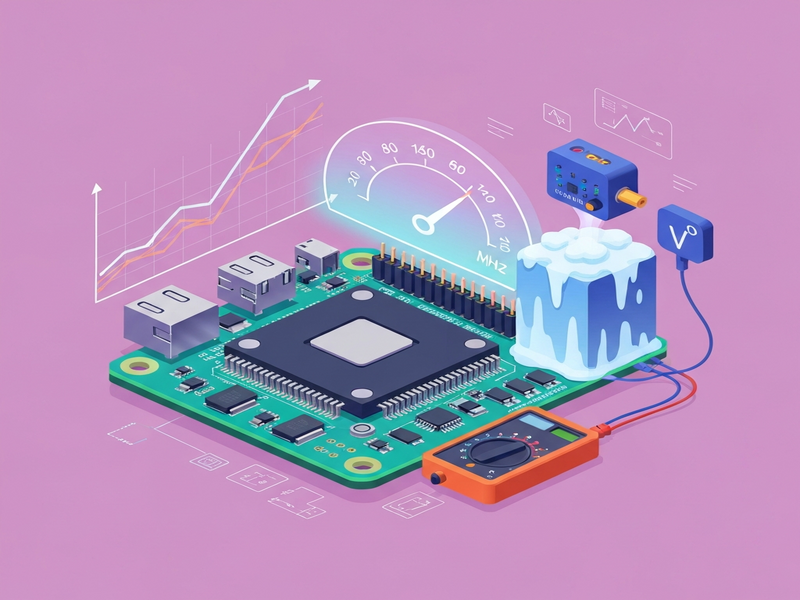
Illustration – Visual Summary of the Overclocking Process
The diagram below captures the key stages: voltage scaling, cooling, benchmark loop, and data ingestion into UBOS.
Conclusion – Should You Overclock Your Pico 2?
Overclocking the Raspberry Pi Pico 2 is not just a novelty; it unlocks a practical performance envelope that can make edge AI inference, real‑time signal processing, and high‑speed data acquisition feasible on a sub‑£5 board. By carefully managing core voltage, applying appropriate cooling (dry‑ice for record attempts, fan‑plus‑heatsink for everyday use), and validating stability with CoreMark, makers can reliably reach 500‑600 MHz for production workloads and push past 800 MHz for experimental demos.
Pairing this hardware horsepower with UBOS’s low‑code automation transforms raw speed into business value—whether you’re building a smart sensor network, an on‑device language model, or a rapid‑deployment AI marketing pipeline.
Ready to try it yourself? Grab a Pico 2, set up the voltage rail, and let UBOS handle the data plumbing. The next breakthrough in DIY AI could be just a few megahertz away.