

- Updated: February 23, 2026
- 5 min read
OpenSlack: Open‑Source Slack Alternative Launches on GitHub
OpenSlack is an open‑source, self‑hosted Slack alternative built with TypeScript and Docker, delivering core team‑messaging capabilities for developers who need a secure, customizable chat platform.
OpenSlack: The Open‑Source Slack Replacement Making Waves in 2026
In a landscape dominated by proprietary collaboration tools, OpenSlack emerges as a compelling open source Slack alternative that puts control back into the hands of developers and IT teams. Powered by modern TypeScript and containerized with Docker, the project promises a lightweight, self‑hosted chat experience without the licensing fees or data‑privacy concerns of commercial platforms.
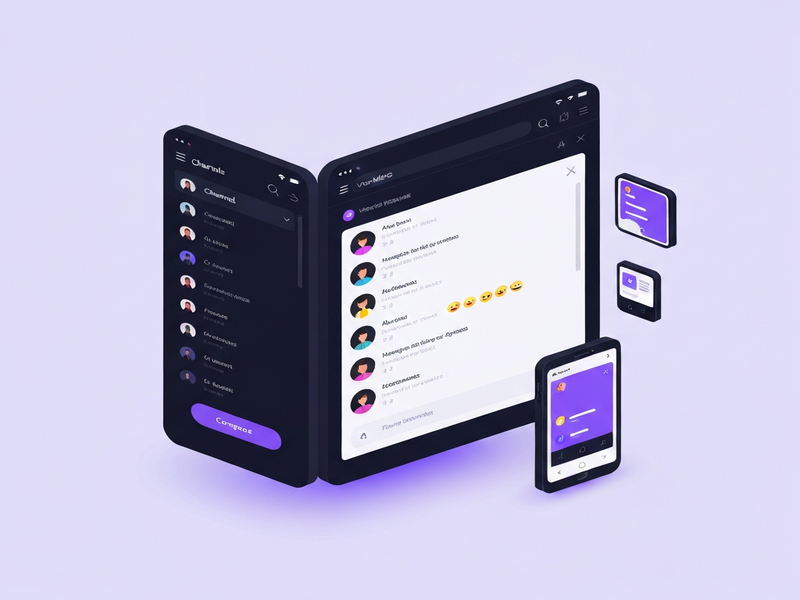
The image above showcases the clean UI that mirrors the familiarity of Slack while offering deeper integration possibilities for UBOS platform overview users looking to extend functionality with AI agents.
Feature Set: What OpenSlack Actually Offers
OpenSlack focuses on the essentials that teams need for real‑time collaboration. Below is a MECE‑structured breakdown of its core capabilities:
- Channel Management: Public & private channels, invite links, and role‑based access control.
- Direct Messaging & Threads: One‑to‑one chats, threaded replies, and @mentions for precise communication.
- Rich Text Editor: Markdown support, emoji reactions, code block syntax highlighting, and file previews.
- Search & History: Full‑text search across messages, files, and channel archives.
- Real‑Time Indicators: Typing notifications, presence status (online/offline), and unread counters.
- Voice Huddles: Lightweight voice rooms for quick stand‑ups (video and screen‑share are on the roadmap).
- Dark Mode & Theming: Native dark theme and customizable CSS variables.
- Self‑Hosting with Docker: One‑click Docker Compose deployment, environment‑variable configuration, and automatic database migrations.
- Extensibility: Although bot integrations are not shipped out‑of‑the‑box, the OpenAI ChatGPT integration can be added via the UBOS Workflow automation studio.
Developers will appreciate that the entire codebase is written in UBOS templates for quick start with TypeScript, enabling rapid customization and contribution.
Installation & Setup: From Zero to Running in Minutes
OpenSlack’s deployment philosophy follows the developer‑first mantra: minimal prerequisites, clear commands, and Docker‑native isolation. Follow these steps to get a production‑ready instance up and running:
- Prerequisites: Ensure
Docker(≥ 20.10) andBun(v1.1+) are installed on your host. - Clone the repository:
git clone https://github.com/BilalG1/openslack.git && cd openslack - Install dependencies with Bun:
bun install - Configure environment variables:
Copy the example file and edit values to match your domain and database credentials.
cp .env.example .env - Launch Docker containers:
docker compose up -d - Run migrations (first‑time only):
bun run prisma migrate deploy - Start the development server (optional):
bun dev - Access the UI: Open
http://localhost:3000in your browser and create the initial admin account.
For teams that already use Enterprise AI platform by UBOS, the Docker image can be added to existing orchestration pipelines, making OpenSlack a natural extension of your internal tooling stack.
OpenSlack vs. Slack: A Head‑to‑Head Comparison
While Slack remains the market leader, OpenSlack differentiates itself on cost, data sovereignty, and extensibility. The table below highlights the most relevant dimensions for developers evaluating a Slack replacement:
| Feature | Slack (Pro) | OpenSlack (Open‑Source) |
|---|---|---|
| Pricing | Subscription‑based, $8‑$15 per user/mo | Free (self‑hosted), only infrastructure costs |
| Data Ownership | Hosted on Slack’s cloud (limited export) | Full control on your own servers |
| Customization | Limited to Slack App Store | Source‑level TypeScript edits, Docker plugins |
| Voice Huddles | Voice & video, screen share | Voice only (video roadmap) |
| Integrations | Thousands of third‑party apps | Custom integrations via ChatGPT and Telegram integration or UBOS workflow studio |
| Security | SOC2, ISO‑27001 compliance | Depends on your own security posture; can be hardened with Chroma DB integration |
If your organization prioritizes self‑hosting and wants to avoid recurring SaaS fees, OpenSlack is a strategic fit. Conversely, teams that need out‑of‑the‑box video conferencing may still lean toward Slack until OpenSlack’s roadmap catches up.
Community, Licensing, and How to Contribute
License: OpenSlack is released under the permissive MIT License, allowing commercial use, modification, and redistribution.
Community: Although the project is still early‑stage (≈ 9 stars on GitHub), it has attracted a niche of developers interested in building privacy‑first chat tools. The repository’s issues section serves as the primary discussion board, and contributors are encouraged to submit pull requests.
Contribution Path:
- Fork the repo and create a feature branch.
- Run the test suite with
bun test. - Submit a PR with a clear description and reference the related issue.
- Engage with reviewers; the maintainers value clean TypeScript typings and comprehensive documentation.
For developers looking to accelerate their own product launches, UBOS offers a UBOS templates for quick start that can be combined with OpenSlack’s codebase to create custom collaboration suites.
Get Started with OpenSlack Today
Whether you are a startup seeking a cost‑effective chat solution, an SMB needing full data control, or an enterprise AI team wanting to embed conversational interfaces, OpenSlack provides a solid foundation. Pair it with UBOS’s AI marketing agents or the Web app editor on UBOS to unlock new workflows.
Ready to explore the code, contribute, or spin up your own instance? Visit the official GitHub repository now:
Need help with deployment or want to integrate AI features? Check out the UBOS pricing plans for managed hosting, or join the UBOS partner program to become a certified implementation partner.
Related UBOS Resources You Might Find Useful
- AI SEO Analyzer – boost your site’s visibility while you build chat tools.
- AI Article Copywriter – generate documentation for your OpenSlack deployment.
- AI YouTube Comment Analysis tool – monitor community feedback on your new chat platform.
- AI Video Generator – create onboarding videos for OpenSlack users.
- AI LinkedIn Post Optimization – promote your self‑hosted chat solution on professional networks.