

- Updated: March 20, 2026
- 4 min read
OpenAI Unveils Desktop Superapp Integrating ChatGPT, Codex, and Atlas
OpenAI has launched a desktop superapp that unifies ChatGPT, Codex, and the new Atlas AI engine into a single, AI‑powered workspace for developers, creators, and business users.
OpenAI Desktop Superapp Packs ChatGPT, Codex, and Atlas for Next‑Gen AI Productivity
In a move that could reshape how professionals interact with generative AI, OpenAI announced a desktop‑first superapp that bundles its flagship conversational model, code‑generation engine, and a multimodal research assistant under one roof. The Verge reported that the app, currently in beta, aims to streamline AI‑driven workflows by offering a unified interface, offline caching, and deep integration with local development tools.
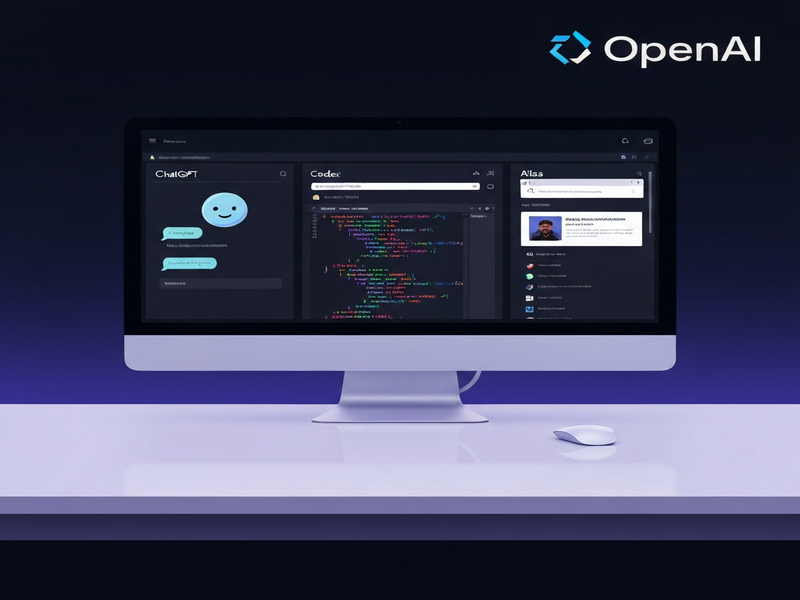
Core Components of the Superapp
ChatGPT – Conversational Core
ChatGPT remains the conversational heart of the superapp, delivering real‑time assistance for brainstorming, drafting emails, or answering knowledge‑base queries. Users can pin chats to the sidebar, invoke context‑aware shortcuts, and even switch between GPT‑4 and the newer GPT‑4‑Turbo models without leaving the desktop.
Codex – Code Generation Engine
Codex powers an integrated code editor that suggests snippets, completes functions, and translates natural‑language prompts into runnable code across Python, JavaScript, and more. The superapp syncs with local IDEs, allowing developers to accept suggestions with a single click.
Atlas – Multimodal Research Assistant
Atlas extends the superapp into a research‑grade AI, capable of ingesting PDFs, spreadsheets, and images. It can answer complex queries, generate visual summaries, and even draft data‑driven reports. Atlas leverages a local vector store for fast retrieval, reducing latency for large‑scale data analysis.
Why OpenAI Built a Desktop Superapp
“Our goal is to make AI feel like a native part of the workstation, not a separate web service,” said Mira Murati, OpenAI’s CTO, during the launch event.
The motivation behind the superapp is threefold:
- Productivity: Reduce context‑switching by keeping chat, code, and research tools in one window.
- Security: Offer on‑device caching and optional end‑to‑end encryption for sensitive code or data.
- Extensibility: Provide a plug‑in architecture that lets third‑party developers embed custom AI agents.
What This Means for Tech Enthusiasts, AI Developers, and Business Professionals
For tech enthusiasts, the superapp delivers a sandbox where you can experiment with AI‑generated art, code, and research without juggling multiple tabs. AI developers gain a streamlined testing ground for fine‑tuning prompts and integrating custom models via the plug‑in API. Meanwhile, business professionals can embed AI‑assisted workflows directly into their daily tools, from drafting proposals with ChatGPT to generating data insights with Atlas.
Enhanced Workflow Automation
OpenAI’s superapp pairs naturally with automation platforms. For example, UBOS’s Workflow automation studio can trigger AI actions based on calendar events or email cues, turning the superapp into a proactive assistant.
Rapid Prototyping for Startups
Startups can accelerate MVP development by leveraging the integrated Codex editor. UBOS’s UBOS for startups program even offers pre‑built templates that embed the superapp’s API, cutting weeks off the development cycle.
Industry‑Wide Ripple Effects
The launch signals a broader shift toward “AI‑first” desktop environments. Competitors are likely to follow suit, integrating large language models (LLMs) directly into operating systems. This could accelerate adoption of AI in sectors such as finance, healthcare, and education, where offline capabilities and data privacy are paramount.
UBOS, a leading Enterprise AI platform by UBOS, has already positioned itself to benefit from this trend. By offering a low‑code Web app editor on UBOS and a marketplace of AI‑powered templates—like the AI SEO Analyzer and AI Video Generator—organizations can quickly extend the OpenAI superapp’s capabilities without writing extensive code.
Practical Use Cases You Can Deploy Today
- Customer Support Automation: Combine ChatGPT with the Customer Support with ChatGPT API template to field tickets directly from the desktop.
- Data‑Driven Marketing: Use Atlas to analyze campaign spreadsheets and feed insights into AI marketing agents for automated copy generation.
- Code Review Assistant: Leverage Codex within the superapp to auto‑suggest improvements on pull requests, then push the results to a Python Bug Fixer AI workflow.
Pricing, Availability, and How to Get Started
The superapp is currently available in a limited beta for OpenAI API subscribers. Pricing aligns with existing usage tiers, and UBOS customers can take advantage of the UBOS pricing plans to bundle additional AI services at a predictable cost.
For the full story, read the original Verge article.
Conclusion
OpenAI’s desktop superapp marks a pivotal step toward making generative AI a seamless part of everyday workstations. By consolidating ChatGPT, Codex, and Atlas, the platform promises faster iteration, tighter security, and richer multimodal experiences. Companies that adopt the superapp—especially those already leveraging UBOS’s low‑code ecosystem—will likely gain a competitive edge in AI‑driven productivity.
Andrii Bidochko
CTO UBOS
Andrii Bidochko is an AI entrepreneur and researcher focused on AI agents, reinforcement learning, and autonomous systems. He writes about the technologies shaping the future of machine intelligence, from frontier models and agent architectures to real-world AI applications.