

- Updated: February 5, 2026
- 5 min read
Old Tablet Repurposing: DIY Projects for Sustainable Tech
You can transform an old tablet into a versatile smart hub, media center, digital photo frame, or even a DIY AI‑powered assistant, extending its life while reducing electronic waste.
Why Breathe New Life Into an Old Tablet?
Tech enthusiasts love the thrill of turning forgotten gadgets into useful tools. Repurposing an old tablet not only saves money but also aligns with sustainable technology practices. With the rise of low‑code platforms like the UBOS platform overview, you can build custom apps without writing a single line of code, making DIY projects more accessible than ever.
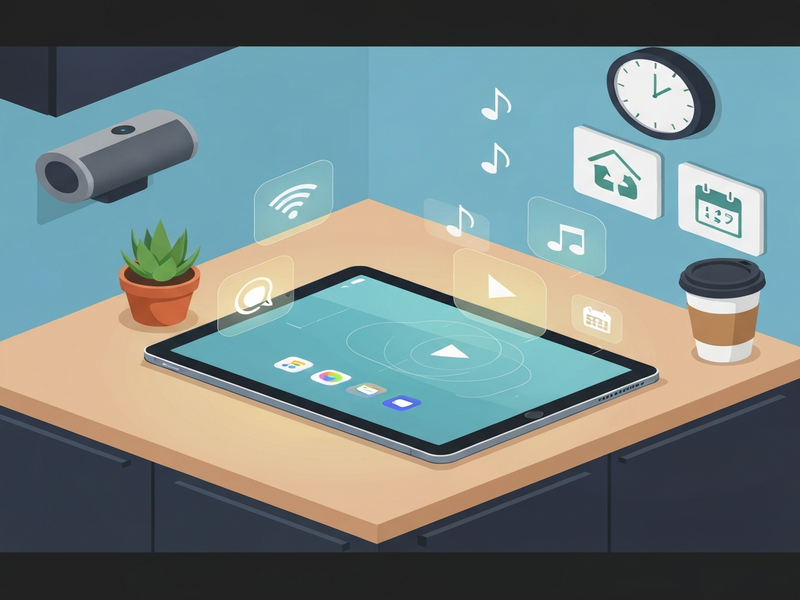
Original Story: From Drawer Dust to Daily Driver
The inspiration comes from an Android Police feature titled “I rescued my old tablet from a drawer and now it’s my favorite piece of tech.” The author discovered an abandoned Android tablet, wiped it clean, and turned it into a multi‑purpose device that now handles streaming, smart‑home control, and personal productivity. You can read the full narrative here.
Key takeaways from the story include:
- Factory reset and update the OS for security.
- Install lightweight launchers to improve performance.
- Leverage cloud‑based services for storage and backup.
- Use the tablet as a dedicated smart‑home hub.
Benefits of Tablet Repurposing
Turning an old tablet into a functional device delivers tangible advantages:
Cost Savings
Instead of buying a new smart speaker or digital frame, you reuse existing hardware, cutting expenses dramatically.
Environmental Impact
Extending device lifespan reduces e‑waste, a growing concern highlighted by device recycling initiatives.
Customization
With platforms like Enterprise AI platform by UBOS, you can tailor the tablet to specific workflows, from sales dashboards to home automation.
Learning Opportunity
DIY projects sharpen your technical skills, especially when integrating AI services such as OpenAI ChatGPT integration or Chroma DB integration.
Step‑by‑Step DIY Tablet Projects
Below are five practical projects you can implement in a weekend, each leveraging UBOS tools and AI templates.
1️⃣ Smart Home Dashboard
Turn the tablet into a wall‑mounted control center for lights, thermostats, and security cameras.
- Factory reset the tablet and install a lightweight launcher.
- Use the Workflow automation studio to connect your smart‑home APIs (e.g., Philips Hue, Nest).
- Design the UI with the Web app editor on UBOS, selecting a responsive template.
- Deploy the app directly to the tablet via UBOS’s one‑click publishing.
Optional: Add voice control using the ElevenLabs AI voice integration for hands‑free operation.
2️⃣ AI‑Powered Digital Photo Frame
Display family photos that are automatically organized and captioned.
- Upload your photo library to a cloud storage service.
- Install the UBOS templates for quick start “AI Image Generator” to create stylized thumbnails.
- Use the Chroma DB integration to index images for fast retrieval.
- Set a slideshow schedule in the Workflow automation studio.
3️⃣ Personal AI Assistant
Leverage ChatGPT to answer questions, manage calendars, and control apps.
- Enable the OpenAI ChatGPT integration on your UBOS account.
- Deploy the AI Chatbot template to the tablet.
- Connect the chatbot to your Google Calendar via the ChatGPT and Telegram integration for push notifications.
- Optionally, add Telegram integration on UBOS to control the assistant from any device.
4️⃣ Portable Media Center
Stream movies, music, and podcasts on the go.
- Install a lightweight media player like VLC.
- Use the AI Video Generator to create custom intros for your playlists.
- Integrate AI Audio Transcription and Analysis to generate subtitles for offline videos.
- Set up a local DLNA server via the Workflow automation studio.
5️⃣ On‑Device SEO Analyzer
Run quick SEO audits for your website without a laptop.
- Deploy the AI SEO Analyzer template.
- Connect it to the OpenAI ChatGPT integration for natural‑language insights.
- Use the Keywords Extraction with ChatGPT tool to pull target keywords from any page.
- Review suggestions directly on the tablet’s screen.
All of these projects can be launched from the UBOS solutions for SMBs catalog, which offers pre‑configured environments for rapid deployment.
Environmental Impact of Tablet Repurposing
Electronic waste (e‑waste) is the fastest‑growing waste stream globally. According to the United Nations, over 50 million metric tons of e‑waste were generated in 2022 alone. By repurposing a single tablet, you can avoid:
- Approximately 15 kg of CO₂ emissions associated with manufacturing a new device.
- The hazardous chemicals (lead, mercury, cadmium) that would otherwise leach into soil if the tablet ends up in a landfill.
- The energy consumption of data centers required to host cloud‑based replacements.
UBOS’s commitment to sustainability is evident in its sustainable technology initiatives, encouraging users to extend device lifecycles through modular software stacks.
Conclusion: Turn Dust into Digital Gold
Repurposing an old tablet is more than a hobby—it’s a strategic move that blends cost efficiency, environmental stewardship, and personal empowerment. By leveraging UBOS’s low‑code ecosystem, you can create AI‑enhanced experiences that rival commercial products, all while contributing to a greener planet.
Ready to start? Explore the UBOS pricing plans to find a tier that fits your budget, then dive into the UBOS portfolio examples for inspiration.
Happy hacking, and may your refurbished tablet become the centerpiece of your smart‑tech ecosystem!
Further Reading & Tools
If you’re interested in expanding your AI toolbox, check out these UBOS resources:
- AI marketing agents – automate campaign creation.
- UBOS partner program – collaborate with developers worldwide.
- UBOS for startups – fast‑track your MVP.
- UBOS templates for quick start – jump‑start any project.