

- Updated: December 29, 2025
- 6 min read
Kubernetes Egress Control with Squid Proxy: A Comprehensive Guide
Kubernetes egress control can be achieved by deploying a Squid proxy together with a NetworkPolicy, giving you full visibility, strict enforcement, and a lightweight, cloud‑native solution.
Kubernetes Egress Control with Squid Proxy: A Practical Guide for DevOps Engineers
Why Egress Matters in Modern Clusters
Most tutorials focus on ingress—how traffic enters a cluster—while the outbound side often stays in the shadows. In regulated environments, compliance teams ask, “What external services does my pod talk to?” and “Can we guarantee that every outbound request passes through a controlled gateway?” This article answers those questions by showing a simple, production‑ready architecture that uses a Telegram integration on UBOS‑style simplicity: a single Squid container, a ConfigMap, and a Kubernetes NetworkPolicy.
The Problem: Unrestricted Egress in Kubernetes
By default, pods can reach any IP address on the internet. This openness creates several risks:
- Data exfiltration without audit trails.
- Uncontrolled consumption of third‑party APIs, leading to cost overruns.
- Difficulty meeting compliance standards such as PCI‑DSS, HIPAA, or GDPR.
- Limited ability to enforce corporate allow‑lists.
While service meshes and egress‑gateway controllers can solve the problem, they add operational overhead. For many teams, a lightweight proxy plus a NetworkPolicy is enough to gain immediate visibility and control.
Solution Architecture: Squid Proxy + NetworkPolicy
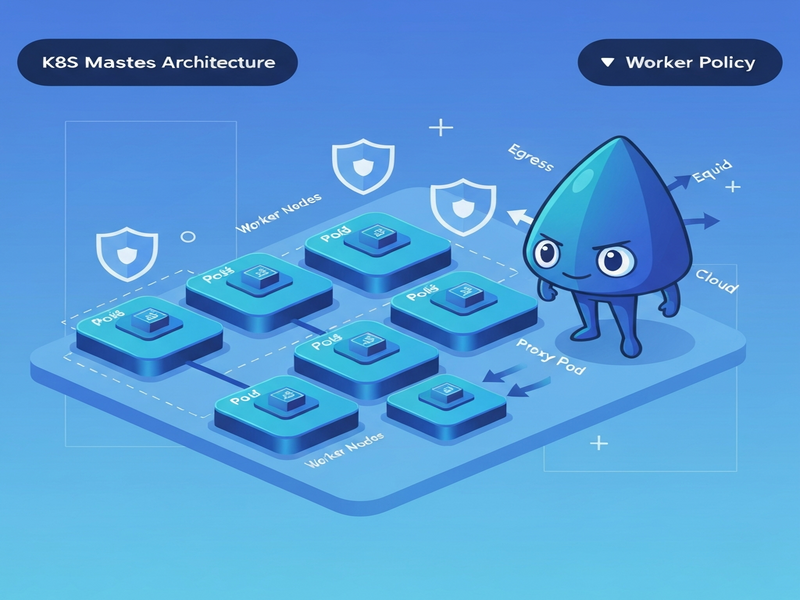
The architecture consists of two namespaces:
workload namespace ──► egress‑proxy namespace (Squid) ──► Internet
All pods in the workload namespace set HTTP_PROXY and HTTPS_PROXY environment variables that point to the Squid service (port 3128). A NetworkPolicy blocks any direct outbound traffic, forcing every request through the proxy. Squid logs each connection, providing a single source of truth for egress activity.
This pattern mirrors the simplicity of the OpenAI ChatGPT integration on UBOS, where a single component mediates communication while the surrounding platform enforces policy.
Key Manifests You Need
1. Namespace & ConfigMap
apiVersion: v1
kind: Namespace
metadata:
  name: egress-proxy
  labels:
    purpose: egress-control
---
apiVersion: v1
kind: ConfigMap
metadata:
  name: squid-config
  namespace: egress-proxy
data:
  squid.conf: |
    http_port 3128
    access_log /var/log/squid/access.log combined
    cache deny all
    acl localnet src 10.0.0.0/8 172.16.0.0/12 192.168.0.0/16
    acl SSL_ports port 443
    acl Safe_ports port 80 443
    http_access deny !Safe_ports
    http_access deny CONNECT !SSL_ports
    http_access allow localnet
    http_access deny all
2. Squid Deployment
apiVersion: apps/v1
kind: Deployment
metadata:
  name: squid
  namespace: egress-proxy
spec:
  replicas: 1
  selector:
    matchLabels:
      app: squid
  template:
    metadata:
      labels:
        app: squid
    spec:
      initContainers:
        - name: fix-permissions
          image: busybox
          command: ["sh","-c","chown -R 13:13 /var/log/squid"]
          volumeMounts:
            - name: logs
              mountPath: /var/log/squid
      containers:
        - name: squid
          image: ubuntu/squid:latest
          ports:
            - containerPort: 3128
          volumeMounts:
            - name: config
              mountPath: /etc/squid/squid.conf
              subPath: squid.conf
            - name: logs
              mountPath: /var/log/squid
        - name: log-streamer
          image: busybox
          command: ["sh","-c","touch /var/log/squid/access.log && tail -F /var/log/squid/access.log"]
          volumeMounts:
            - name: logs
              mountPath: /var/log/squid
      volumes:
        - name: config
          configMap:
            name: squid-config
        - name: logs
          hostPath:
            path: /var/log/squid-egress
            type: DirectoryOrCreate
3. Enforcing Policy with NetworkPolicy
apiVersion: networking.k8s.io/v1
kind: NetworkPolicy
metadata:
  name: enforce-egress-proxy
  namespace: my‑app
spec:
  podSelector: {}
  policyTypes:
    - Egress
  egress:
    # Allow DNS
    - to:
        - namespaceSelector:
            matchLabels:
              kubernetes.io/metadata.name: kube-system
      ports:
        - protocol: UDP
          port: 53
        - protocol: TCP
          port: 53
    # Allow only Squid proxy
    - to:
        - namespaceSelector:
            matchLabels:
              purpose: egress-control
      ports:
        - protocol: TCP
          port: 3128
The NetworkPolicy above blocks any direct internet traffic, leaving DNS and the Squid service as the only egress paths. This mirrors the approach used in the Workflow automation studio where fine‑grained policies isolate workloads.
Demo Application: Real‑World Traffic Through Squid
To illustrate the flow, we deploy a simple Go or Python microservice that queries the public original article for reference. The app performs HTTPS calls to api.github.com and api.openai.com. Its deployment manifest includes the proxy environment variables:
apiVersion: apps/v1
kind: Deployment
metadata:
  name: demo-app
  namespace: my‑app
spec:
  replicas: 2
  selector:
    matchLabels:
      app: demo
  template:
    metadata:
      labels:
        app: demo
    spec:
      containers:
        - name: demo
          image: python:3.11-slim
          command: ["python","-m","http.server","8080"]
          env:
            - name: HTTP_PROXY
              value: "http://squid.egress-proxy.svc.cluster.local:3128"
            - name: HTTPS_PROXY
              value: "http://squid.egress-proxy.svc.cluster.local:3128"
            - name: NO_PROXY
              value: "localhost,127.0.0.1,.svc,.svc.cluster.local"
Once the pod runs, you can watch Squid logs with:
kubectl logs -f deploy/squid -n egress-proxy -c log-streamerSample log entry:
27/Dec/2025:21:43:34 +0000 “CONNECT api.openai.com:443 HTTP/1.1” 200 5537 “-” “-” TCP_TUNNEL:HIER_DIRECT
The entry shows the destination host, timestamp, and bytes transferred—exactly the audit data compliance teams need.
Logging and Real‑Time Monitoring with GoAccess
While tailing logs works for debugging, production environments benefit from a visual dashboard. Adding a sidecar running AI SEO Analyzer‑style GoAccess provides:
- Top external domains accessed.
- Request rates per minute.
- Bandwidth consumption per pod.
- name: goaccess
  image: allinurl/goaccess:latest
  command:
    - sh
    - -c
    - |
      while [ ! -f /var/log/squid/access.log ]; do sleep 1; done
      goaccess /var/log/squid/access.log \
        --log-format=SQUID \
        --real-time-html \
        --output=/usr/share/goaccess/index.html \
        --port=7890
  ports:
    - containerPort: 7890
  volumeMounts:
    - name: logs
      mountPath: /var/log/squid
Expose the dashboard via a NodePort or Ingress and you have a live view of every outbound request—perfect for on‑call engineers.
Limitations and Practical Considerations
The Squid‑based approach is powerful, yet it has constraints you should weigh before scaling:
- Application changes required: Every container must honor
HTTP_PROXY/HTTPS_PROXY. Some languages (e.g., Java) need explicit JVM flags. - Protocol coverage: Only HTTP/HTTPS traffic is captured. Raw TCP, gRPC‑over‑HTTP/2, or database protocols bypass Squid unless you add a transparent proxy layer.
- Single point of configuration: One
squid.confserves all namespaces. Large organizations may need per‑team allow‑lists, which requires a more sophisticated controller. - Performance overhead: Adding a hop introduces ~1‑2 ms latency, negligible for most APIs but noticeable for high‑frequency micro‑calls.
- Log storage: HostPath volumes simplify setup but are not HA. For production, consider a centralized log store (e.g., Loki or Elasticsearch).
When these limits become blockers, teams often migrate to service‑mesh egress gateways or dedicated egress‑policy operators. However, for many SMBs and startups, the Squid solution offers a “good‑enough” balance of cost, simplicity, and compliance.
Next Steps: Deploy, Extend, and Scale
Ready to try it out? Follow these quick actions:
- Clone the UBOS templates for quick start and adapt the manifests to your cluster.
- Enable the UBOS partner program to get dedicated support for custom egress policies.
- Explore the Enterprise AI platform by UBOS for AI‑driven anomaly detection on your Squid logs.
- Leverage the AI marketing agents to automatically generate compliance reports from GoAccess dashboards.
For a deeper dive into AI‑enhanced monitoring, check out the AI Video Generator template, which can turn your log analytics into shareable video summaries for stakeholders.
Further Reading & Resources
• About UBOS – learn how the platform powers secure AI workloads.
• UBOS pricing plans – find a tier that matches your DevOps budget.
• UBOS portfolio examples – see real‑world deployments of egress control and AI integrations.
• AI Article Copywriter – generate documentation for your own proxy setups.
• AI Image Generator – create custom diagrams for internal training.
© 2025 UBOS Technologies. All rights reserved.