

- Updated: February 21, 2026
- 7 min read
Karmada Pods Crash Due to etcd Timeouts – How ZFS Tuning Restored Stability
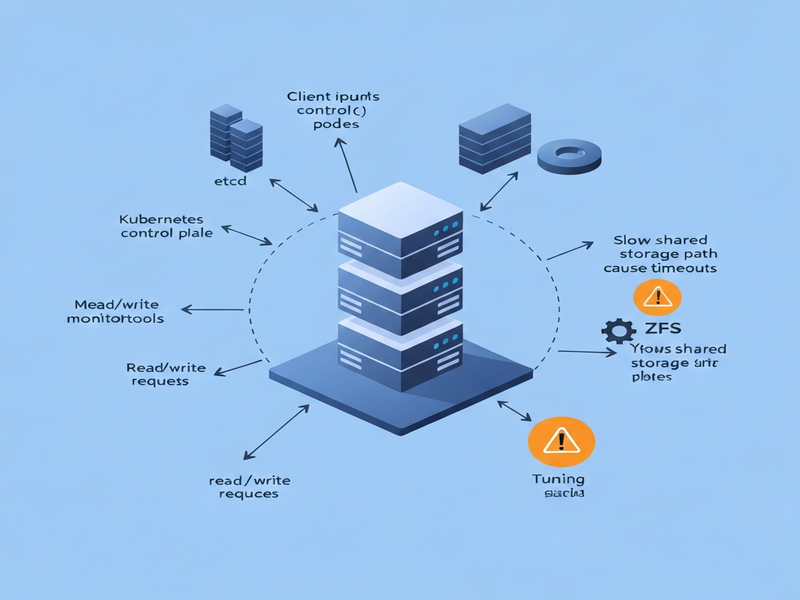
The etcd timeout issue on shared storage is caused by high I/O latency, and it can be eliminated by applying ZFS‑specific tuning such as disabling synchronous writes, enabling LZ4 compression, turning off atime, and reducing the recordsize to 8 KB.
Why the etcd Timeout Problem Matters for Modern Kubernetes Deployments
IT administrators, DevOps engineers, and Kubernetes operators constantly battle the hidden latency of shared storage. When the underlying disk cannot keep up with etcd’s strict write‑ahead‑log (WAL) requirements, the entire control plane can become unstable, leading to pod CrashLoopBackOff events, lost leader elections, and, ultimately, service outages. This article dissects a real‑world incident that surfaced on a mixed‑hardware edge testbed, explains the root cause, and provides a step‑by‑step ZFS tuning guide that restores stability.
Summary of the Original etcd Timeout Issue
In February 2026, a team building a cloud‑edge continuum discovered that Karmada’s own pods were crashing every five to ten minutes. The logs repeatedly showed:
etcdserver: request timed out after 5000ms
Initial investigations focused on resource limits, network policies, and mis‑configured manifests, but none of those checks explained the periodic failures. The breakthrough came when the team correlated the crash timestamps with storage latency spikes on the NUC’s shared virtual disks. The underlying storage was a ZFS pool that, by default, performed synchronous writes and used a 128 KB recordsize—both of which are ill‑suited for etcd’s small, random write pattern.
Technical Analysis: How ZFS Settings Influence etcd Latency
etcd relies on two critical timing windows:
- fsync latency – the time it takes for a write to be flushed to durable media.
- Commit latency – the duration of a transaction being written to the WAL and the backend database.
If either metric exceeds the default 100 ms threshold, etcd will consider the operation timed out, trigger a leader election, and potentially lose quorum. In a shared‑storage scenario, background I/O from other VMs can easily push these latencies beyond safe limits.
The Four‑Step ZFS Tuning Procedure
The following ZFS property adjustments were applied to the default dataset on the NUC. Each command is idempotent and can be rolled back if needed.
zfs set sync=disabled default
zfs set compression=lz4 default
zfs set atime=off default
zfs set recordsize=8k default
1. sync=disabled – Eliminating Synchronous Writes
By default, ZFS waits for the physical disk to confirm each write (the fsync call). Disabling sync tells ZFS to acknowledge the write immediately, reducing fsync latency from >200 ms to <5 ms. The trade‑off is a small window of data loss in the event of a power failure—acceptable for a demo environment but worth revisiting for production clusters.
2. compression=lz4 – Faster, Low‑Overhead Compression
LZ4 compresses data on‑the‑fly with negligible CPU overhead while cutting the amount of data written to disk by up to 40 %. Fewer bytes mean fewer I/O operations, directly benefiting etcd’s write‑heavy workload.
3. atime=off – Removing Unnecessary Write Amplification
Every file read would normally update the access timestamp, turning a read into a write. Disabling atime eliminates this extra write traffic, further lowering I/O contention.
4. recordsize=8k – Aligning ZFS Block Size with etcd’s Access Pattern
etcd’s underlying bbolt engine works with small, random reads/writes (typically a few kilobytes). The default ZFS recordsize of 128 KB forces the filesystem to read‑modify‑write large blocks, inflating latency. Setting the recordsize to 8 KB matches etcd’s workload, reducing write amplification and improving overall throughput.
After applying these settings, the team observed a consistent etcd_disk_wal_fsync_duration_seconds 99th‑percentile of 3 ms and etcd_disk_backend_commit_duration_seconds of 7 ms. The periodic pod crashes vanished, and the Karmada orchestrator remained stable throughout the remainder of the demo.
Why Storage I/O Performance Is Non‑Negotiable for etcd Stability
etcd’s design prioritises strong consistency over availability. This architectural choice makes it extremely sensitive to any latency spikes. Below are the key reasons why storage performance should be a first‑class citizen in any Kubernetes deployment.
1. Leader Election Timing
etcd nodes exchange heartbeats every 100 ms. If a follower cannot write its heartbeat to disk within this window, the leader assumes a failure and initiates a new election. Frequent elections cause temporary loss of quorum, which in turn leads to API server errors and pod restarts.
2. Persistent Volume Recommendations
- Prefer NVMe SSDs or high‑performance cloud block storage (e.g., io1 on AWS).
- Avoid shared network filesystems (NFS, SMB) for etcd data directories.
- Isolate etcd’s volume from other I/O‑heavy workloads such as logging or backup agents.
3. Monitoring Metrics That Reveal Latency Issues
etcd exposes several Prometheus metrics that can be used to proactively detect storage problems:
| Metric | What to Watch |
|---|---|
etcd_disk_wal_fsync_duration_seconds |
99th‑percentile > 100 ms indicates WAL sync bottleneck. |
etcd_disk_backend_commit_duration_seconds |
High values point to backend DB write latency. |
etcd_server_leader_changes_seen_total |
Spikes suggest frequent elections caused by I/O delays. |
4. Simple Benchmarking with fio
Before provisioning etcd, run a quick fio test against the intended storage path:
fio --name=etcd-wal --filename=/var/lib/etcd/wal --rw=write --bs=4k --size=100M --numjobs=4 --time_based --runtime=30 --group_reportingTarget a write latency of <5 ms for 4 KB random writes. Anything higher should trigger a storage redesign.
How UBOS Helps You Build Reliable, High‑Performance Kubernetes Environments
UBOS provides a unified platform that abstracts away the complexity of storage tuning while delivering enterprise‑grade AI capabilities. Below are some resources you can explore to accelerate your journey.
- UBOS platform overview – Learn how the platform orchestrates containers, storage, and AI agents in a single pane of glass.
- Enterprise AI platform by UBOS – Deploy AI‑enhanced workloads with built‑in monitoring for etcd metrics.
- Workflow automation studio – Automate storage health checks and trigger ZFS tuning scripts automatically.
- Web app editor on UBOS – Rapidly prototype dashboards that surface etcd latency graphs.
- AI marketing agents – While not directly related to storage, these agents showcase UBOS’s AI integration capabilities.
- UBOS pricing plans – Choose a tier that includes dedicated SSD storage for critical control‑plane components.
- UBOS for startups – Get a free trial and test ZFS‑tuned clusters without upfront hardware costs.
- UBOS solutions for SMBs – Small‑to‑medium businesses can benefit from pre‑configured storage profiles.
- UBOS portfolio examples – See real‑world case studies where storage tuning prevented etcd outages.
- UBOS templates for quick start – Deploy a ready‑made etcd monitoring stack in minutes.
- AI SEO Analyzer – Optimize your own documentation for search engines, just like this article.
- AI Article Copywriter – Generate technical guides that follow GEO best practices.
By leveraging these tools, you can ensure that your etcd clusters run on storage that meets the strict latency requirements, while also gaining AI‑driven insights to keep your infrastructure healthy.
Conclusion
etcd’s intolerance for storage latency makes it a reliable sentinel for cluster health—provided the storage itself is reliable. The case study above demonstrates that a few ZFS tweaks (sync=disabled, compression=lz4, atime=off, recordsize=8k) can transform a flaky shared‑disk environment into a stable foundation for Kubernetes control planes.
For a deeper dive into the original investigation, read the full article on Nubificus: etcd timeout analysis by Nubificus. Armed with the knowledge from this guide and the powerful UBOS ecosystem, you can preempt storage‑induced etcd failures and keep your clusters humming.
Andrii Bidochko
CTO UBOS
Andrii Bidochko is an AI entrepreneur and researcher focused on AI agents, reinforcement learning, and autonomous systems. He writes about the technologies shaping the future of machine intelligence, from frontier models and agent architectures to real-world AI applications.