

- Updated: January 4, 2026
- 6 min read
Introducing yt‑playlist‑downloader: A Powerful Bash Script for Bulk YouTube Playlist Downloads
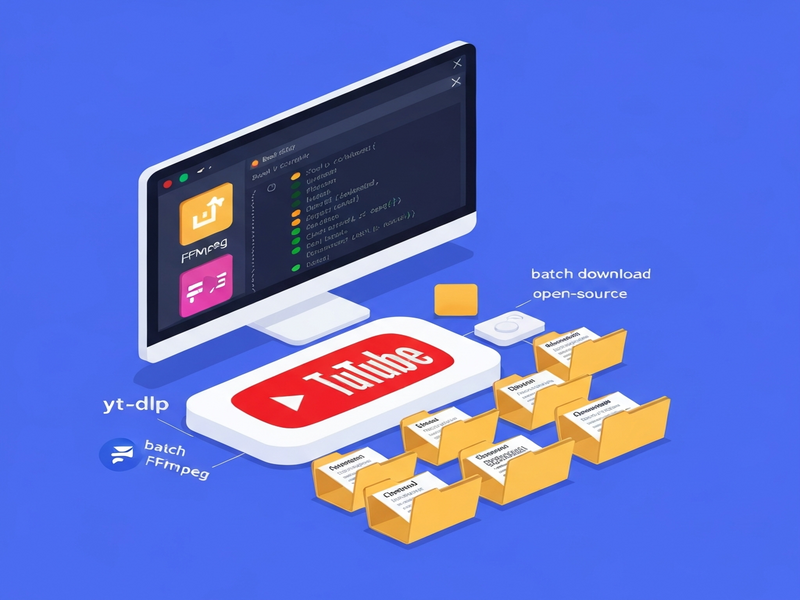
yt‑playlist‑downloader is an open‑source Bash script that automates batch downloading and intelligent organization of YouTube playlists using yt‑dlp and FFmpeg, making large‑scale media collection fast, repeatable, and tidy.
Why Every Developer, Creator, and Marketer Needs a Reliable YouTube Playlist Downloader
If you regularly curate video content—whether for training libraries, social‑media campaigns, or personal archives—manual downloading quickly becomes a bottleneck. The yt‑playlist‑downloader repository offers a lean, Linux‑native solution that eliminates repetitive clicks, guarantees consistent naming, and respects existing files to avoid wasted bandwidth.
Built with pure Bash, the script runs on any modern Linux distribution, integrates seamlessly with existing CI pipelines, and can be extended with custom logic. Below we break down the project, its standout capabilities, and how it stacks up against other tools.
Project Overview
Repository: yt‑playlist‑downloader
Language: Bash (Shell scripting)
License: MIT – free for personal and commercial use.
Stars / Forks: 25★ / 1⎈
Primary Goal: Automate the download of entire YouTube playlists, group videos by channel, and keep the folder structure clean without numeric prefixes.
The script expects two core dependencies:
- yt‑dlp – a fast, actively maintained fork of youtube‑dl that handles video extraction.
- FFmpeg – required for merging separate audio/video streams into a single MP4 file.
Once installed, you simply list your target playlists in a playlists.txt file, run the script, and watch it create a tidy hierarchy like Channel Name/Playlist Title/Video Title.mp4.
Key Features & Benefits
Organized Directory Structure
The script automatically creates a top‑level folder for each YouTube channel, then nests playlists and videos inside. This mirrors the natural hierarchy of content creators, making later retrieval a breeze.
Smart Sync & Skip‑Existing
Before downloading, the script checks whether a file already exists. If it does, the download is skipped, saving bandwidth and time—perfect for recurring sync jobs.
Clean Naming Convention
Videos are saved as Playlist Title/Video Title.mp4 without numeric prefixes, which improves readability and SEO when the files are later uploaded to other platforms.
Batch Processing via playlists.txt
List as many Channel Name|PlaylistURL pairs as you need. The script loops through each line, handling dozens of playlists in a single run.
Cookie Support for Private Content
Drop a cookies.txt file (exported from your browser) into the script folder to download age‑restricted or private playlists without manual authentication.
Full Customizability
All variables—output directory, yt‑dlp options, FFmpeg flags—are defined at the top of download_playlists.sh, allowing you to tailor the workflow to any environment.
These capabilities translate directly into productivity gains for UBOS for startups building content libraries, for SMBs that need offline training videos, and for digital marketers who repurpose YouTube assets across campaigns.
Step‑by‑Step Installation & Usage
- Clone the repository
git clone https://github.com/Linuxmaster14/yt-playlist-downloader.git - Navigate to the project folder
cd yt-playlist-downloader - Make the script executable
chmod +x download_playlists.sh - Install prerequisites
On Debian/Ubuntu:
sudo apt update && sudo apt install yt-dlp ffmpegOn Fedora:
sudo dnf install yt-dlp ffmpeg - Configure
playlists.txtEach line follows the pattern
Channel Name|PlaylistURL. Example:TechTalks|https://www.youtube.com/playlist?list=PL12345 - Optional: Add
cookies.txtIf you need to download age‑restricted or private playlists, export your browser cookies (e.g., via the “EditThisCookie” extension) and place the file in the same directory.
- Run the downloader
./download_playlists.shThe script will iterate through each entry, create channel folders, and download videos using yt‑dlp + FFmpeg.
For advanced automation, you can schedule the script with cron or integrate it into a CI/CD pipeline using the Workflow automation studio on UBOS.
yt‑playlist‑downloader vs. Popular Alternatives
| Feature | yt‑playlist‑downloader | youtube‑dl | yt‑dlp GUI tools (e.g., 4K Video Downloader) |
|---|---|---|---|
| CLI‑only (no GUI) | ✅ | ✅ | ❌ |
Batch from playlists.txt |
✅ | ❌ (requires scripting) | ❌ |
| Channel‑based folder hierarchy | ✅ | ❌ (manual) | ❌ |
| Skip existing files | ✅ | ❌ (needs extra flags) | ❌ |
| Cookie support | ✅ | ✅ | ❌ |
| Zero‑cost, open source | ✅ | ✅ | ❌ (paid tier) |
While GUI‑centric tools excel for occasional users, the script’s automation‑first design makes it the clear winner for developers who need repeatable, headless operations—especially when paired with UBOS’s Enterprise AI platform for large‑scale media processing.
SEO Benefits and Real‑World Use Cases
Downloading playlists isn’t just about offline viewing; it can be a strategic SEO move when you repurpose content across owned channels.
Use Cases
- Content Curation for Blogs – Pull industry‑relevant videos, host them on your site, and embed with proper schema markup to boost dwell time.
- Training Libraries – Companies can build internal knowledge bases by downloading conference talks and tutorials, then indexing them with Chroma DB integration for semantic search.
- Social Media Repurposing – Extract clips, add AI‑generated voice‑overs via ElevenLabs AI voice integration, and schedule posts with AI marketing agents.
- Multilingual Subtitles – Combine the downloaded videos with UBOS’s OpenAI ChatGPT integration to generate subtitles in multiple languages.
SEO Advantages
When you host locally stored videos, you gain full control over metadata, schema, and page load speed—factors that search engines reward. Additionally, the clean naming convention (Playlist Title/Video Title.mp4) makes it trivial to generate descriptive alt tags and title attributes, improving crawlability.
Pairing the downloaded assets with UBOS’s Web app editor lets you quickly spin up landing pages that showcase the videos, embed structured data, and integrate analytics—all without writing a line of code.
Conclusion: Empower Your Media Workflow Today
The yt‑playlist‑downloader script delivers a no‑frills, highly configurable way to bulk‑download YouTube playlists, keep them organized, and integrate them into broader automation pipelines. Its reliance on proven tools (yt‑dlp, FFmpeg) ensures reliability, while its MIT license guarantees freedom to adapt.
Ready to supercharge your content pipeline?
- Explore the UBOS templates for quick start and adapt the script into a full‑stack workflow.
- Join the UBOS partner program to get priority support and co‑marketing opportunities.
- Check out the UBOS pricing plans for scalable hosting of your newly built video libraries.
Whether you’re a solo creator, a startup building a learning portal, or an enterprise looking to archive market research videos, the script gives you the foundation to automate, organize, and reuse video content at scale.
Further Reading on UBOS Solutions
To see how UBOS can extend the capabilities of the yt‑playlist‑downloader, explore these resources:
- UBOS platform overview – a unified environment for AI‑driven automation.
- UBOS portfolio examples – real‑world case studies of media pipelines.
- About UBOS – learn about the team behind the platform.
- Telegram integration on UBOS – receive download notifications directly to your chat.
- ChatGPT and Telegram integration – automate commands via natural language.
© 2026 UBOS Technologies. All rights reserved.