

- Updated: February 24, 2026
- 6 min read
Introducing Pi‑Coding‑Agent: A Minimalist AI Development Framework
Pi‑coding‑agent is a lightweight, extensible AI‑driven development assistant that runs in the terminal, enabling developers to generate, edit, and manage code through natural‑language prompts.
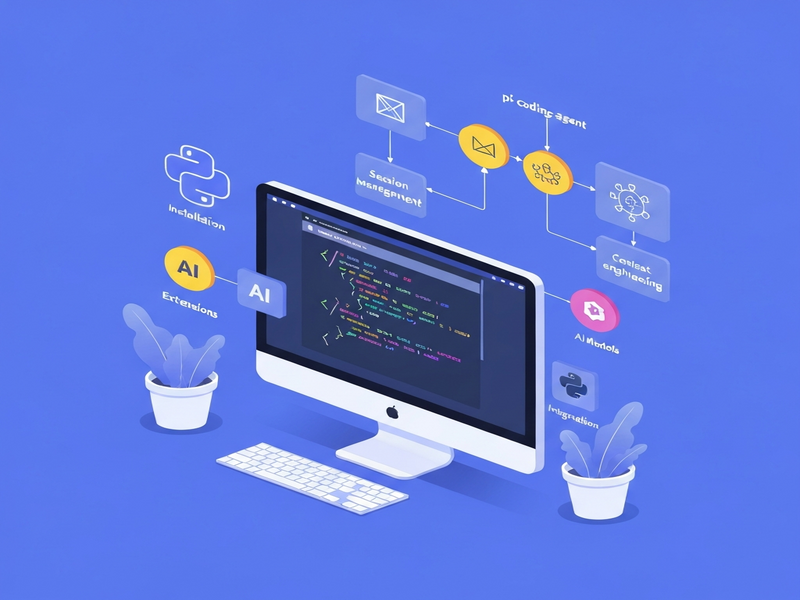
Why Pi‑coding‑agent matters for modern developers
In a landscape crowded with AI coding assistants, Pi‑coding‑agent distinguishes itself by embracing a minimalist terminal‑first philosophy while offering a modular ecosystem that can be tailored to any workflow. Whether you are a solo freelancer, a startup engineering team, or an enterprise looking to embed AI into CI/CD pipelines, Pi gives you the freedom to adapt the tool to you rather than forcing you to adapt to the tool.
The platform’s open‑source roots, combined with a thriving About UBOS community, mean that extensions, skills, and prompt templates are shared like npm packages—making it easy to plug in new capabilities without waiting for a core release.
Core features of Pi‑coding‑agent
1. Multi‑model support
Pi integrates with more than 15 AI providers (OpenAI, Anthropic, Google, Azure, Mistral, Groq, and many others). You can switch models on the fly with /model or Ctrl+L, and even add custom providers via a simple models.json file.
2. Tree‑structured session history
Every interaction is stored as a node in a shareable tree. Use /tree to jump to any previous branch, export the session to HTML, or publish a public gist with /share. This makes debugging and knowledge‑transfer effortless.
3. Extensible skills & prompt templates
Skills are lightweight TypeScript packages that bundle instructions, tools, and context. Prompt templates live as Markdown files and can be invoked with /name. This progressive disclosure keeps the prompt cache lean while delivering powerful capabilities on demand.
4. Four interaction modes
- Interactive TUI – Full‑screen terminal UI for real‑time coding.
- Print/JSON – Scriptable output for CI pipelines.
- RPC – JSON‑over‑STDIO for embedding Pi in non‑Node environments.
- SDK – Direct library integration for custom apps (see the UBOS platform overview for similar SDK patterns).
5. Dynamic context management
Pi’s minimal system prompt lets you implement custom context‑engineering strategies: auto‑summarization, RAG (retrieval‑augmented generation), or long‑term memory via extensions. The Compaction feature automatically summarizes older messages when the token limit is approached.
Benefits and real‑world use‑cases
Accelerated prototyping
Developers can ask Pi to scaffold a new microservice, generate boilerplate, or even write unit tests in seconds. The UBOS templates for quick start complement this by providing ready‑made project skeletons that Pi can instantly populate.
AI‑enhanced copywriting & SEO
Marketing teams leverage Pi’s AI marketing agents to generate SEO‑optimized copy, meta descriptions, and blog outlines. Pairing Pi with the AI SEO Analyzer template creates a feedback loop that refines content for search engines automatically.
Automation of repetitive dev tasks
The Workflow automation studio can be invoked from Pi to orchestrate CI jobs, run linting, or trigger deployments. By embedding Pi in a GitHub Actions step, teams achieve “AI‑as‑a‑service” without leaving their existing pipelines.
Enterprise‑grade data handling
For regulated industries, Pi’s extensibility allows you to add custom permission gates, sandboxed execution, and audit logging—features that are also highlighted in the Enterprise AI platform by UBOS. This makes Pi suitable for confidential codebases and internal tooling.
Education and mentorship
Instructors can use Pi to demonstrate live coding, generate practice problems, or provide instant feedback on student submissions. The AI Article Copywriter template shows how a single skill can turn a prompt into a polished article—perfect for teaching technical writing.
Getting started with Pi‑coding‑agent in 5 minutes
- Install the CLI globally via npm:
$ npm install -g @mariozechner/pi-coding-agent - Configure your AI provider (e.g., OpenAI):
pi config set provider openaiStore the API key securely with
pi config set openai_key YOUR_KEY. - Pick a starter skill from the marketplace. For a quick SEO demo, run:
pi install npm:@ubos/ai-seo-analyzer - Launch the interactive TUI and ask a question:
$ piThen type:
Write a meta description for a SaaS landing page about AI marketing agents. - Export or share the session once satisfied:
/exportor
/shareto generate a public gist.
For visual learners, the Web app editor on UBOS offers a drag‑and‑drop interface that mirrors Pi’s TUI commands, making the transition from GUI to terminal seamless.
How Pi stacks up against other AI agents
| Aspect | Pi‑coding‑agent | Typical competitor (e.g., GitHub Copilot) |
|---|---|---|
| Deployment model | Self‑hosted CLI, fully offline capable | Cloud‑only, IDE plugin |
| Extensibility | TypeScript extensions, custom skills, prompt templates | Limited to built‑in suggestions |
| Model flexibility | 15+ providers, switch mid‑session | Primarily OpenAI models |
| Session sharing | Tree‑structured history, gist export | Static code snippets only |
The flexibility of Pi makes it a strong candidate for teams that need custom AI pipelines rather than a one‑size‑fits‑all autocomplete engine.
Integrating Pi with the UBOS ecosystem
UBOS provides a suite of low‑code building blocks that complement Pi’s terminal workflow. Below are three proven integration patterns:
-
AI‑driven content generation: Combine Pi’s
AI Article Copywriterskill with the AI Email Marketing template to auto‑populate newsletters from a single prompt. - Automated code reviews: Use Pi to generate review comments, then pipe the output into the Workflow automation studio to create a pull‑request bot.
- Voice‑enabled assistants: Pair Pi with the ElevenLabs AI voice integration to build a spoken code‑assistant that runs in any terminal.
For startups looking for a fast go‑to‑market, the UBOS for startups page outlines pricing and support options that align perfectly with Pi’s open‑source model.
Pricing, support, and community resources
While Pi‑coding‑agent itself is free and open source, many enterprises choose to pair it with UBOS’s managed services. The UBOS pricing plans include a free tier for hobbyists, a professional tier for SMBs, and an enterprise tier with dedicated support and SLA guarantees.
Community support is vibrant: join the UBOS partner program to get early access to new extensions, or hop into the Discord channel linked from the About UBOS page for real‑time troubleshooting.
Take the next step with Pi‑coding‑agent today
Whether you are building a next‑gen SaaS product, automating repetitive dev tasks, or simply exploring AI‑augmented coding, Pi‑coding‑agent offers a uniquely flexible foundation. Start by installing the CLI, explore the UBOS portfolio examples for inspiration, and consider joining the partner program to stay ahead of the curve.
For a deeper dive into the original announcement and technical documentation, visit the official site at pi.dev.
© 2026 UBOS Technologies. All rights reserved.
Andrii Bidochko
CTO UBOS
Andrii Bidochko is an AI entrepreneur and researcher focused on AI agents, reinforcement learning, and autonomous systems. He writes about the technologies shaping the future of machine intelligence, from frontier models and agent architectures to real-world AI applications.