

- Updated: January 18, 2026
- 8 min read
Intro to Linux System Programming: A Comprehensive Guide
The intro‑linux‑sys‑prog GitHub repository is a complete, open‑source collection of C source code, makefiles, and step‑by‑step tutorials that guide developers from basic Linux system calls to advanced kernel‑level programming.
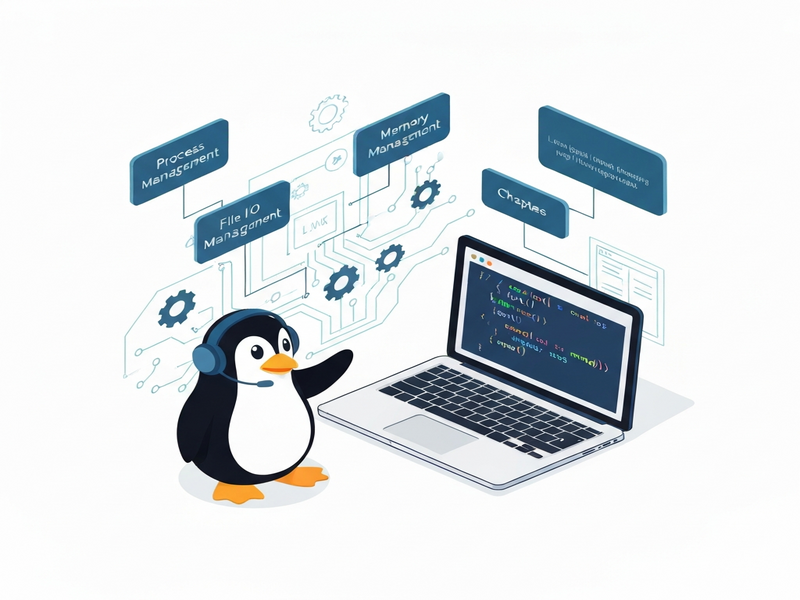
Deep Dive into the “intro‑linux‑sys‑prog” Repository: A Free Roadmap for Mastering Linux System Programming
What Is This Repository?
The intro‑linux‑sys‑prog GitHub repository was created by Stewart Weiss to accompany his book “System Programming in Linux: A Hands‑On Introduction.” It contains more than 19 chapter‑wise directories, each packed with compilable examples, makefiles, and explanatory README files. The code is written in pure C and targets the GNU/Linux toolchain, making it ideal for students, hobbyists, and professional developers who want a sandbox for experimenting with system calls, process control, inter‑process communication, and low‑level I/O.
Because the repository is released under GPL‑3.0 (for the programs) and LGPL‑3.0 (for the supporting libraries), you can freely modify, redistribute, and integrate the examples into your own projects—perfect for building a personal learning environment or a teaching curriculum.
Chapter‑by‑Chapter Breakdown
The repository follows a logical, MECE‑structured progression. Below is a concise map of the chapters and the core topics they cover:
- Chapter 01 – Hello, World & Build Basics: Setting up the build environment, using
make, and compiling simple programs. - Chapter 02 – File I/O: Open, read, write, and close system calls; file descriptor management.
- Chapter 03 – Process Creation:
fork(),exec()families, and process termination. - Chapter 04 – Signals: Signal handling, custom handlers, and the
sigactionAPI. - Chapter 05 – Threads: POSIX threads, synchronization primitives, and race‑condition avoidance.
- Chapter 06 – Memory Management:
malloc,mmap, and virtual memory concepts. - Chapter 07 – IPC Mechanisms: Pipes, FIFOs, message queues, and shared memory.
- Chapter 08 – Sockets: TCP/UDP socket programming, client‑server models.
- Chapter 09 – Daemon Processes: Writing background services, PID files, and logging.
- Chapter 10 – Advanced I/O:
select(),poll(), and non‑blocking I/O. - Chapter 11 – Filesystem Operations: Directory traversal,
stat, and file attributes. - Chapter 12 – Security & Permissions: Set‑uid, set‑gid, and capability handling.
- Chapter 13 – Kernel Modules: Building and loading simple kernel modules.
- Chapter 14 – Debugging Tools: Using
gdb,strace, andperf. - Chapter 15 – Build Automation: Advanced
makepatterns andCMakebasics. - Chapter 16 – Performance Tuning: Profiling, cache optimization, and benchmarking.
- Chapter 17 – Real‑Time Programming: POSIX real‑time extensions and priority scheduling.
- Chapter 18 – Containerization Basics: Namespaces, cgroups, and minimal Docker integration.
- Chapter 19 – Project Showcase: A complete mini‑project that ties together all previous concepts.
Each chapter is self‑contained, allowing you to focus on a single concept without being overwhelmed by unrelated material.
How to Build and Run the Examples
Getting the code up and running is straightforward. Follow these steps to compile any chapter on a typical Ubuntu or Debian system:
- Clone the repository:
git clone https://github.com/stewartweiss/intro-linux-sys-prog.git - Enter the
commondirectory and build the shared utilities:cd intro-linux-sys-prog/common && make && sudo make install - Navigate to the chapter you wish to explore, e.g., Chapter 05:
cd ../chapter05 && make - Run the resulting binary, for example:
./thread_demo
The make install step copies the generated header file into the repository’s include folder and installs the static library libutils.a into lib. This mirrors the layout described in the repository’s README and ensures that each chapter can locate the shared utilities without additional configuration.
If you prefer containerized builds, the repository includes a Dockerfile that sets up a minimal build environment with all required dependencies. Run docker build -t intro-linux . followed by docker run --rm -it intro-linux to explore the code inside an isolated container.
Licensing Details
All executable programs are released under the GNU General Public License v3.0 (GPL‑3.0). The supporting library code located in common/ and include/ is licensed under the GNU Lesser General Public License v3.0 (LGPL‑3.0). The full license texts are included in the repository as COPYING.gplv3 and COPYING.lgplv3 respectively.
These permissive open‑source licenses grant you the freedom to:
- Study the source code and understand how each system call works.
- Modify the examples to fit your own projects.
- Redistribute the modified code, provided you retain the original license notices.
For commercial use, the GPL‑3.0 requires that any derivative work also be open‑source under the same license. If you need a more permissive commercial license, consider contacting the author directly via the repository’s issue tracker.
Community, Support, and Contributing
The project is actively maintained on GitHub. Although there is no formal CONTRIBUTING.md, the author encourages users to open issues for bug reports, feature requests, or clarification questions. When filing an issue, provide:
- A clear description of the problem.
- Steps to reproduce, including the exact chapter and command used.
- Relevant system information (distribution, kernel version, compiler version).
Pull requests are welcomed. The preferred workflow is to fork the repository, create a feature branch, and submit a PR with a concise commit message. The maintainer typically reviews contributions within a few days.
“Open‑source collaboration is the fastest way to turn a learning resource into a production‑ready toolkit.” – Stewart Weiss
Accelerate Your System‑Programming Skills with UBOS
While the intro‑linux‑sys‑prog repository gives you raw code, UBOS provides a low‑code platform that can wrap those examples into interactive web‑based labs, complete with automated grading, version control, and AI‑driven hints.
Explore the UBOS homepage to see how you can spin up a sandbox environment in minutes. The UBOS platform overview explains the modular architecture that lets you import any C project, containerize it, and expose a REST API without writing Dockerfiles.
Startups looking for rapid prototyping can benefit from UBOS for startups, while small‑to‑medium businesses may find the UBOS solutions for SMBs especially useful for internal training programs.
Enterprises that need to scale system‑programming knowledge across dozens of engineers can adopt the Enterprise AI platform by UBOS, which integrates AI‑powered code review and automated documentation generation.
Boost your learning experience with AI marketing agents that can generate custom tutorials based on the chapters you’re studying, and use the Workflow automation studio to create pipelines that automatically compile, test, and benchmark each example.
For a hands‑on UI, the Web app editor on UBOS lets you edit C files directly in the browser, see real‑time compilation results, and share your work with teammates.
When you’re ready to scale, review the UBOS pricing plans to choose a tier that matches your team size. If you’re interested in co‑creating content, the UBOS partner program offers revenue sharing for template creators.
Kick‑start your projects with ready‑made assets from the UBOS templates for quick start. For example, the AI SEO Analyzer can help you optimize the documentation you write for each chapter, while the AI Article Copywriter can generate blog posts summarizing your learning milestones.
Need multimedia? The AI Video Generator can turn code walkthroughs into short explainer videos, and the Talk with Claude AI app provides an interactive chatbot that can answer questions about system calls in real time.
Other useful templates include Your Speaking Avatar template for personalized tutorials, Before-After-Bridge copywriting template for crafting compelling documentation, and the AI YouTube Comment Analysis tool to gauge community feedback on your tutorial videos.
For developers interested in AI‑enhanced code generation, the Image Generation with Stable Diffusion can produce diagrams of process trees, while the AI Chatbot template can be embedded directly into your learning portal to answer FAQs.
Finally, if you want to experiment with messaging bots that run your compiled binaries, try the GPT‑Powered Telegram Bot – a perfect companion for on‑the‑go code execution.
All of these tools are designed to complement the hands‑on approach of the intro‑linux‑sys‑prog repository, turning static code into an interactive learning ecosystem.
Take the Next Step
If you’re a developer eager to master Linux system programming, start by cloning the intro‑linux‑sys‑prog repository and working through the first three chapters. Then, amplify your progress with UBOS’s low‑code environment, AI‑driven helpers, and ready‑made templates.
Ready to explore more AI‑powered resources? Visit the About UBOS page to learn about the team behind these tools, and check out the UBOS portfolio examples for real‑world case studies.
Join the community, contribute a pull request, or start a new tutorial series—your expertise can help shape the next generation of Linux system programmers.
Start coding today, and let UBOS turn your learning journey into a scalable, AI‑enhanced experience.