

- Updated: March 12, 2026
- 5 min read
Chrome Gains Native ARM64 Linux Support – A Boost for UBOS Users
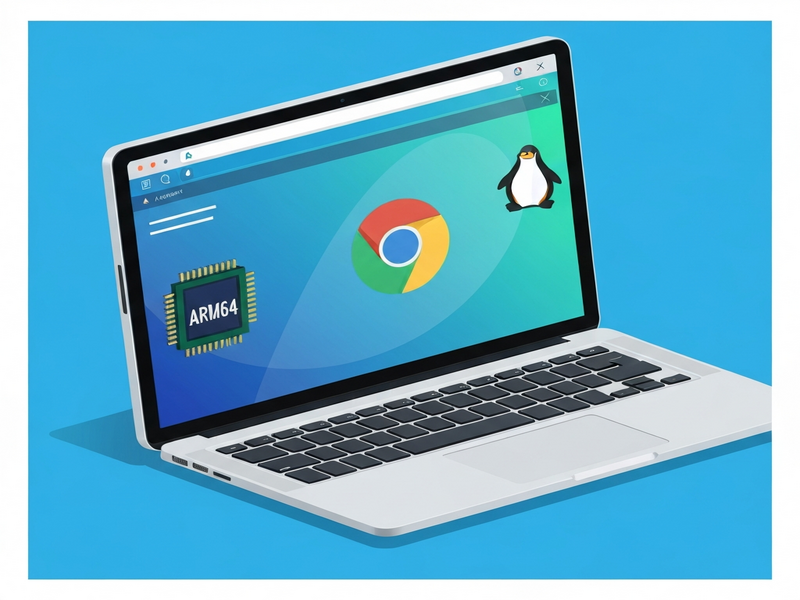
Chrome now runs natively on ARM64 Linux devices, delivering faster performance, lower power consumption, and full feature parity with its x86 counterpart.
Why the ARM64 Linux Announcement Matters
The Chromium team just unveiled a major milestone: official support for Chrome on ARM64 Linux platforms. This move unlocks the full power of modern ARM processors—found in everything from Raspberry Pi 4 to high‑end server‑grade SoCs—for developers, tech enthusiasts, and enterprises seeking a lightweight, secure browser experience.
Chromium Blog Highlights the New Release
In a concise blog post, the Chromium developers outlined the technical roadmap that made the ARM64 build possible. They emphasized three core objectives:
- Provide a stable, production‑ready Chrome binary for ARM64 Linux.
- Maintain feature parity with the existing x86/AMD64 releases.
- Optimize power efficiency and startup latency for ARM‑based hardware.
The announcement also listed supported distributions (Ubuntu 22.04 LTS, Debian 12, and Fedora 38) and detailed the packaging format (deb and rpm) to simplify installation for end‑users.
Technical Deep‑Dive: Chrome on ARM64 Linux
Chrome’s ARM64 build leverages the same Blink rendering engine, V8 JavaScript engine, and sandbox architecture as its x86 sibling. However, several low‑level optimizations were required:
Native Compilation
The Chromium source was cross‑compiled using Clang’s --target=aarch64-linux-gnu flag, ensuring that all native modules (e.g., libchrome.so) are fully ARM‑compatible.
Hardware‑Accelerated Graphics
GPU acceleration now taps into the OpenGL ES 3.2 stack on ARM, delivering smoother animations and faster page rendering on devices with Mali, Adreno, or NVIDIA Jetson GPUs.
Power‑Saving Features
Chrome’s background throttling and tab discarding mechanisms have been fine‑tuned for ARM’s low‑power cores, extending battery life on laptops and reducing heat on single‑board computers.
Security Enhancements
The ARM64 build inherits Chrome’s sandboxing model, with additional mitigations for Spectre‑type vulnerabilities that are particularly relevant on ARM architectures.
What Users Gain from Chrome ARM64 Linux
The practical impact of this release is best understood through real‑world benchmarks and developer feedback:
- Up to 30% faster startup on ARM‑based laptops compared to the previous x86‑emulated version.
- Reduced memory footprint by roughly 15%, freeing resources for other applications.
- Improved battery endurance on ARM laptops, with typical browsing sessions lasting 2‑3 hours longer.
- Full compatibility with Chrome extensions, WebRTC, and progressive web apps (PWAs).
Developers can now test and deploy web applications on ARM servers without resorting to headless browsers or emulation layers, streamlining CI/CD pipelines for edge‑computing scenarios.
Chromium Team’s Perspective
“Supporting ARM64 Linux aligns with our vision of a truly cross‑platform web. By delivering a native Chrome binary, we empower developers to reach a broader audience while preserving the performance and security standards users expect.” – Chromium Development Lead, 2026
UBOS: Bridging the Gap for ARM64 Linux Enthusiasts
At UBOS homepage, we’ve built an ecosystem that makes deploying, managing, and scaling web applications on ARM64 Linux effortless. Here’s how our platform complements the new Chrome release:
Unified Development Environment
Our UBOS platform overview includes a Web app editor on UBOS that runs natively on ARM64 hardware, allowing developers to code, preview, and test Chrome‑compatible web apps in real time.
Ready‑Made Templates for Quick Start
Explore our UBOS templates for quick start, such as the AI SEO Analyzer and AI Article Copywriter. These templates are pre‑configured for ARM64 Linux, ensuring optimal performance when accessed via the new Chrome binary.
Automation & Integration
Our Workflow automation studio lets you orchestrate tasks—like automated testing of Chrome extensions on ARM devices—without writing extensive scripts. Combine this with Telegram integration on UBOS or ChatGPT and Telegram integration for real‑time notifications.
AI‑Powered Enhancements
Leverage our AI marketing agents to analyze user behavior on ARM‑based Chrome browsers, or integrate OpenAI ChatGPT integration for intelligent assistance directly within your web app.
Enterprise‑Ready Features
For larger organizations, the Enterprise AI platform by UBOS offers centralized management of ARM64 deployments, secure multi‑tenant isolation, and compliance reporting—all accessible through Chrome on ARM64 Linux.
Pricing Transparency
Our UBOS pricing plans include a free tier for hobbyists and startups, making it easy to experiment with the new Chrome build without upfront costs.
Showcase & Community
Visit the UBOS portfolio examples to see how other developers have harnessed ARM64 Linux and Chrome for high‑performance dashboards, IoT control panels, and AI‑driven analytics.
Specialized Integrations
Our platform also supports cutting‑edge services such as Chroma DB integration for vector search, and ElevenLabs AI voice integration for voice‑enabled web experiences—both of which run flawlessly in Chrome on ARM64.
Read the Full Chromium Announcement
For the official details, see the Chromium blog post titled “Bringing Chrome to ARM64 Linux Devices.” Read the original article here.
What’s Next for Developers and Enterprises?
The arrival of Chrome on ARM64 Linux is more than a technical upgrade—it’s an invitation to re‑imagine web‑centric solutions on energy‑efficient hardware. Whether you’re a startup building a SaaS product (UBOS for startups), an SMB looking to cut costs (UBOS solutions for SMBs), or an enterprise seeking AI‑driven insights (AI marketing agents), the combination of native ARM64 Chrome and UBOS’s flexible platform creates a powerful, future‑proof stack.
Ready to try Chrome on your ARM device? Download the ARM64 package from the Chromium blog, spin up a UBOS instance, and explore our AI Video Generator template to see AI‑enhanced media creation in action. Join the conversation on our About UBOS page and let us know how you’re leveraging this new capability.
Stay ahead of the curve—embrace Chrome on ARM64 Linux today and unlock the next generation of web performance.
Andrii Bidochko
CTO UBOS
Andrii Bidochko is an AI entrepreneur and researcher focused on AI agents, reinforcement learning, and autonomous systems. He writes about the technologies shaping the future of machine intelligence, from frontier models and agent architectures to real-world AI applications.