

- Updated: February 27, 2026
- 5 min read
Guide to Signed Distance Field (SDF) Fonts: Performance Boosts and Practical Tips
Signed distance field (SDF) fonts let developers render crisp, scalable text with outlines, shadows, and glow effects in a single shader pass, dramatically improving performance for web and game graphics.
Why SDF Fonts Matter in Modern Graphics Programming
In February 2026, a developer shared a candid diary of his journey with signed distance field (SDF) font rendering. The post highlighted the promise of SDF: a single‑pass technique that replaces the traditional multi‑draw approach for outlines, shadows, and glow. For web developers, UI/UX designers, and graphics programmers, mastering SDF can slash GPU load, reduce draw calls, and keep text razor‑sharp at any resolution.
The original guide, now indexed on the first page of Google for “sdf fonts,” serves as a perfect springboard for a deeper, more structured exploration. Below we distill the key concepts, tools, and practical tips you need to adopt SDF fonts in your next project.
What Is a Signed Distance Field?
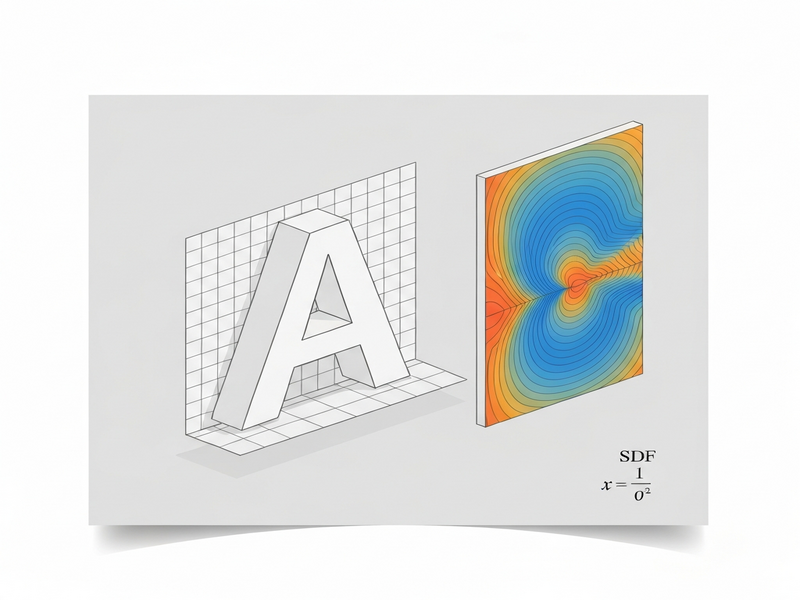
A signed distance field is a grayscale texture where each pixel stores the shortest distance to the nearest edge of a shape—positive outside, negative inside. When applied to fonts, the SDF encodes the distance from each texel to the nearest glyph contour.
- Resolution‑independent: The distance data lets a shader reconstruct crisp edges at any scale.
- Single‑pass effects: Outlines, shadows, and soft glows become simple arithmetic on the distance value.
- GPU‑friendly: Only one texture lookup per fragment, reducing bandwidth.
Performance and Visual Benefits
Implementing SDF fonts yields measurable gains:
| Metric | Traditional Multi‑Pass | SDF Single‑Pass |
|---|---|---|
| Draw Calls | 3 – 5 per text element | 1 per text element |
| GPU Bandwidth | High (multiple textures) | Low (single SDF atlas) |
| Scalability | Pixelated at large sizes | Crisp at any resolution |
For UI‑heavy web apps or real‑time game HUDs, these savings translate directly into smoother frame rates and lower power consumption on mobile devices.
Tooling: From msdfgen to JavaScript Renderers
The developer’s experiments centered on msdfgen, a C++ utility that produces multi‑channel SDF (MSDF) atlases. Below is a concise workflow that mirrors the author’s successful path while trimming the noise.
1. Generate the Atlas with msdfgen
msdfgen.exe -font path/to/Roboto.ttf -size 64 -pxrange 4 -output atlas.png -metrics metrics.txt
Key parameters: -size (pixel resolution of each glyph), -pxrange (distance field spread), and -output (atlas image). Adjusting -size directly influences texture memory; a 64‑pixel glyph often balances quality and size for UI work.
2. Load the Atlas in JavaScript
UBOS’s Web app editor on UBOS lets you import the PNG atlas and the accompanying metrics file with a few clicks. The editor then auto‑generates a thin wrapper around three.js or pixi.js to render the SDF.
3. Shader Implementation
The core fragment shader reads the distance from the red channel (for single‑channel SDF) or combines three channels (for MSDF). A minimal GLSL snippet:
float distance = texture(sdfAtlas, uv).r;
float width = 0.5; // outline thickness
float alpha = smoothstep(width - 0.01, width + 0.01, distance);
gl_FragColor = vec4(outlineColor, alpha);
By tweaking width and applying additional smoothstep calls, you can layer shadows, glows, or even animated pulsations—all without extra draw calls.
Practical Advice for Developers
The original diary highlighted endless testing loops. To avoid that trap, follow these distilled guidelines:
- Start Small: Generate a 32‑pixel atlas for a single‑character test set. Verify visual quality before scaling up.
- Measure Atlas Size vs. Quality: Use a script to render a grid of glyphs at various distances. Compare against a reference raster image to find the sweet spot (usually 48‑64 px for UI, 128 px for high‑detail titles).
- Cache Metrics: Store the
.txtmetrics file on the server and load it once at app start. This eliminates per‑glyph lookups. - Leverage UBOS Automation: The Workflow automation studio can batch‑process font families, generating atlases for every weight and style automatically.
- Test on Target Devices: Mobile GPUs have different texture‑filtering quirks. Use the UBOS pricing plans to spin up a cheap test environment and run performance benchmarks.
Read the Full Narrative
For a complete, first‑hand account of the trial‑and‑error process, see the original Red Blob Games article. It provides raw command‑line logs, early sketches, and the author’s candid reflections on why some approaches failed.
Related UBOS Resources to Accelerate Your SDF Journey
UBOS offers a suite of tools that complement SDF font workflows. Explore the following to speed up development:
- UBOS platform overview – A low‑code environment for deploying graphics‑intensive web apps.
- AI marketing agents – Automate asset generation (including font atlases) with AI‑driven pipelines.
- UBOS templates for quick start – Pre‑built SDF rendering templates that you can clone and customize in minutes.
Conclusion: Adopt SDF Fonts Today
Signed distance field fonts are no longer a niche trick; they are a mainstream solution for high‑performance text rendering across browsers, game engines, and native apps. By leveraging msdfgen, UBOS’s low‑code editor, and the practical guidelines above, you can deliver crisp, effect‑rich typography without sacrificing frame rates.
Ready to experiment? Start with the free UBOS homepage, spin up a sandbox, and bring your first SDF atlas to life in under an hour.
Andrii Bidochko
CTO UBOS
Andrii Bidochko is an AI entrepreneur and researcher focused on AI agents, reinforcement learning, and autonomous systems. He writes about the technologies shaping the future of machine intelligence, from frontier models and agent architectures to real-world AI applications.