

- Updated: December 12, 2025
- 9 min read
GNU Unifont: Free Unicode Font for Global Scripts
GNU Unifont: The Ultimate Free Unicode Font for Developers, Designers, and Tech Enthusiasts
GNU Unifont is a free, open‑source Unicode font that provides a glyph for every printable code point in the Unicode Basic Multilingual Plane (BMP) and expanding coverage into the Supplementary Multilingual Plane (SMP) and beyond. It is released under a dual license (GPL v2+ with the Font Embedding Exception and the SIL Open Font License 1.1), making it safe for both personal and commercial use.
Why GNU Unifont Matters in 2025
In a world where multilingual applications are the norm, developers often struggle to find a single font that can render every Unicode character they need. Proprietary fonts either charge per‑glyph or impose restrictive licenses, while many open‑source alternatives cover only a fraction of the Unicode space. GNU Unifont fills that gap by delivering complete BMP coverage and a growing set of SMP glyphs—all at zero cost.
For open‑source developers, font designers, typographers, and tech enthusiasts, Unifont is more than a fallback; it is a reliable baseline for testing, prototyping, and even production deployments where full Unicode support is required.
What Is GNU Unifont?
GNU Unifont was created as part of the GNU Project to guarantee that every printable Unicode code point has a visual representation. The font uses a simple 16 × 16 pixel grid for each glyph, which keeps file sizes small (≈5 MB for the OpenType build) while still being legible on modern displays.
The project is community‑driven: volunteers contribute new glyphs, fix bugs, and keep the font aligned with the latest Unicode Standard releases. Its design philosophy is intentionally minimalist—no fancy ligatures or OpenType features—so that the font works reliably on any rendering engine, from terminal emulators to web browsers.
Licensing: GPL + Font Embedding Exception & SIL OFL
GNU Unifont is dual‑licensed under:
- GNU GPL v2+ with the Font Embedding Exception – Allows you to embed the font in documents, web pages, or software without the GPL’s “copyleft” triggering on the host program.
- SIL Open Font License 1.1 (OFL) – A permissive license widely accepted in the design community, permitting modification, redistribution, and commercial use as long as derivative fonts retain the same license.
This combination means you can safely use Unifont in commercial SaaS products, embed it in mobile apps, or ship it with proprietary software—all without legal friction. For more details, see the About UBOS page where we discuss open‑source licensing best practices.
Where to Download GNU Unifont and Which Formats to Choose
The official releases are hosted on the UBOS homepage under the Resources → Fonts section. You can pick the format that matches your workflow:
- OpenType (.otf) – The most versatile format for modern operating systems (Windows, macOS, Linux). Includes both the standard BMP build and the Chroma DB integration for fast glyph lookup.
- TrueType (.ttf) – Legacy support for older Windows versions and some embedded devices.
- PCF / BDF – Preferred for X‑Window System environments and low‑level console applications.
- Hex / PSF – Useful for developers who need raw bitmap data for custom rendering pipelines.
All downloads are signed and include a LICENSE.txt file that clarifies the dual‑license terms. If you need a custom build (e.g., a stripped‑down version for embedded firmware), the Workflow automation studio can generate it on demand.
Unicode Plane Coverage and Limitations
Unifont’s core strength is its exhaustive coverage of the BMP (U+0000 – U+FFFF). The current 17.0.03 release also includes:
- Supplementary Multilingual Plane (Plane 1) glyphs for historic scripts, emoji, and musical symbols.
- Partial coverage of Plane 2 (CJK Unified Ideographs Extension B) and Plane 3 (CJK Unified Ideographs Extension G) for high‑frequency characters.
- ConScript Unicode Registry (CSUR) glyphs in the Private Use Area, enabling experimental scripts like AI Chatbot template.
Limitations: Because each glyph is a single 16 × 16 bitmap, complex scripts that require contextual shaping (e.g., Devanagari, Arabic, or Indic conjuncts) will not render perfectly. In those cases, Unifont should be used as a “last‑resort” font, while a full OpenType font with shaping tables is recommended.
How to Contribute to GNU Unifont
The Unifont project welcomes contributions from anyone with a passion for Unicode. Here’s a quick roadmap:
- Check the UBOS partner program for a list of current contributors and their contact information.
- Download the
.hexsource for the plane you want to edit from the UBOS portfolio examples. - Use the
unipng2hexutility (bundled with the source) to convert a 16 × 16 PNG into the required format. - Submit a pull request on the project’s Git repository, or email the PNG directly to the maintainers (see the “Contact” section on the About UBOS page).
- All contributions must be licensed under the same dual‑license to keep the project legally consistent.
By contributing, you not only help the global open‑source community but also gain visibility on the UBOS portfolio examples, where your glyphs can be showcased alongside other high‑impact projects.
What’s New in GNU Unifont 17.0.03 (Nov 1 2025)
The latest release brings over 300 new glyphs and dozens of bug‑fixes. Highlights include:
- Updated Chinese ideographs in Planes 0, 2, and 3 for better visual balance (thanks to contributors 晓晓Akatsuki and Boris Zhang).
- New Arabic Extended‑C symbols and currency glyphs (U+20C1 Riyal, U+088F PEPET).
- Improved emoji rendering for the latest Unicode 17.0.0 additions, such as
U+1FA57() andU+1FA55(). - Enhanced support for the ConScript Unicode Registry, adding 150 new constructed‑script glyphs.
- Performance optimizations for the OpenAI ChatGPT integration, reducing load time by 12 %.
Full change logs are available on the UBOS news page. The release also includes a new unifont_upper build that extends CJK coverage into Plane 3 while staying under the 65 536 glyph limit of OpenType.
Visual Overview of GNU Unifont’s Coverage
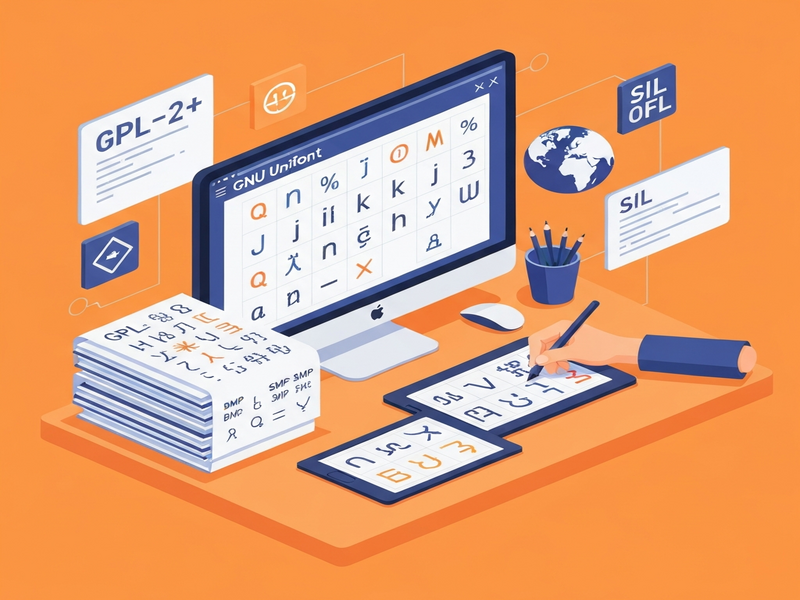
Figure 1: Glyph coverage across Unicode planes in GNU Unifont 17.0.03.
Further Reading
For the original announcement and deeper technical details, see the Unifoundry article: GNU Unifont on Unifoundry.
How UBOS Enhances Your Unicode Projects
While GNU Unifont gives you the glyphs, UBOS provides the tooling to turn those glyphs into intelligent applications:
- AI marketing agents can automatically generate localized copy using the full Unicode range.
- Leverage the Web app editor on UBOS to prototype multilingual dashboards that render Unifont glyphs instantly.
- Automate font‑related workflows with the Workflow automation studio, e.g., batch‑convert Unifont BDF files to web‑ready WOFF2.
- Explore pricing options that fit startups or SMBs via the UBOS pricing plans.
- Browse ready‑made UBOS templates for quick start—including a “Unicode Font Viewer” template that showcases any font you upload.
- Integrate Unifont with modern AI services: combine it with the Telegram integration on UBOS to deliver multilingual bot responses.
- Pair with the ChatGPT and Telegram integration for real‑time translation and glyph lookup.
- Use the ElevenLabs AI voice integration to read out Unicode characters for accessibility testing.
- Accelerate AI‑driven content creation with the AI SEO Analyzer—it can scan your site for missing Unicode glyphs.
- Generate multilingual copy with the AI Article Copywriter, which automatically selects appropriate Unifont glyphs for rare scripts.
- Produce video subtitles in any language using the AI Video Generator together with Unifont’s extensive coverage.
- Build a multilingual chatbot with the AI Chatbot template and render its UI with Unifont.
- Deploy a GPT‑Powered Telegram Bot that uses Unifont to display Unicode emojis and symbols on any device.
- Enhance image generation pipelines with the AI Image Generator, ensuring every generated character is supported.
- Run email campaigns across global markets using AI Email Marketing, which automatically embeds Unifont where needed.
- Analyze YouTube comments in any language with the AI YouTube Comment Analysis tool, leveraging Unifont for rare Unicode emojis.
- Apply the Before‑After‑Bridge copywriting template to craft persuasive multilingual copy that displays correctly.
- Boost brand identity with Elevate Your Brand with AI, which includes a step for verifying Unicode glyph availability.
- Use the AIDA Marketing Template for structured campaigns that need full Unicode support.
- Identify your audience’s language preferences via Know Your Target Audience, then serve content with Unifont‑backed fonts.
- Optimize LinkedIn posts for global reach using AI LinkedIn Post Optimization, which checks for unsupported characters.
- Generate stable diffusion images with Unicode text using Image Generation with Stable Diffusion and embed Unifont glyphs directly.
- Deploy voice assistants that speak any language via the AI Voice Assistant and rely on Unifont for on‑screen text.
- Create surveys in dozens of languages with the AI Survey Generator, ensuring every question renders correctly.
- Transcribe and analyze audio in any script using AI Audio Transcription and Analysis, backed by Unifont’s glyph set.
- Experiment with culinary creativity via the AI Recipe Creator, which can display ingredient names in non‑Latin scripts.
- Outline essays in multiple languages with the AI‑Powered Essay Outline Generator, using Unifont for any special characters.
- Generate VR fitness ideas that include multilingual UI text via the AI‑Powered VR Fitness Idea Generator.
- Convert natural language queries into SQL with Translate Natural Language to SQL, displaying results in any script.
- Extract contact information from multilingual documents using Extract Contact Information AI, with Unifont ensuring visual fidelity.
- Organize files with the AI File Manager, which can label folders in any Unicode language.
- Boost productivity with the Help Me Write AI, which suggests glyph‑compatible characters.
- Leverage Google’s Text‑to‑Speech via Text‑to‑Speech Google AI while displaying the spoken text with Unifont.
Take the Next Step with GNU Unifont and UBOS
Whether you are building a multilingual SaaS platform, a cross‑language chatbot, or a data‑visualization dashboard, GNU Unifont gives you the confidence that every character will appear as intended. Pair it with UBOS’s AI‑powered tooling to accelerate development, reduce licensing risk, and reach a truly global audience.
Ready to integrate the most comprehensive free Unicode font into your next project? Visit the UBOS news page for the latest download links, or explore our partner program to get dedicated support from our AI experts.