

- Updated: March 28, 2026
- 7 min read
Free Brent Crude Price Alerts Service Launch – Stay Updated on Oil Prices
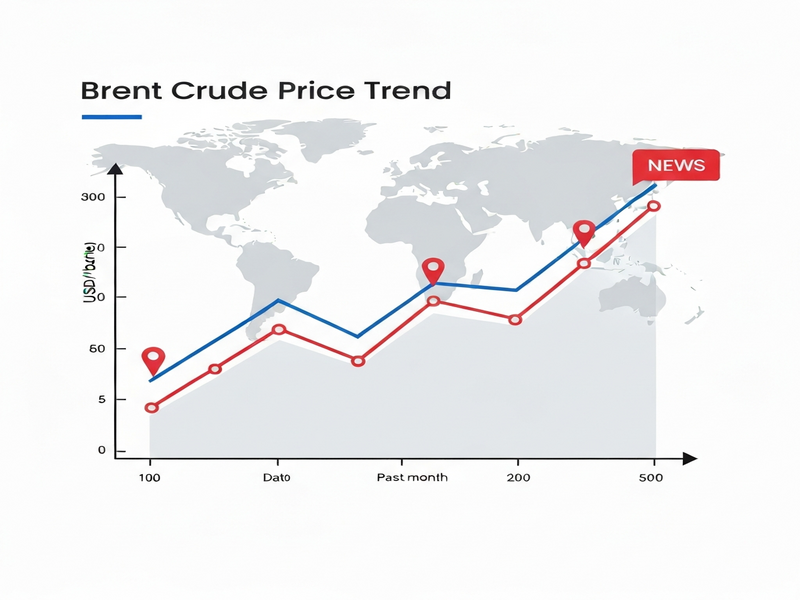
The free Brent crude price alerts service delivers real‑time, customizable notifications whenever the Brent oil price crosses a user‑defined threshold, helping traders, investors, and energy analysts stay ahead of market moves without the need for an account.
Why Brent Crude Price Alerts Matter for Energy Professionals
Brent crude is the global benchmark for oil pricing, influencing everything from refinery margins to sovereign wealth fund allocations. In a market where a single cent can shift billions in portfolio value, missing a price spike or dip can be costly. The free Brent price alerts service removes that risk by providing instant, browser‑based or email notifications the moment the market moves past your chosen level.
Key Benefits at a Glance
- Zero‑friction onboarding: No sign‑up, no personal data—just enter an email and you’re set.
- Real‑time monitoring: Prices are refreshed every 60 seconds, ensuring alerts fire as soon as thresholds are breached.
- Multiple delivery channels: Choose between browser push, email, or a daily digest that lands in your inbox each morning.
- Customizable thresholds: Set a single price point or a range to capture both upward and downward moves.
- Scalable for teams: Share the same alert link with colleagues to align trading strategies.
Service Overview: How the Free Brent Crude Price Alerts Work
The platform operates entirely in the browser using the Web Notifications API. When you load the alert page, a lightweight script begins polling the Brent price feed (sourced from reputable market data providers) once per minute. Your defined price level is compared against each new tick; if the market crosses that level, a notification is dispatched instantly.
“I set a 90‑USD threshold before the weekend and received a push notification at 02:13 UTC when the price spiked to 91.2 USD. It saved me from missing a crucial entry point.” – Senior Energy Analyst, London
Step‑by‑Step Guide to Set Up Your Free Alert
1️⃣ Access the Alert Page
Open the Brent price alerts page in any modern browser (Chrome, Edge, Firefox, or Safari). No download or plugin is required.
2️⃣ Choose Your Commodity and Set Thresholds
Although the service currently supports only Brent crude, the UI is designed for future expansion to WTI, natural gas, gold, and silver. Enter the price level at which you want to be notified—e.g., “85 USD” for a low‑price alert or “95 USD” for a high‑price alert.
3️⃣ Select Your Notification Method
Pick one of the following options:
- Browser Push: Real‑time pop‑ups while the tab remains open.
- Email Alert: Instant email sent to the address you provide.
- Daily Digest: A concise summary of the day’s price movements delivered at 06:00 UTC.
4️⃣ Activate the Alert
Click “Subscribe” and grant the browser permission for notifications (if you chose push). The script will now monitor the price in the background. Keep the tab open—or use the “Stay open in background” feature of most browsers—to ensure continuous monitoring.
5️⃣ Manage and Reset Alerts
After an alert fires, you can immediately set a new threshold. The interface includes a “Reset” button that clears the current rule and lets you start fresh without reloading the page.
Notification Options Compared
| Channel | Delivery Speed | Typical Use‑Case | Requirements |
|---|---|---|---|
| Browser Push | Instant (seconds) | High‑frequency traders needing immediate action | Tab must stay open; notification permission granted |
| Email Alert | Near‑real‑time (≤1 min) | Portfolio managers who monitor multiple assets | Valid email address |
| Daily Digest | Scheduled (06:00 UTC) | Analysts preparing morning briefings | Email address; no tab required |
Frequently Asked Questions
- Do I need to create an account?
- No. The service runs entirely in your browser, and no personal data is stored on the server.
- How often is the price refreshed?
- The Brent price feed updates every 60 seconds, and each update triggers a threshold check.
- Will alerts work if I close the browser tab?
- Alerts require the page to remain open. If you close the tab, monitoring stops. However, you can switch to the “Daily Digest” option to receive updates without keeping the tab active.
- Can I set multiple alerts simultaneously?
- Currently only one active price level is supported per session. After an alert fires, you can instantly set a new one.
- Is the service truly free?
- Yes. There are no hidden fees, subscription charges, or premium tiers for the basic Brent alert.
- Will my email be used for marketing?
- Emails are used solely for delivering alerts. The service does not add you to any mailing list.
Future Roadmap: What’s Coming Next?
The development team has outlined several enhancements slated for the next 12 months:
- Support for additional commodities such as WTI crude, natural gas, gold, and silver.
- Multi‑threshold alerts allowing users to monitor both upper and lower bands simultaneously.
- Integration with popular trading platforms via webhook APIs.
- Mobile‑friendly push notifications through progressive web app (PWA) technology.
- Advanced analytics dashboard that visualizes price trends alongside alert history.
How UBOS Can Supercharge Your Commodity Monitoring
While the Brent price alerts service offers a focused solution for oil price tracking, many energy professionals need a broader AI‑driven workflow. UBOS homepage provides a unified UBOS platform overview that lets you combine price alerts with automated data pipelines, AI‑enhanced analytics, and custom dashboards—all without writing code.
For startups looking to prototype a market‑intelligence app, the UBOS for startups program offers free credits and a library of pre‑built templates. The UBOS templates for quick start include a “Commodity Tracker” template that can ingest the Brent price feed, trigger alerts, and push notifications to Slack or Teams.
SMBs can leverage the UBOS solutions for SMBs to embed price alerts directly into their internal portals. The Workflow automation studio lets you define “If Brent > $92, then send an email to the sales team” without a single line of code.
Enterprises that demand enterprise‑grade security and scalability can adopt the Enterprise AI platform by UBOS. This platform integrates with OpenAI ChatGPT integration and ChatGPT and Telegram integration, enabling you to build conversational bots that answer “What was the Brent price at 09:30 UTC yesterday?” in seconds.
Marketing teams can also benefit from AI marketing agents that automatically generate market‑update newsletters based on the latest Brent price movements, feeding directly into the AI Email Marketing template.
Sample UBOS‑Powered Use Cases
- Deploy the AI SEO Analyzer to monitor how often “Brent price alert” keywords rank in search results.
- Use the AI Article Copywriter to auto‑generate daily market commentary based on price‑alert triggers.
- Integrate the AI YouTube Comment Analysis tool to gauge sentiment around Brent price news videos.
- Build a conversational assistant with the Talk with Claude AI app that can answer complex “What‑if” scenarios using historical Brent data.
- Enable a GPT-Powered Telegram Bot that pushes alerts directly to a private Telegram channel for on‑the‑go traders.
Take Action Now – Stay Ahead of the Brent Market
Don’t let another price swing catch you off guard. Set up your free Brent crude price alert in under two minutes and combine it with UBOS’s AI‑driven workflow tools for a truly end‑to‑end market intelligence solution.
For more insights on AI‑enhanced commodity tracking, visit our UBOS portfolio examples and discover how leading firms are automating market alerts, sentiment analysis, and decision support.
Andrii Bidochko
CTO UBOS
Andrii Bidochko is an AI entrepreneur and researcher focused on AI agents, reinforcement learning, and autonomous systems. He writes about the technologies shaping the future of machine intelligence, from frontier models and agent architectures to real-world AI applications.