

- Updated: January 6, 2026
- 7 min read
Doom‑Coding: Mobile‑First Remote Development Workflow Revolutionizes Coding on the Go
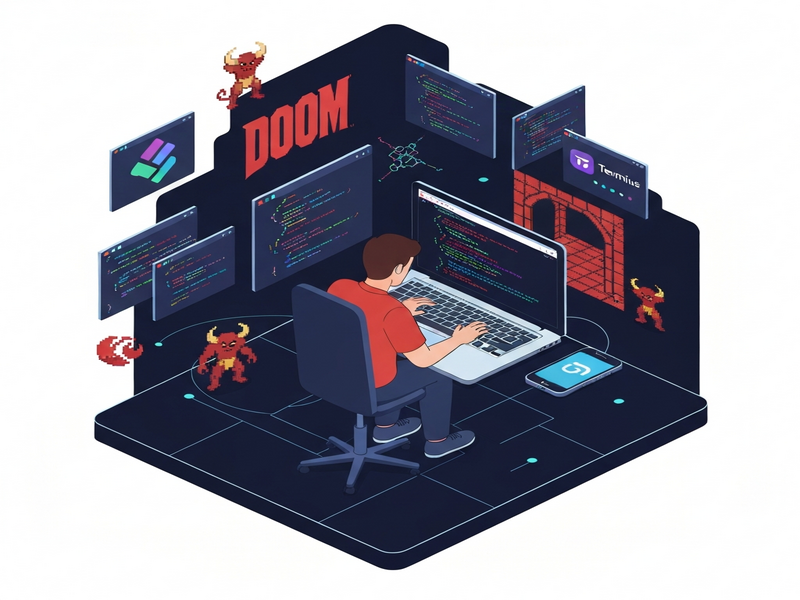
Doom coding is an open‑source, mobile‑first workflow that lets developers code from any smartphone using Tailscale, Termius, and Claude Code, turning any internet connection into a full‑featured remote development environment.
Doom‑Coding on GitHub: Mobile Development Made Portable
The Doom‑coding GitHub project provides a step‑by‑step guide for turning a always‑on desktop into a cloud‑like coding workstation that you can reach from the palm of your hand. Whether you’re commuting, traveling, or simply prefer to work away from a desk, this setup lets you write, test, and deploy code without ever touching a laptop. The project is fully open source, community‑driven, and built around widely‑available tools, making it an ideal entry point for tech‑savvy developers and hobbyists interested in remote coding, mobile development, and modern DevOps practices.
Key Features & Setup Steps
The Doom‑coding guide is deliberately minimalistic yet powerful. Below is a MECE‑structured breakdown of its core components and the exact steps to get you up and running in under ten minutes.
Core Features
- Secure, zero‑config VPN via Tailscale that works across iOS, Android, and desktop platforms.
- Full‑featured SSH client (Termius) optimized for mobile keyboards and touch gestures.
- AI‑assisted coding assistance with Claude Code, enabling on‑the‑fly code generation and debugging.
- Persistent, always‑on host machine (any OS) that runs 24/7 with SSH enabled.
- Simple, reproducible configuration using environment variables and MagicDNS.
Step‑by‑Step Setup
- Prepare the host computer
- Disable sleep mode in power settings.
- Enable SSH/Remote Login (macOS: System Preferences → Sharing → Remote Login; Windows: OpenSSH Server).
- Install Tailscale and sign in with a single account.
- Install Claude Code on the same machine.
- Configure your smartphone
- Download the Tailscale app (iOS/Android) and log in with the same credentials.
- Install Termius, a modern SSH client built for mobile.
- Copy the MagicDNS address of your host (e.g.,
my‑pc.tailnet‑name.ts.net) from the Tailscale UI. - Create a new host entry in Termius:
- Label: Any friendly name (e.g., “My‑Dev‑Box”).
- Hostname: The MagicDNS address.
- Port: 22.
- Username/Password: Your OS login credentials.
- Connect and code
- Activate Tailscale on your phone, then open the host entry in Termius.
- Run
claudeinside the SSH session to launch Claude Code. - Start coding, testing, or running scripts just as you would on a local terminal.
All commands and configuration files are documented in the repository’s README.md, which also includes troubleshooting tips for common connectivity issues.
Why Tailscale, Termius, and Claude Code Shine Together
Each component of the Doom‑coding stack solves a specific pain point in remote development. Below is a concise benefit matrix that helps you decide whether this workflow fits your needs.
| Component | Primary Benefit | Typical Use‑Case |
|---|---|---|
| Tailscale | Zero‑config, end‑to‑end encrypted mesh VPN that works behind NATs and firewalls. | Securely expose your home workstation to any mobile device. |
| Termius | Touch‑optimized SSH client with saved host profiles and SFTP support. | Run terminal commands, edit files, and transfer assets from a phone. |
| Claude Code | AI‑driven code generation, refactoring, and debugging directly in the terminal. | Accelerate feature development while on the move. |
Together, they create a frictionless, secure, and intelligent remote development environment that rivals traditional cloud IDEs while keeping your code and data on your own hardware.
Real‑World Use Cases & Community Support
Developers have adopted Doom‑coding for a variety of scenarios. Here are the most common ones:
- On‑the‑go bug fixing: Pull a hot‑fix from a coffee shop without a laptop.
- Traveling freelancers: Keep a single development environment that follows you across time zones.
- Remote pair programming: Share your SSH session via Termius and collaborate in real time.
- Learning & workshops: Instructors can demonstrate live coding on a phone while students watch on any device.
The project’s GitHub repository has attracted over 140 stars and a growing number of forks, indicating strong community interest. Contributors regularly submit best‑practice guides, alternative client recommendations, and integrations with other AI services.
If you need additional AI capabilities, UBOS offers a suite of ready‑made integrations that complement Doom‑coding perfectly. For example, you can pair Claude Code with the OpenAI ChatGPT integration for multi‑model assistance, or enrich your workflow with the Chroma DB integration for vector‑based code search.
How UBOS Enhances the Doom‑Coding Experience
UBOS provides a low‑code platform that can host the always‑on server required for Doom‑coding, while also offering pre‑built templates and automation tools to speed up setup.
- Explore the UBOS platform overview to spin up a cloud VM with SSH ready in minutes.
- Use the Web app editor on UBOS to edit files directly from a browser when your phone connection is spotty.
- Automate repetitive tasks with the Workflow automation studio, such as auto‑deploying after a successful commit.
- Leverage AI marketing agents to generate documentation or release notes on the fly.
- Check out the UBOS pricing plans for a free tier that’s sufficient for a personal Doom‑coding host.
For startups, the UBOS for startups program offers credits and dedicated support, making it easy to keep your development box online 24/7 without extra cost.
SMBs can benefit from UBOS solutions for SMBs, which include managed security patches and automated backups—critical when your remote dev box holds production code.
Enterprises looking for a scalable, secure environment can adopt the Enterprise AI platform by UBOS, which integrates with existing identity providers and offers audit logging for compliance.
Boost Your Doom‑Coding Projects with UBOS Templates
UBOS’s template marketplace contains dozens of AI‑powered apps that can be launched in seconds and used alongside your remote terminal. Here are a few that pair naturally with Doom‑coding:
- AI SEO Analyzer – run SEO checks on generated documentation directly from your phone.
- AI Article Copywriter – draft blog posts about your latest code releases without leaving the terminal.
- AI Chatbot template – prototype a support bot for your project while you code.
- GPT‑Powered Telegram Bot – receive push notifications of CI/CD pipeline status on Telegram.
Community, Documentation, and Ongoing Support
The Doom‑coding repository includes a CONTRIBUTING.md file that outlines how to submit pull requests, report bugs, and propose new integrations. The project’s issue tracker is active, and many contributors share custom Termius profiles and Claude prompts that accelerate specific languages (Python, JavaScript, Go).
Beyond GitHub, you can join the broader UBOS community for cross‑project collaboration. The About UBOS page details the team’s expertise in AI‑driven development platforms, ensuring you’re partnering with seasoned professionals.
If you’re interested in co‑marketing or becoming a reseller, explore the UBOS partner program, which offers joint webinars, technical enablement, and revenue sharing.
Conclusion: Start Doom‑Coding Today
Doom‑coding transforms the notion of “working from home” into “working from anywhere.” By leveraging a secure mesh VPN, a mobile‑optimized SSH client, and AI‑assisted coding, you can keep your development pipeline alive even when you’re far from a traditional workstation.
Ready to try it? Follow the quick‑start guide in the GitHub repo, spin up a free UBOS instance for your always‑on host, and explore the template marketplace to supercharge your workflow.
Take the next step:
- Clone the Doom‑coding repository and follow the README.
- Visit the UBOS homepage to launch a persistent dev server.
- Explore the UBOS portfolio examples for inspiration on AI‑enhanced projects.
Happy coding, and may your next commit be made from the most unexpected places!