

- Updated: March 11, 2026
- 7 min read
Crustty: A Rust‑Based Terminal UI C Interpreter with Time‑Travel Debugging
Crustty is a Rust‑based terminal UI C interpreter that offers interactive execution, real‑time memory visualization, and groundbreaking time‑travel debugging, making it a powerful educational and debugging tool for developers working with the C language.
Crustty: The Rust‑Powered Terminal UI C Interpreter Redefining Time‑Travel Debugging
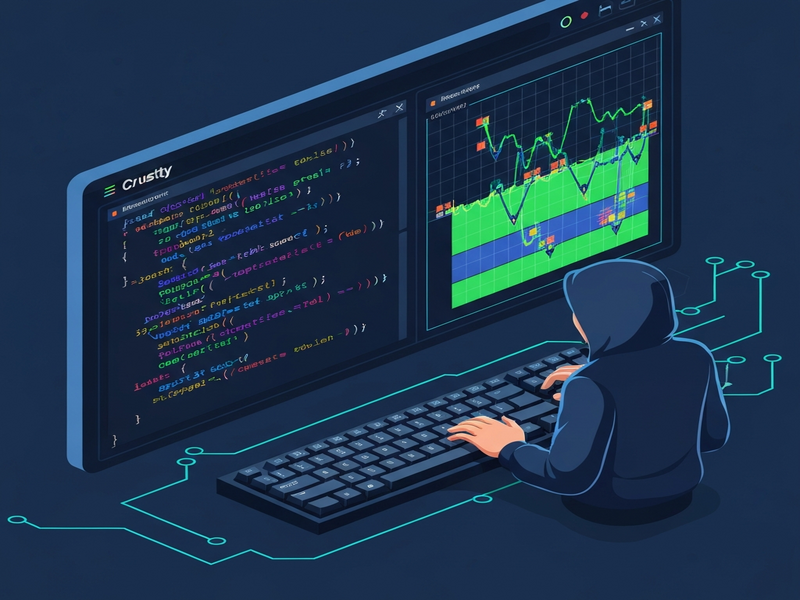
In the rapidly evolving landscape of Rust development tools, Crustty stands out as a niche yet highly innovative project. Built entirely in Rust, it delivers a full‑screen terminal user interface (TUI) that lets programmers step through C code line by line, watch stack and heap changes in real time, and even rewind execution to any previous state. For software developers, Rust enthusiasts, and engineers who crave a deeper understanding of C program flow, Crustty provides a pedagogical playground that bridges low‑level language concepts with modern debugging ergonomics.
The project’s open‑source nature (MIT license) encourages community contributions while its architecture showcases best practices in Rust—modular design, zero‑cost abstractions, and a snapshot system that powers the time‑travel feature. As the demand for transparent, reproducible debugging grows, Crustty’s approach could inspire a new generation of terminal‑based IDEs and debuggers.
Key Features that Set Crustty Apart
- Interactive Execution: Use
norSpaceto step forward,bto step backward, andcto continue until the next breakpoint. - Time‑Travel Debugging: Every statement generates a snapshot of the entire runtime state (stack, heap, and terminal output), enabling unlimited rewind capability.
- Memory Visualization: Dedicated panes display the call stack with local variables and a heap view that shows allocated blocks, types, and addresses.
- Built‑in I/O: Supports
printfandscanfwith full format‑specifier handling, plusmalloc/freefor dynamic memory. - C Subset Support: Handles
int,char,struct, pointers, arrays, and control flow constructs (if/else, loops, switch). - Terminal‑Centric UI: Powered by
ratatuiandcrossterm, the interface offers syntax‑highlighted source code, a status bar with keybindings, and real‑time output.
Installation & Usage Basics
Crustty distributes pre‑compiled binaries for Windows, macOS, and Linux (both x86_64 and ARM). To get started, download the appropriate .zip from the GitHub releases page, extract the binary, and add it to your PATH.
Running a program
crustty path/to/your/file.c
For a quick demo, the repository ships with a comprehensive example called default. Execute it with:
crustty defaultInside the TUI, use the following keybindings:
n/Space– step forwardb– step backward (time‑travel)c– continue executionr– restart programq– quitEsc– exit input mode forscanf
If you prefer building from source, ensure you have Rust 1.70+ installed, then run:
cargo build --release
The resulting binary appears in target/release/crustty.
Architecture Highlights
Crustty’s codebase follows a clean, modular layout that mirrors the classic compiler pipeline:
- Parser: A hand‑written recursive‑descent parser with precedence climbing builds a full AST. Errors include precise source locations.
- Interpreter Engine: Executes the AST using a stack‑based call frame model and a first‑fit heap allocator. The engine lives in
engine.rsand delegates operator logic to theops/submodule. - Snapshot System: After each statement, a
Snapshotcaptures the entire runtime state. Thesnapshot/module manages history, enabling the time‑travel debugger. - Memory Model: Separate address spaces for stack (0x0000_0004…) and heap (0x7fff_0000…) simplify visual distinction in the UI.
- Terminal UI: Built with
ratatui, the UI consists of panes for source code, stack, heap, terminal I/O, and a status bar. Themes are defined intheme.rsfor easy customization.
This architecture not only makes the project approachable for contributors but also serves as a reference implementation for anyone building a language interpreter with time‑travel capabilities.
Performance, Strengths, and Limitations
Because Crustty prioritizes clarity over raw speed, its performance characteristics reflect typical interpreter overhead. Recent optimizations—such as inline hints on hot paths, field‑offset caching, and the use of FxHashMap for non‑cryptographic hashing—keep the per‑statement latency low enough for interactive use on modest hardware.
Strengths
- Deterministic snapshotting enables reliable rewind without external tooling.
- Rich visual feedback (stack/heap panes) accelerates learning for students and new Rust developers.
- Pure Rust implementation guarantees memory safety and cross‑platform consistency.
Current Limitations
- Supports only a subset of C (no preprocessor, typedefs, unions, enums, or function pointers).
- No JIT or native code generation—execution is interpreted, which limits speed for large programs.
- Standard library is minimal (printf, scanf, malloc, free, sizeof); no file I/O or system calls.
- Fixed memory sizes for stack and heap; large allocations may hit limits.
Despite these constraints, Crustty excels as an educational sandbox and a proof‑of‑concept for time‑travel debugging—a feature rarely found in open‑source tooling.
Community, Contributions, and Licensing
The project is hosted on GitHub under the permissive MIT license, encouraging both individual contributors and organizations to fork, extend, or embed Crustty in teaching curricula. The repository currently shows 27 stars and active issue tracking. Contributors are welcomed via the CONTRIBUTING.md guide, which outlines code style (rustfmt, clippy) and testing procedures.
For developers looking to integrate Crustty‑style debugging into their own Rust applications, the modular design makes it straightforward to extract the snapshot manager or the memory model as reusable crates.
Why Crustty Matters for Modern AI‑Powered Development
As AI agents become more capable of generating and analyzing code, having a transparent execution environment is crucial. Crustty’s time‑travel debugging can serve as a sandbox for AI‑driven code synthesis, allowing models to verify generated C snippets step by step. Teams building AI‑enhanced IDEs can embed Crustty’s snapshot engine to provide “undo‑any‑step” capabilities for generated code.
If you’re exploring AI‑augmented development on the UBOS homepage, consider pairing Crustty with UBOS’s AI marketing agents to automatically generate documentation for your C projects. The UBOS platform overview highlights how low‑code environments can host terminal‑based tools like Crustty alongside web‑based editors.
For startups seeking rapid prototyping, the UBOS for startups program offers credits that can be applied to hosting Crustty instances in a cloud‑native container. SMBs can benefit from the UBOS solutions for SMBs, which include pre‑configured CI pipelines that run Crustty tests on every commit.
Enterprises looking for a unified AI stack can explore the Enterprise AI platform by UBOS. Within that ecosystem, the Web app editor on UBOS can embed Crustty’s UI as a terminal widget, while the Workflow automation studio can trigger snapshot captures as part of automated testing workflows.
Pricing is transparent; see the UBOS pricing plans for tiered options that include dedicated compute for heavy debugging sessions. Partners can join the UBOS partner program to co‑market tools like Crustty and gain access to joint go‑to‑market resources.
To see Crustty in action within a broader AI workflow, check out the UBOS portfolio examples. For a quick start, the UBOS templates for quick start include a “Terminal Debugger” template that can be customized to launch Crustty with a single click.
Additionally, developers can leverage AI‑powered utilities such as the AI SEO Analyzer to optimize documentation for Crustty‑based projects, or the AI Article Copywriter to generate tutorial content automatically.
Ready to explore Crustty yourself? Visit the official repository, clone the source, and start debugging C code like never before.
Conclusion
Crustty exemplifies how modern Rust can revive classic debugging concepts with a fresh, interactive twist. Its time‑travel capability, combined with a clear visual representation of memory, makes it an indispensable tool for educators, hobbyists, and professionals seeking deeper insight into C program execution. By integrating Crustty with AI‑centric platforms like UBOS, developers can unlock new workflows where code generation, verification, and documentation happen in a seamless loop.
Whether you are a Rust developer curious about language tooling, a C programmer yearning for better debugging, or an AI engineer building next‑gen development assistants, Crustty offers a solid foundation to experiment, learn, and innovate.