

- Updated: January 18, 2026
- 7 min read
Continuous Context for LLMs: Strategies and Tools Discussed on Hacker News
Continuous context for large language models (LLMs) is achieved by dynamically managing the prompt history—adding, pruning, or summarizing information so the model retains relevant knowledge without suffering from context drift.
Why Continuous Context Matters in Modern AI Development
In the fast‑evolving world of AI, developers and product teams constantly wrestle with a core challenge: how to keep an LLM “aware” of everything it needs to know throughout a long‑running conversation or multi‑step workflow. The Hacker News community recently sparked a lively discussion on this very topic, exposing a spectrum of strategies—from agentic search to vector‑based memory stores. Understanding these ideas is essential for anyone building AI‑driven products, especially in the SaaS space where prompt engineering can make or break a feature.
Overview of the Hacker News Thread on Continuous Context
The original thread, titled “What is the best way to provide continuous context to models?”, gathered 73 points and 44 comments from AI practitioners worldwide. Participants shared real‑world experiences with Claude, Gemini, OpenAI, and emerging tools like Cursor. The conversation highlighted three recurring themes:
- Agentic Search: Using sub‑agents to explore large codebases or document repositories and return only the most relevant snippets.
- Semantic / Vector Search: Storing embeddings in a vector database (e.g., Chroma DB) to retrieve context on demand.
- Context Pruning & Summarization: Periodically compressing older conversation turns to keep the token window lean.
Key Points and Community Suggestions
1. Agentic Search Is Emerging as the “Gold Standard”
Several commenters, notably vivekraja, praised Claude Code’s explore command, which spawns a sub‑agent (often powered by a faster model like Haiku) to scan tens of thousands of tokens in seconds. The sub‑agent returns a concise summary, which the main model can then act upon. This two‑step approach reduces token waste and isolates the heavy‑lifting search from the primary reasoning process.
2. Vector Databases Offer Fast, Selective Retrieval
Users such as HarHarVeryFunny highlighted the advantage of a Chroma DB integration for storing code chunks as embeddings. By querying the vector store, an LLM can pull only the most semantically relevant pieces, avoiding the need to load entire files. This method shines when the knowledge base is static or changes infrequently.
3. Context Drift Is a Real Risk
MohskiBroskiAI warned about “context drift” – the gradual loss of original constraints as the prompt window expands. Their solution, dubbed Coherent State Synthesis, maps memory to a topological state using Wasserstein metrics, ensuring the retrieved context stays within a 5 % deviation threshold. While still experimental, the idea underscores the importance of validation when re‑using old context.
4. Pragmatic “One‑Shot” Thinking
bluegatty reminded the community that every API call is essentially a “one‑shot” where the entire history is sent as a single pre‑fill. This perspective encourages developers to treat the prompt as a mutable buffer: you can reorder, replace, or drop sections at will, as long as the final payload contains the necessary information.
5. Tool‑Calling & Recursion Amplify Effective Context Size
A clever technique shared by bob1029 involves using tool‑calling recursion. By delegating heavy data‑processing to child agents and only passing back concise results, the overall effective context can grow exponentially without overwhelming the main model. This pattern aligns with the emerging “function calling” capabilities of modern LLM APIs.
Practical Implications for Developers and Product Teams
Translating the community insights into actionable steps can dramatically improve the reliability and cost‑efficiency of your AI products. Below is a MECE‑structured checklist you can adopt today.
A. Choose the Right Memory Architecture
- Short‑Term Memory (Prompt Window): Keep the active prompt under 4 k tokens for most LLMs. Use summarization (e.g., UBOS continuous‑context feature) to compress older turns.
- Mid‑Term Memory (Vector Store): Store embeddings of documents, code, or knowledge articles in a Chroma DB integration. Retrieve on demand with a similarity threshold.
- Long‑Term Memory (Persistent Store): For audit trails or versioned data, keep raw logs in a database (e.g., PostgreSQL) and reference them via IDs in the prompt.
B. Implement Agentic Search Pipelines
Build a two‑stage workflow:
- Launch a lightweight sub‑agent (e.g., a fast‑inference model) to perform
grep/semantic‑searchacross your data sources. - Feed the sub‑agent’s concise output back to the primary LLM for reasoning or generation.
UBOS makes this easy with its Workflow automation studio, where you can chain tool calls, sub‑agents, and LLM steps without writing boilerplate code.
C. Guard Against Context Drift
- Periodically re‑summarize the conversation using a dedicated summarizer model.
- Validate that key constraints (e.g., user preferences, regulatory limits) are still present after each summarization pass.
- Consider a “state fingerprint” (hash of critical facts) and compare it after each round to detect drift.
D. Leverage Tool‑Calling & Recursion
Modern APIs (OpenAI, Anthropic, Google) support function calling. Define functions for:
- Database look‑ups
- File system queries
- External API fetches (e.g., ChatGPT and Telegram integration)
By keeping the LLM’s output limited to function calls, you avoid token bloat and maintain a clean, auditable context.
E. Optimize Prompt Caching
Many providers cache the KV‑state of the model after each turn. To benefit:
- Place immutable instructions (e.g., system prompts, brand voice) at the very beginning of the prompt.
- Avoid inserting large blocks of unrelated text in the middle, which forces a cache miss.
- When adding new context, append it to the end so the cached prefix can be reused.
Visualizing Continuous Context Strategies
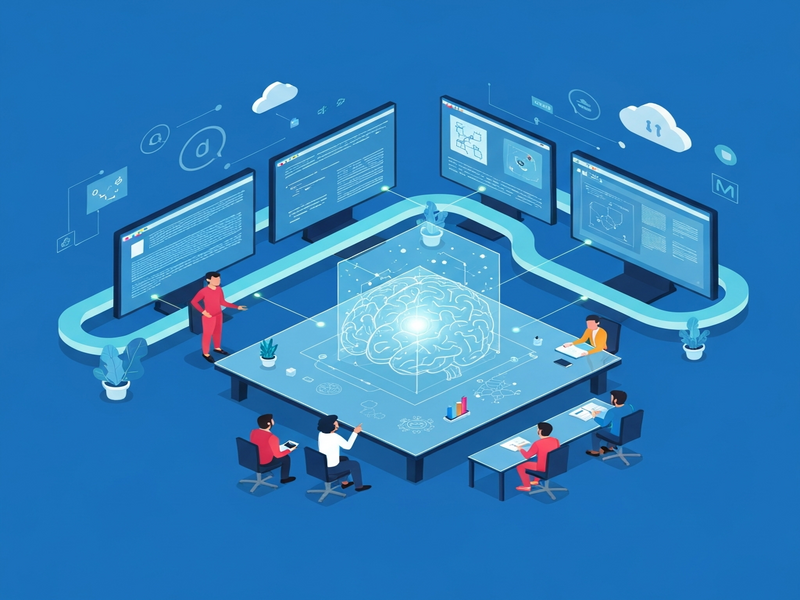
The diagram below captures the flow of information in a typical continuous‑context pipeline: a user query triggers a sub‑agent search, results are fetched from a vector store, summarized, and finally fed into the main LLM. This visual aid helps both engineers and non‑technical stakeholders grasp the architecture at a glance.
Read the Full Discussion
For a deeper dive into the community’s arguments, visit the original Hacker News thread: Ask HN: What is the best way to provide continuous context to models?.
How UBOS Helps You Implement Continuous Context
UBOS offers a suite of tools that map directly to the strategies discussed above. Below are some of the most relevant resources you can explore right now:
- UBOS platform overview – a unified environment for building AI‑enhanced applications.
- AI marketing agents – pre‑built agents that use agentic search to personalize campaigns.
- UBOS partner program – collaborate with UBOS to integrate your own memory modules.
- Enterprise AI platform by UBOS – scalable vector‑store and tool‑calling infrastructure for large teams.
- Web app editor on UBOS – drag‑and‑drop UI to prototype prompt flows without code.
- Workflow automation studio – orchestrate sub‑agents, summarizers, and function calls visually.
- UBOS pricing plans – transparent pricing for startups and enterprises.
- UBOS for startups – fast‑track AI product launches with built‑in context management.
- UBOS solutions for SMBs – affordable memory‑augmented bots for small businesses.
- About UBOS – learn more about the team behind the platform.
- UBOS templates for quick start – pre‑configured prompt templates for common use‑cases.
- UBOS portfolio examples – real‑world case studies of continuous context in action.
- Telegram integration on UBOS – connect your bots to Telegram with persistent session handling.
- ChatGPT and Telegram integration – combine ChatGPT’s language power with Telegram’s messaging platform.
- OpenAI ChatGPT integration – seamless API bridge for OpenAI models.
- ElevenLabs AI voice integration – add natural‑sounding speech to your agents.
- AI SEO Analyzer – a template that demonstrates how to keep SEO context fresh across crawls.
- AI Article Copywriter – shows prompt‑chaining with context pruning for long‑form content.
- AI Video Generator – example of using vector search to retrieve relevant media assets during generation.
Conclusion: Build Smarter, Not Bigger
Continuous context is less about feeding endless tokens to an LLM and more about curating the right information at the right time. By combining agentic search, vector‑based retrieval, smart summarization, and function calling, you can keep your models focused, reduce hallucinations, and control costs. The Hacker News community’s collective wisdom shows that the future belongs to systems that treat context as a first‑class resource—one that can be stored, queried, and refreshed on demand.
Ready to bring these ideas to life? Explore the UBOS homepage for a free trial, dive into the continuous‑context feature, and start building AI agents that remember what truly matters.