

- Updated: January 4, 2026
- 7 min read
Claude Code on the Go: Mobile‑First AI Development Workflow
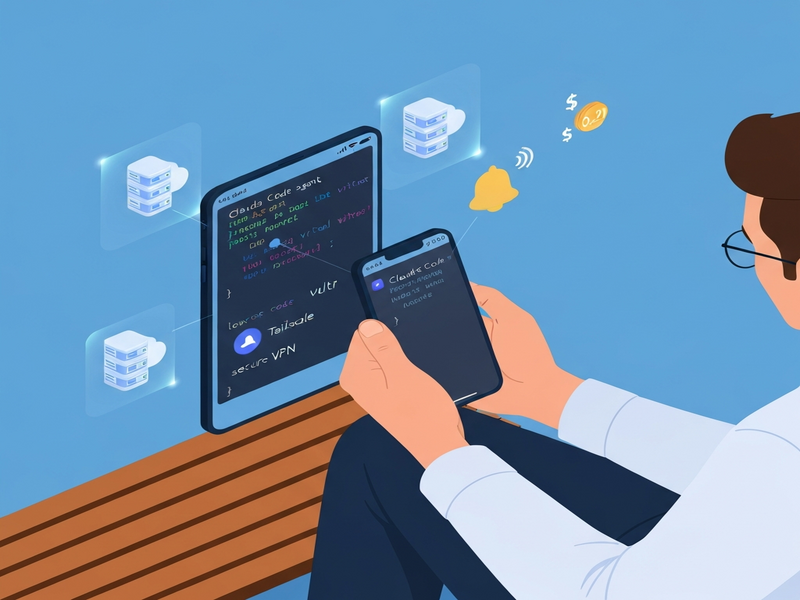
Claude Code on the Go is a mobile‑first development workflow that lets developers run multiple Claude Code agents directly from a smartphone, using a low‑cost Vultr VM, Tailscale private network, Termius SSH client, mosh resilient shell, and tmux session manager.
Why Mobile‑First Coding Matters in 2024
Remote work has turned the traditional desk‑bound IDE upside down. Developers now demand the freedom to code while commuting, waiting in line, or lounging on a couch. Claude Code on the Go answers that demand by turning a pocket‑sized device into a full‑featured development workstation. The approach combines low‑cost cloud infrastructure with robust, mobile‑optimized tooling to deliver a seamless, secure, and cost‑effective experience.
What Is “Claude Code on the Go”?
The concept is simple yet powerful: spin up a disposable virtual machine (VM) in the cloud, tunnel into it via a zero‑trust VPN, and interact with Claude Code agents through a mobile SSH client. The workflow is completely asynchronous—Claude runs tasks, notifies the phone when it needs input, and the developer replies with a tap.
Key components include:
- Vultr VM – a lightweight, pay‑as‑you‑go instance (e.g.,
vhf-8c-32gb) that can be started or stopped from the phone. - Tailscale – a secure, mesh VPN that eliminates the need for a public SSH port.
- Termius – the iOS/Android SSH client that supports
moshfor resilient connections. - mosh – keeps the session alive across Wi‑Fi, cellular, or sleep transitions.
- tmux – provides persistent, multiplexed terminal sessions.
- Claude Code agents – AI‑driven coding assistants that execute code, run tests, and ask for clarification when needed.
Technical Setup: From Zero to Mobile‑Ready in Minutes
1. Provision a Vultr VM
Choose a low‑cost VM on Vultr (e.g., $0.29/hr). The instance lives in a data center close to your region for minimal latency. Use the Vultr API or an iOS Shortcut to start the VM from your phone before you even open Termius.
2. Secure Access with Tailscale
Install the Tailscale client on the VM and on your mobile device. Once both ends are authenticated, the VM receives a private IP address that is reachable only within the Tailscale mesh. No public SSH port is exposed, dramatically reducing the attack surface.
3. Connect via Termius + mosh
Configure Termius to launch a mosh session that tunnels through Tailscale. The command looks like:
mosh --ssh="ssh -p 47892" user@100.101.102.103Because mosh works over UDP and automatically reconnects, you can switch from Wi‑Fi to cellular without dropping the session.
4. Persist Sessions with tmux
Add the following snippet to ~/.zshrc (or ~/.bashrc) so that every login automatically attaches to a tmux session named main:
if [[ -z "$TMUX" ]]; then
  tmux attach -t main 2>/dev/null || tmux new -s main
fi
This ensures that your Claude agents, open editors, and running processes survive phone lock or app closure.
5. Hook Claude for Push Notifications
Claude Code can be configured to fire a PreToolUse hook whenever it needs user input. The hook runs a small script that posts a message to a Poke webhook, which then pushes a notification to your phone:
QUESTION=$(echo "$EVENT_DATA" | jq -r '.tool_input.questions[0].question')
MESSAGE="Claude needs input – $QUESTION"
curl -X POST "$API_URL" -d "{\"message\": \"$MESSAGE\"}"
When the notification arrives, simply tap it, answer the question, and Claude continues.
Benefits: Cost, Security, and Mobility
- Cost Efficiency – Pay only for the minutes you actually code. At $0.29/hr, a full day of active development costs under $7.
- Zero‑Trust Security – Tailscale’s end‑to‑end encryption and firewall rules keep the VM invisible to the public internet.
- True Mobility – With mosh and tmux, you can code from a train, a coffee shop, or a park without losing your session.
- Parallel Development – Run multiple Claude agents in separate tmux windows, each handling a different feature branch.
- Scalability – Spin up additional VMs for larger projects or team collaboration without changing the workflow.
Step‑by‑Step Workflow Summary
- Start the VM via the Vultr API or an iOS Shortcut.
- Connect using Termius → mosh → Tailscale.
- Launch tmux and start a Claude Code agent in each window.
- Kick off a task (e.g., generate a new feature, run tests).
- Receive a push notification when Claude asks a question.
- Reply on the phone and let Claude continue.
- Stop the VM when you’re done to avoid unnecessary charges.
Real‑World Use Cases for Developers on the Move
Imagine you’re on a long flight. You start a refactor task with Claude, close the terminal, and let the AI work while you watch a movie. Mid‑flight, your phone buzzes: “Claude needs input – Which database column should be indexed?” You tap, answer, and the refactor completes before landing. This pattern turns idle moments into productive coding windows.
Other scenarios include:
- Reviewing pull requests while waiting for a coffee refill.
- Generating boilerplate code for a new microservice from a park bench.
- Debugging a failing CI job during a commute, using the same VM you use at the office.
Cost & Security Deep Dive
Because the VM is ephemeral, you can afford to experiment without fear of long‑term exposure. The daily cost ceiling is enforced by simply stopping the VM when not in use. In practice, most developers spend under 2 hours per day on the VM, translating to less than $1.50 daily.
Security is reinforced on three layers:
- Network Layer – Tailscale blocks all inbound traffic except from authorized devices.
- Host Layer – A minimal
nftablesfirewall andfail2banguard against brute‑force attempts. - Application Layer – Claude runs in a sandboxed Python environment with no access to production secrets.
How It Stacks Up Against Traditional Desktop Development
| Aspect | Desktop IDE | Claude Code on the Go |
|---|---|---|
| Hardware Dependency | Requires a laptop/desktop | Runs from any smartphone |
| Cost per Day | Fixed (hardware, electricity) | $0.29/hr (pay‑as‑you‑go) |
| Mobility | Limited to desk or portable laptop | Full‑time mobile, network‑resilient |
| Security Exposure | Potentially open ports, local data leaks | Zero‑trust VPN, no public SSH |
Extending the Workflow with UBOS Integrations
UBOS offers a suite of AI‑powered tools that can be layered on top of the Claude Code on the Go workflow. For example, you can connect the OpenAI ChatGPT integration to provide a secondary LLM for code reviews, or use the Chroma DB integration to store and query generated code snippets efficiently.
Need voice feedback while you’re on a jog? The ElevenLabs AI voice integration can read Claude’s responses aloud, turning your phone into a hands‑free coding assistant.
Boost Productivity with Ready‑Made Templates
UBOS’s Template Marketplace hosts dozens of AI‑driven apps that plug directly into your workflow. A few that pair well with mobile coding include:
- AI Article Copywriter – generate documentation on the fly.
- AI Survey Generator – quickly create user feedback forms for your prototype.
- Web Scraping with Generative AI – pull data for testing without leaving the terminal.
- AI Chatbot template – prototype a support bot directly from your VM.
Ready to Code Anywhere?
If you’re a developer craving true mobility, give Claude Code on the Go a spin. Start by exploring the UBOS platform overview to understand how the ecosystem fits together, then dive into the Workflow automation studio to automate VM start/stop cycles.
Join the UBOS partner program for exclusive discounts on cloud resources, or check out the UBOS portfolio examples for inspiration.
Source of the Original Story
The original deep‑dive into this workflow was published in a community blog post. For the full technical narrative, see the original article.