

- Updated: February 6, 2026
- 7 min read
CalfKit SDK: Revolutionizing AI Agent Development
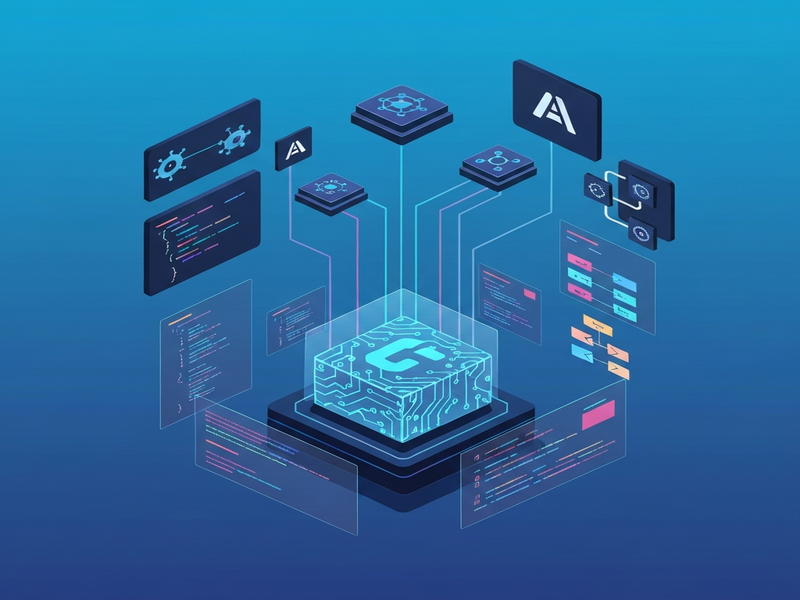
CalfKit SDK: The Open‑Source Engine for Asynchronous AI Agents
CalfKit SDK is an open‑source Python library that lets developers build scalable, event‑driven AI agents and “AI employees” without writing any orchestration code. By leveraging asynchronous messaging (Kafka) and a modular node architecture, it transforms monolithic LLM integrations into distributed services that can be scaled, monitored, and extended independently.
Why CalfKit Matters in 2026
AI agents have moved from experimental demos to production‑grade components that power customer support, data pipelines, and autonomous decision‑making. Yet most teams still build them as single‑process applications, which creates tight coupling, scaling bottlenecks, and fragile error handling. CalfKit SDK solves these problems by adopting an event‑driven architecture that mirrors modern microservice patterns while keeping the developer experience as simple as a few Python decorators.
For developers and tech enthusiasts hunting the next‑generation Enterprise AI platform by UBOS, CalfKit offers a ready‑made foundation that can be combined with UBOS’s low‑code Web app editor or its Workflow automation studio to create end‑to‑end AI solutions.
Overview of CalfKit SDK
At its core, CalfKit provides three building blocks:
- Node definitions – Python functions or classes that represent a chat interface, a tool, or a router.
- Broker client – A thin wrapper around Apache Kafka that handles event publishing, persistence, and delivery guarantees.
- Service runner – A lightweight process that registers nodes with the broker and keeps them alive.
All nodes communicate through Kafka topics, which means each component can be deployed in its own container, scaled horizontally, and upgraded without affecting the rest of the system. The SDK also ships with built‑in persistence, retry logic, and a simple Pythonic API that hides the complexity of Kafka configuration.
Because CalfKit is licensed under Apache‑2.0, you can use it in commercial products, fork it, or contribute back to the community without legal friction.
Key Features
Event‑Driven Architecture
Agents, tools, and routers exchange messages asynchronously, eliminating the need for synchronous API calls that cause latency spikes.
Horizontal Scalability
Each node runs in its own process or container. Scale the chat node for high‑traffic bursts while keeping tool services lean.
Built‑in Persistence & Reliability
Kafka guarantees at‑least‑once delivery; CalfKit adds idempotent handling so no message is lost during restarts.
Zero‑Orchestration Boilerplate
Define a node with a single decorator (@agent_tool or ChatNode) and let the SDK spin up the broker client automatically.
Pluggable LLM Providers
Out‑of‑the‑box support for OpenAI, Azure, and any OpenAI‑compatible endpoint via OpenAI ChatGPT integration.
Rich Tool Ecosystem
Deploy independent tool services such as weather lookups, database queries, or voice synthesis using ElevenLabs AI voice integration or Chroma DB integration.
Use Cases for Developers
CalfKit’s flexibility makes it suitable for a wide range of scenarios:
- Customer‑Facing Chatbots – Combine a ChatNode with tool nodes (e.g., order lookup, knowledge‑base search) and route responses in real time.
- AI‑Powered Automation – Use the AI marketing agents to trigger email campaigns, update CRM records, or generate ad copy via the AI SEO Analyzer template.
- Data Enrichment Pipelines – Deploy a tool node that calls a vector store (Chroma DB) and streams enriched vectors to downstream analytics.
- Voice‑First Assistants – Pair a ChatNode with the ElevenLabs voice service to create spoken AI agents for call‑center automation.
- Enterprise‑Level AI Employees – Build a fleet of specialized agents (billing, HR, IT) that communicate through Kafka, enabling independent scaling and fault isolation.
Startups can prototype quickly using the UBOS for startups program, while SMBs benefit from UBOS solutions for SMBs that bundle CalfKit‑style agents with low‑code UI components.
Getting Started with CalfKit SDK
1. Prerequisites
- Python 3.10 or newer.
- Docker installed (required for the local Kafka broker).
- An OpenAI API key or any compatible LLM endpoint.
2. Spin Up the Kafka Broker
git clone https://github.com/calf-ai/calfkit-broker && cd calfkit-broker
make dev-up   # launches a local Kafka container
3. Install the SDK
pip install calfkit4. Create a Simple Tool Node
import asyncio
from calfkit.nodes import agent_tool
from calfkit.broker import BrokerClient
from calfkit.runners import NodesService

@agent_tool
def get_weather(location: str) -> str:
    """Return a mock weather string."""
    return f"It's sunny in {location}"

async def main():
    broker = BrokerClient(bootstrap_servers="localhost:9092")
    service = NodesService(broker)
    service.register_node(get_weather)
    await service.run()

if __name__ == "__main__":
    asyncio.run(main())
5. Deploy a Chat Node
Use the built‑in OpenAI client (or any other provider) to power the conversational interface.
import asyncio
from calfkit.nodes import ChatNode
from calfkit.providers import OpenAIModelClient
from calfkit.broker import BrokerClient
from calfkit.runners import NodesService

async def main():
    broker = BrokerClient(bootstrap_servers="localhost:9092")
    model = OpenAIModelClient(model_name="gpt-4o-mini")
    chat = ChatNode(model)
    service = NodesService(broker)
    service.register_node(chat)
    await service.run()

if __name__ == "__main__":
    asyncio.run(main())
6. Wire Everything with an Agent Router
The router orchestrates chat, tools, and memory. Below is a minimal example that plugs the weather tool into the chat flow.
import asyncio
from calfkit.nodes import AgentRouterNode, ChatNode
from calfkit.stores import InMemoryMessageHistoryStore
from calfkit.broker import BrokerClient
from calfkit.runners import NodesService
from weather_tool import get_weather   # import the tool defined earlier

async def main():
    broker = BrokerClient(bootstrap_servers="localhost:9092")
    router = AgentRouterNode(
        chat_node=ChatNode(),
        tool_nodes=[get_weather],
        system_prompt="You are a helpful assistant.",
        message_history_store=InMemoryMessageHistoryStore()
    )
    service = NodesService(broker)
    service.register_node(router)
    await service.run()

if __name__ == "__main__":
    asyncio.run(main())
7. Invoke the Agent
import asyncio
from calfkit.nodes import AgentRouterNode
from calfkit.broker import BrokerClient
from calfkit.runners import RouterServiceClient

async def main():
    broker = BrokerClient(bootstrap_servers="localhost:9092")
    router = AgentRouterNode()
    client = RouterServiceClient(broker, router)
    response = await client.invoke(user_prompt="What's the weather in Tokyo?")
    final = await response.get_final_response()
    print(f"Assistant: {final.text}")

if __name__ == "__main__":
    asyncio.run(main())
All the code above can be copied into separate files, containerized, and deployed to any cloud platform. For a visual low‑code approach, import the same logic into UBOS’s Web app editor on UBOS and connect the services via the Workflow automation studio.
Official Repository
The most up‑to‑date source code, issue tracker, and contribution guidelines live on GitHub. Visit the CalfKit SDK GitHub repository to explore releases, submit pull requests, or join the community discussion.
Explore More on UBOS
While CalfKit handles the backend orchestration, UBOS provides a suite of complementary tools that accelerate AI product delivery:
- Discover the UBOS homepage for a high‑level view of the platform.
- Learn how About UBOS frames its mission around democratizing AI.
- Check out the UBOS platform overview to see how low‑code, event‑driven services integrate with CalfKit.
- Read about the UBOS partner program if you want to co‑sell or co‑develop AI solutions.
- Browse UBOS portfolio examples for real‑world deployments that combine AI agents with CRM, analytics, and voice.
- Kick‑start a project with UBOS templates for quick start, including the “AI SEO Analyzer” and “AI Article Copywriter” templates.
- Experiment with the AI SEO Analyzer to see how AI can automatically audit site performance.
- Try the AI Article Copywriter for content generation that complements CalfKit‑driven agents.
- Explore pricing options on the UBOS pricing plans page to match your scale.
Conclusion
CalfKit SDK fills a critical gap in the AI developer toolkit by turning the complex world of event‑driven microservices into a handful of Python decorators and a reliable Kafka‑backed broker. Its open‑source nature, modular design, and seamless compatibility with leading LLM providers make it a compelling choice for anyone building production‑grade AI agents—from solo developers prototyping a chatbot to enterprises orchestrating fleets of AI employees.
When paired with UBOS’s low‑code environment, developers can accelerate from code to product, leverage pre‑built templates like the AI Video Generator, and scale effortlessly using the same event‑driven principles that power CalfKit. Whether you’re a startup looking for rapid MVP delivery or an established firm modernizing its automation stack, the combination of CalfKit SDK and UBOS offers a future‑proof pathway to AI‑first operations.