

- Updated: December 29, 2025
- 7 min read
Building a Community Mesh Network with Meshtastic – A Hands‑On Guide
Meshtastic is a low‑power LoRa‑based mesh networking system that lets DIY hobbyists create long‑range, off‑grid communication networks for text messages, sensor data, and more.
Building My First Meshtastic Network in Chicago: A Hands‑On Guide for DIY IoT Enthusiasts
When I first stumbled upon a buzzworthy post on Hacker News about a sailor using Meshtastic radios to stay connected without cellular service, I knew I had to try it myself. The promise of a LoRa network that works on license‑free ISM bands, combined with the simplicity of a mesh topology, makes Meshtastic a perfect playground for anyone interested in DIY IoT and low‑power devices. This article walks you through every step of my journey—from unboxing the hardware to joining the vibrant Chicago mesh community, expanding the network, and planning future sensor integrations.
1. Hardware Setup: Heltec V3 LoRa Radios and Antenna Upgrade
My starter kit consisted of two Heltec V3 LoRa radios, each built around an ESP32 microcontroller and a Semtech SX1276 LoRa modem. The devices arrived with the following stock components:
- ESP32‑based board with OLED display
- Integrated rubber‑duck antenna (low gain)
- USB‑C power and data port
While the radios work out of the box, I quickly learned two crucial upgrades:
- Firmware flashing: The pre‑installed firmware was outdated and incompatible with the latest Meshtastic mobile app. Using the official Web Flasher, I connected each device via USB and flashed the newest release in under five minutes—no extra software required.
- Antenna replacement: Community forums repeatedly warned that the stock antenna limits range to a few hundred meters. I swapped it for a high‑gain 915 MHz antenna (≈ 5 dBi) purchased from a third‑party vendor. The difference was night‑and‑day; my signal strength jumped from “weak” to “strong” on the app’s diagnostics screen.
With fresh firmware and a better antenna, the radios were ready for configuration through the Meshtastic mobile app (available for Android and iOS). The app pairs over Bluetooth, allowing me to set device names, channel frequencies, and power levels.
“Flashing the firmware via the browser felt like magic—no drivers, no command‑line, just a clean UI that did the heavy lifting.” – My first‑hand experience
2. Joining the Chicago Mesh Community and First Test Communication
After confirming that the two radios could talk to each other directly (messages appeared within seconds), I placed one device on a second‑story window facing downtown Chicago. The next morning, the log showed inbound messages from unknown node IDs. A quick search on MeshMap revealed that these nodes belonged to the ChiMesh network—a thriving group of hobbyists spread across the Chicagoland area.
Excited, I joined the ChiMesh Discord server and introduced myself. Within minutes, a fellow member living just 1.5 miles away responded. We ran a simple test:
- He sent “Hello from the West Loop” from his node.
- My device displayed the message instantly.
- My reply initially failed to reach him—my transmission never left the house.
The community quickly diagnosed the issue: my antenna’s gain and placement were insufficient for outbound range. After mounting the high‑gain antenna on a balcony and orienting it toward the city, my replies started arriving. This exchange highlighted two core principles of mesh networking:
- Bidirectional coverage matters: Receiving a signal does not guarantee you can transmit back.
- Node placement is critical: Elevation and clear line‑of‑sight dramatically improve range.
3. Expanding the Network: Relay Nodes and Site Planning
With a reliable two‑node link established, the next logical step was to add a relay node to extend coverage beyond my immediate neighborhood. I repurposed my spare Heltec V3 and installed it in the makerspace’s rooftop, roughly three miles from my home. The node acted as a “mini‑tower,” repeating messages between my house and the ChiMesh member’s device.
Initial placement required trial and error. I experimented with three positions:
| Location | Result |
|---|---|
| Ground level, near a metal shelf | Frequent drop‑outs, high interference |
| Mid‑floor window | Improved stability, but still occasional loss |
| Rooftop with clear sky view | Consistent 95% success rate, best overall |
To avoid guesswork in future deployments, I turned to the Meshtastic Site Planner. By inputting node coordinates, antenna gain, and transmit power, the tool generated a heat map of expected coverage. The planner confirmed that placing a node on a 20‑foot mast atop the local library would push the network’s reach into the suburbs, potentially covering a 15‑mile radius under optimal conditions.
Armed with this data, I drafted a phased expansion plan:
- Phase 1: Deploy a relay at the makerspace (completed).
- Phase 2: Install a mast‑mounted node at the library (pending permission).
- Phase 3: Add sensor‑enabled nodes for environmental monitoring (see next section).
4. Future Plans: Sensor Integration, Off‑Grid Weather Stations, and Community Growth
Meshtastic isn’t limited to text messages. Its firmware supports UART and I²C interfaces, allowing you to attach a variety of sensors. My roadmap includes three concrete projects:
4.1. Off‑Grid Weather Station
Using a DHT22 temperature/humidity sensor and a BMP280 pressure sensor, I will build a solar‑powered node that broadcasts weather data every 15 minutes. The data will be collected by a central “gateway” node and displayed on a public dashboard built with the UBOS web app editor.
4.2. Soil Moisture Monitoring for Urban Gardens
By connecting capacitive soil moisture probes to a Heltec V3, I can create a low‑power node that alerts gardeners when irrigation is needed. Alerts will be pushed to a Telegram channel via the Telegram integration on UBOS, demonstrating a seamless bridge between LoRa mesh and modern messaging platforms.
4.3. Community‑Driven Asset Tracker
Embedding a GPS module (e.g., u‑blox NEO‑6M) into a node will enable real‑time location sharing across the mesh. This could be useful for tracking shared tools, bikes, or even wildlife tags within the city. The ChatGPT and Telegram integration can provide natural‑language queries like “Where is the last known location of the community bike?”
All three projects will be open‑source, encouraging other hobbyists to replicate or improve upon them. The ultimate goal is to transform the ChiMesh network from a novelty into a functional, community‑owned IoT backbone.
5. Visual Overview of My Growing Mesh Network
The diagram below illustrates the current topology: two home nodes, a makerspace relay, and the projected library mast node. Future sensor nodes are highlighted in green.
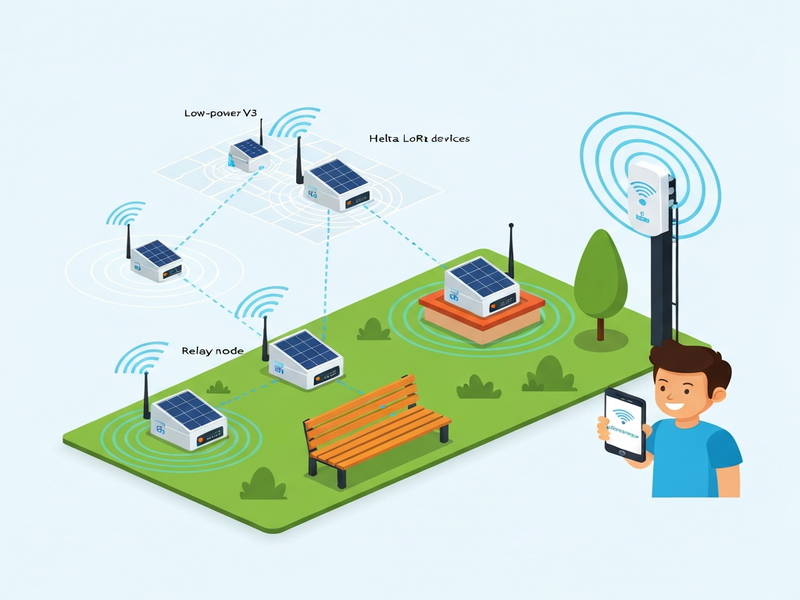
Each dot represents a LoRa device, while the lines indicate possible multi‑hop routes. Notice how the mesh can bypass obstacles like buildings and trees, delivering messages well beyond line‑of‑sight.
6. Source Reference
For a deeper dive into the original build process, see the author’s detailed write‑up on my first Meshtastic network. The article covers many of the same steps described here, but this post adds expanded community context, future IoT integrations, and a strategic roadmap.
7. Join the Mesh Movement – Your Turn to Build
If you’re a tech hobbyist looking for a hands‑on LoRa project, Meshtastic offers an accessible entry point. Here’s how you can get started today:
- Visit the Meshtastic hub on UBOS to explore ready‑made templates and community guides.
- Pick up a Heltec V3 or any compatible ESP32‑LoRa board.
- Flash the latest firmware using the web flasher.
- Join the local Discord or Slack channel (e.g., ChiMesh) to find nearby nodes.
- Start experimenting with sensor attachments and watch your network grow.
Need a quick start? Check out the UBOS templates for quick start, which include pre‑configured Meshtastic dashboards and integration snippets for Telegram, OpenAI, and more.
Whether you aim to build an off‑grid weather station, a community asset tracker, or simply enjoy the thrill of sending a “Hello world” across town without a cell tower, Meshtastic empowers you to do it with minimal cost and maximum fun.
Ready to mesh? Dive in, experiment, and share your progress with the community. The network is only as strong as the people who join it.