

- Updated: December 13, 2025
- 6 min read
Apple ID Locked: User Rights, Support Challenges, and Recovery Guide
If your Apple ID has been locked, you can restore access by verifying your identity through Apple Support, using two‑factor authentication, and, when needed, leveraging third‑party recovery tools while following Apple’s official procedures.
Apple ID Locked: What Happened, Why It Happens, and How to Get Your Account Back
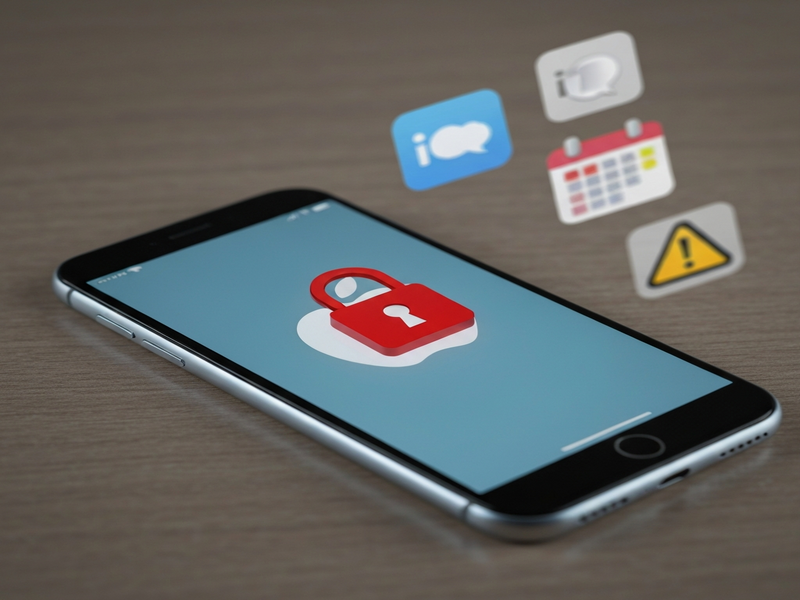
Apple users rely on a single Apple ID to sync photos, messages, apps, and even developer credentials across iPhone, iPad, Mac, Apple Watch, and iCloud. When that ID is suddenly disabled, the entire ecosystem grinds to a halt. This article dissects a recent high‑profile case where a long‑time Apple customer lost access after attempting to redeem a $500 Apple Gift Card, outlines why Apple locks IDs, and provides a step‑by‑step recovery guide enriched with expert resources from UBOS homepage.
Why Apple IDs Get Locked – Policies and Security Triggers
Apple’s security model treats the Apple ID as a “digital passport.” The company locks an ID when it detects activity that could indicate fraud, account compromise, or violation of the Apple security terms. Common triggers include:
- Multiple failed sign‑in attempts across different devices.
- Use of suspicious payment methods, such as compromised gift cards.
- Unusual location changes that bypass two‑factor authentication (2FA).
- Violations of the Apple Media Services Terms and Conditions.
When a lock is applied, Apple classifies the account as “permanently disabled,” which not only blocks iCloud services but also revokes access to purchased apps, media, and developer resources.
The Real‑World Case: A 25‑Year‑Old Apple ID Shut Down
The incident began when the user tried to redeem a $500 Apple Gift Card to pay for a 6 TB iCloud+ plan. The redemption failed, and the retailer suggested the card might be compromised. Apple Support later linked the failed redemption to a “potentially untoward” activity, resulting in the immediate lock of the user’s Apple ID.
Consequences were severe:
- All devices (iPhone, iPad, Mac, Apple Watch) signed out and could no longer receive updates.
- iMessage and FaceTime stopped working, preventing any communication.
- Access to terabytes of iCloud photos, messages, and developer certificates was lost.
- Purchased apps and media—worth thousands of dollars—became unusable.
Attempts to contact Apple Support (Case ID 102774292094) resulted in vague explanations, refusal to provide specific reasons, and a recommendation to create a new Apple ID—a suggestion that could violate Apple’s terms and jeopardize the user’s developer account.
Apple’s Official Stance: What the Company Says
Apple’s public policy states that a “permanent disablement” occurs when an account is found to be in breach of the Media Services Terms. The company typically offers two pathways:
- Submit a verification request through the account recovery guide (requires access to a trusted device).
- Escalate to Executive Customer Relations (ECR) – a step often blocked when the account is already flagged as “closed.”
In practice, Apple’s support portals demand an active login, which is impossible for a locked ID, creating a catch‑22 for users.
Action Plan: How to Recover a Locked Apple ID
Below is a MECE‑structured checklist that separates immediate actions from longer‑term safeguards.
Immediate Recovery Steps
- Gather Proof of Purchase. Locate the original receipt for the gift card, including serial number and store details.
- Use Apple’s Account Recovery Page. Visit iforgot.apple.com and select “Can’t access your account?” Follow the prompts to request a verification code sent to a trusted phone number.
- Contact Apple Support via Phone. Call the regional Apple Support line and reference your case ID. Request a manual review and ask for the exact reason for the lock.
- Submit an Appeal. If the phone call does not resolve the issue, email Apple’s escalation address (if available) with the receipt, a clear timeline, and a request for human review.
If Standard Recovery Fails
- Leverage a Trusted Family Member’s Device. Add the locked Apple ID as a secondary account on a family member’s iPhone and attempt the “Forgot Password” flow from there.
- File a Formal Complaint. Use the Apple privacy & security portal to file a complaint about wrongful account termination.
- Consider Legal Counsel. For developers or businesses with significant financial loss, consult a tech‑law attorney familiar with Apple’s terms of service.
While pursuing these steps, keep a detailed log of dates, support agent names, and reference numbers. This documentation will be invaluable if you need to involve legal counsel or public advocacy.
Expert Tips: Strengthening Your Digital Identity with UBOS
UBOS offers a suite of tools that can help you safeguard against future lockouts and streamline recovery processes.
- Explore the UBOS platform overview to centralize authentication across multiple services, reducing reliance on a single Apple ID.
- Use the Workflow automation studio to create automated alerts when suspicious login attempts are detected.
- Leverage the AI SEO Analyzer to audit your public-facing content for security‑related keywords that might attract unwanted scrutiny.
- For startups, the UBOS for startups program provides templates that integrate multi‑factor authentication without tying everything to a single vendor.
- SMBs can benefit from UBOS solutions for SMBs, which include secure backup options that are independent of iCloud.
- Enterprise teams should consider the Enterprise AI platform by UBOS for AI‑driven anomaly detection across user accounts.
- Build a custom recovery chatbot using the AI Chatbot template to guide users through the Apple recovery flow.
- Generate quick documentation with the UBOS templates for quick start, ensuring your team has up‑to‑date recovery SOPs.
- Monitor your account health with the AI marketing agents that can also flag security anomalies.
- Consider the UBOS partner program for dedicated support and integration assistance.
By diversifying authentication and backup strategies, you reduce the risk that a single lockout will cripple your digital workflow.
Key Takeaways & Next Steps
Locked Apple IDs are a serious security measure, but they can be contested when triggered by false positives such as a problematic gift card. Remember:
- Document every interaction with Apple Support.
- Use Apple’s official recovery channels first, then escalate.
- Maintain independent backups of critical data (photos, contacts, developer certificates).
- Leverage UBOS tools to create a resilient, multi‑vendor authentication ecosystem.
If you’re facing a similar lockout, start with the immediate recovery checklist above, and consider integrating UBOS solutions to future‑proof your digital identity.
For more detailed guidance on account recovery, visit our About UBOS page or explore the UBOS pricing plans to find a plan that fits your security needs.
For the original, in‑depth account of this lockout, read the full story on Hey Paris.
Andrii Bidochko
CTO UBOS
Andrii Bidochko is an AI entrepreneur and researcher focused on AI agents, reinforcement learning, and autonomous systems. He writes about the technologies shaping the future of machine intelligence, from frontier models and agent architectures to real-world AI applications.