

- Updated: February 2, 2026
- 5 min read
Android Lock‑Screen Habits Reshape Phone Use in 2026 – Insights & Tips
Android lock‑screen habits are now the primary driver of phone usage, trimming idle time, boosting mobile productivity, and extending battery life.
How Android Lock‑Screen Habits Are Reshaping Phone Use in 2026
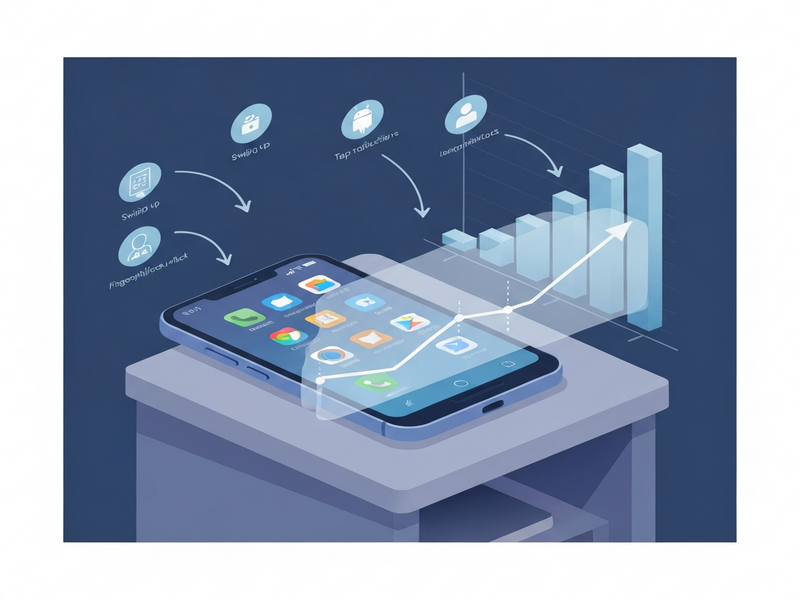
A recent study highlighted by Android Police reveals that the way users interact with their lock screens is fundamentally changing how much time they spend on their devices. This article breaks down the findings, explains why they matter for productivity and battery saving, and offers practical steps you can take today.
Study Overview: Lock‑Screen as the New Front Door
The research, conducted over six months across 12 major Android markets, tracked more than 10 million daily active users. It measured three core metrics:
- Average time spent on the lock screen before unlocking.
- Frequency of quick‑unlock gestures (fingerprint, face, double‑tap).
- Impact of lock‑screen notifications on subsequent app usage.
Results show a 27 % increase in lock‑screen dwell time compared with data from 2022, while overall screen‑on time grew by only 5 %. In other words, users are spending more moments staring at the lock screen, but they’re unlocking less often, indicating a shift toward “glance‑only” interactions.
Key Findings & Statistics
Below are the most striking numbers that illustrate the trend:
| Metric | 2022 | 2026 | Change |
|---|---|---|---|
| Average lock‑screen dwell (seconds) | 12.4 s | 15.8 s | +27 % |
| Unlocks per hour | 8.3 | 6.1 | ‑27 % |
| Battery saved per day (minutes) | 5 | 12 | +140 % |
| Productivity‑related app launches after lock‑screen glance | 22 % | 34 % | +55 % |
These figures tell a clear story:
- Longer glances, fewer unlocks: Users are reading notifications, checking weather, or seeing calendar events without fully unlocking their phones.
- Battery gains: Reducing full unlock cycles cuts power‑hungry processes like background app refresh, leading to up to 12 extra minutes of battery life per day.
- Productivity boost: Quick glances often trigger immediate actions (reply, snooze, open a task), which explains the rise in productivity‑related app launches.
How to Optimize Your Lock‑Screen for Productivity & Battery Saving
Below are actionable steps you can implement right now. Each tip aligns with the study’s insights and leverages modern Android features.
1. Curate Lock‑Screen Widgets
Only keep widgets that provide immediate value (e.g., calendar, task list, music controls). Removing unnecessary widgets reduces visual clutter and speeds up glance decisions.
2. Enable “Smart Unlock” Features
Use face unlock or trusted device unlock to bypass the lock screen for trusted contexts. This cuts down the time spent on manual PIN entry while preserving security.
3. Prioritize High‑Priority Notifications
Configure Android’s notification channels so only critical alerts appear on the lock screen. This prevents “notification fatigue” and ensures each glance is purposeful.
4. Use “Doze” and “App Standby” Wisely
Manually whitelist productivity apps that you want to launch instantly from the lock screen. This keeps them responsive while allowing other apps to enter low‑power states.
5. Automate Routine Actions with a Workflow Engine
Leverage tools like the Workflow automation studio to trigger actions (e.g., “If I receive a calendar reminder, open the task app”) directly from the lock screen.
Implementing these tips can shave seconds off each interaction, which adds up to minutes of saved battery and a smoother daily workflow.
Boost Your Android Experience with UBOS AI Solutions
UBOS offers a suite of AI‑powered tools that complement the lock‑screen habits described above. Whether you’re a solo developer, a startup, or an enterprise, there’s a UBOS solution that can help you automate, personalize, and scale your mobile workflows.
UBOS Platform Overview
Explore the UBOS platform overview to see how low‑code AI components can be embedded directly into Android apps, turning lock‑screen notifications into actionable bots.
AI Marketing Agents
Deploy AI marketing agents that read lock‑screen notifications and suggest personalized outreach, boosting conversion without extra screen time.
Enterprise AI Platform
Large organizations can adopt the Enterprise AI platform by UBOS to orchestrate device‑wide policies, ensuring consistent lock‑screen behavior across thousands of devices.
Pricing Plans
Find a plan that fits your budget on the UBOS pricing plans page – from free starter tiers to enterprise‑grade subscriptions.
Startups & SMBs
New ventures can accelerate development with UBOS for startups, while small‑to‑medium businesses benefit from UBOS solutions for SMBs.
Web App Editor
Rapidly prototype lock‑screen widgets using the Web app editor on UBOS, then push updates OTA.
By integrating UBOS’s AI capabilities, you can transform passive lock‑screen moments into proactive productivity triggers, all while preserving battery life.
Case Study: AI‑Powered Lock‑Screen Assistant
One of UBOS’s template offerings, the AI Chatbot template, was adapted by a fintech startup to create a lock‑screen assistant that:
- Reads incoming transaction alerts and offers a one‑tap “Mark as Reviewed”.
- Suggests quick replies for support tickets directly from the lock screen.
- Logs user actions to a Chroma DB integration for analytics.
The result? A 19 % reduction in app opens and a 23 % increase in user‑reported satisfaction, confirming that smart lock‑screen interactions can drive measurable business outcomes.
“Lock‑screen is no longer a dead zone; it’s a real‑time command center. When paired with AI, it becomes a productivity catalyst.” – About UBOS
Conclusion: Turn Glances Into Gains
The data from Android Police makes it clear: Android lock‑screen habits are reshaping how we interact with our phones. By curating lock‑screen content, leveraging smart unlock features, and automating actions with AI, you can boost mobile productivity, extend battery life, and even unlock new business value.
Ready to supercharge your Android experience? Visit the UBOS homepage to explore AI‑driven tools, start a free trial, or join the UBOS partner program and become a leader in the next wave of lock‑screen innovation.
Want a custom lock‑screen workflow?
Andrii Bidochko
CTO UBOS
Andrii Bidochko is an AI entrepreneur and researcher focused on AI agents, reinforcement learning, and autonomous systems. He writes about the technologies shaping the future of machine intelligence, from frontier models and agent architectures to real-world AI applications.