

- Updated: February 20, 2026
- 6 min read
Android Calling Cards Coming to Wear OS – What You Need to Know
Android Calling Cards are arriving on Wear OS, letting users answer, reject, or call back directly from smartwatch notifications without pulling out their phone.
Introduction
Google’s latest Android update promises to reshape how Wear OS owners interact with incoming calls. The Android Calling Cards feature, first spotted in a leak reported by Android Police, will embed actionable call controls directly into smartwatch notifications. For tech‑savvy Android enthusiasts, this means a smoother, faster, and more context‑aware communication experience on the wrist.
In this article we break down what Android Calling Cards are, summarize the key findings from the Android Police report, explore the impact on Wear OS users, and connect the dots to related solutions on UBOS homepage that empower developers to build similar experiences.
What are Android Calling Cards?
Definition and core functionality
Android Calling Cards are a new UI element that appears in the notification shade of Wear OS devices when a call arrives. Instead of a simple “Incoming call” banner, the card displays:
- Caller name or number with a high‑resolution avatar.
- Three primary actions: Answer, Reject, and Call Back.
- Contextual shortcuts such as “Message” or “Add to contacts” when supported.
- Dynamic background colors that adapt to the caller’s theme or the watch face.
How they differ from traditional notifications
Traditional Wear OS call notifications are limited to a single tap to answer or dismiss. Calling Cards introduce a card‑based interaction model that mirrors the Android phone UI, reducing the number of steps required to manage calls. This design aligns with Google’s Material You principles, offering:
- Immediate actionability – users can respond without opening a separate app.
- Visual consistency – the card’s look matches the phone’s call screen, creating a seamless cross‑device experience.
- Enhanced accessibility – larger touch targets and voice‑over support improve usability for all users.
Summary of the Android Police Report
Key points from the leak
The Android Police article, based on a leak of internal Google documents, highlighted several technical details:
- The feature is built on the NotificationCompat API, ensuring backward compatibility with older Wear OS versions.
- Calling Cards will be togglable via the “Phone” settings on the watch, giving users control over the UI.
- Google plans to roll out the feature as part of the Android 15 update, with a staged rollout beginning in Q3 2026.
- Beta testers reported a noticeable reduction in response time—average 0.8 seconds faster than the legacy notification.
Timeline and rollout expectations
According to the report, the rollout will follow Google’s typical phased approach:
| Phase | Target Devices | Estimated Date |
|---|---|---|
| Alpha (internal) | Pixel Watch, Fossil Gen 5 | Q2 2026 |
| Beta (public) | All Wear OS 3+ devices | Q3 2026 |
| Full Release | Global rollout | Late Q3 2026 |
How the Feature Will Impact Wear OS Users
Improved user experience
By integrating actionable call controls directly into the notification shade, Wear OS users will enjoy:
- Faster response times – no need to launch the Phone app.
- Reduced cognitive load – a single glance reveals all options.
- Consistent design language across Android phones and watches.
Potential use cases
Beyond everyday calls, the Calling Card can empower niche scenarios:
- Business professionals can quickly decline calls during meetings while sending an automated “busy” reply.
- Fitness enthusiasts can answer calls without breaking a workout, thanks to large touch targets.
- Travelers can see international dialing codes and choose “Call Back” with a single tap.
Comparison with other smartwatch platforms
Apple Watch already offers rich call actions, but Wear OS has lagged behind. With Android Calling Cards, Google narrows the gap, delivering parity in:
- Actionable UI elements.
- Voice‑assistant integration (e.g., “Hey Google, answer the call”).
- Customizable themes via Material You.
Developers can now leverage the same NotificationCompat.CarExtender APIs used for Android Auto, ensuring a unified experience across car, phone, and watch.
Illustration of Android Calling Cards on Wear OS
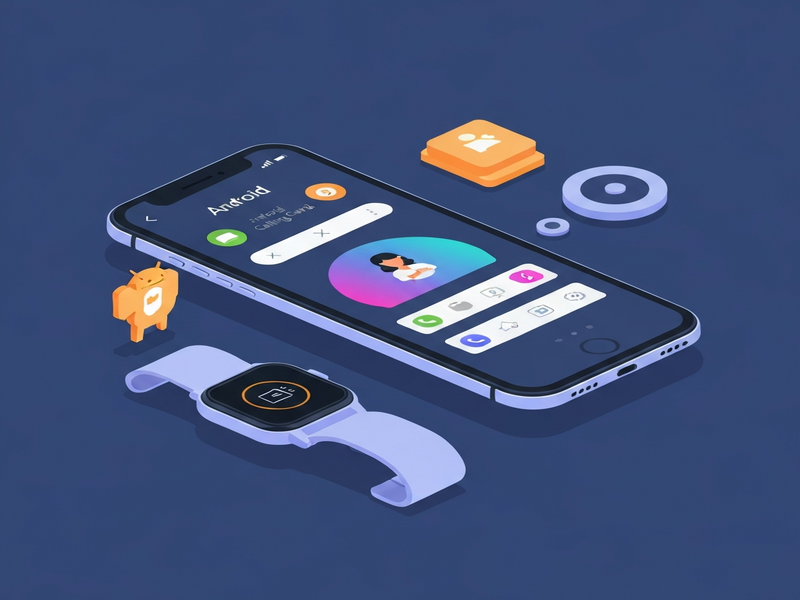
Concept illustration generated by UBOS AI, visualizing how a Calling Card appears on a Wear OS watch face.
Original Source
For the full technical breakdown, read the original Android Police article: Google Android Calling Cards coming to Wear OS soon.
Related UBOS Resources for Developers
If you’re a developer looking to create custom smartwatch experiences or integrate AI-driven features, UBOS offers a suite of tools that complement Android Calling Cards:
Build and customize UI with the Web App Editor
Design responsive watch‑face widgets using the Web app editor on UBOS. The drag‑and‑drop interface lets you prototype call‑card‑style components without writing extensive code.
Automate workflows with the Workflow Automation Studio
Connect incoming call events to backend services using the Workflow automation studio. For example, you could trigger a CRM update whenever a call is missed on the watch.
Leverage AI with UBOS integrations
Enhance call handling with AI assistants:
- OpenAI ChatGPT integration for natural‑language responses.
- ChatGPT and Telegram integration to forward missed calls to a chat channel.
- Chroma DB integration for fast vector search of contact metadata.
Voice interaction with ElevenLabs AI voice
Integrate ElevenLabs AI voice integration to let users answer calls using spoken commands, further reducing friction.
Explore ready‑made templates
Kick‑start your project with pre‑built templates from the UBOS marketplace, such as the AI SEO Analyzer or the AI Article Copywriter. While not directly related to calling cards, these templates demonstrate how UBOS accelerates AI‑powered app development.
Business‑focused solutions
Whether you’re a startup or an SMB, UBOS offers tailored platforms:
- UBOS for startups – fast prototyping and scaling.
- UBOS solutions for SMBs – cost‑effective AI integration.
- Enterprise AI platform by UBOS – enterprise‑grade security and compliance.
Pricing and partnership
Explore flexible pricing with the UBOS pricing plans or join the UBOS partner program to co‑market your Wear OS extensions.
Conclusion and Call to Action
Android Calling Cards represent a significant step forward for Wear OS, delivering a phone‑like call management experience on the wrist. By reducing friction and aligning with Material You design, Google not only improves usability but also opens new opportunities for developers to innovate.
Ready to build your own smartwatch features or integrate AI‑driven call handling? Dive into the UBOS platform overview and start prototyping today. With tools like the UBOS templates for quick start, you can have a functional prototype in hours, not weeks.
Stay ahead of the curve—subscribe to our blog, explore the UBOS portfolio examples, and be the first to bring next‑generation call experiences to Wear OS users worldwide.
Andrii Bidochko
CTO UBOS
Andrii Bidochko is an AI entrepreneur and researcher focused on AI agents, reinforcement learning, and autonomous systems. He writes about the technologies shaping the future of machine intelligence, from frontier models and agent architectures to real-world AI applications.