

- Updated: January 30, 2026
- 5 min read
Android Auto Unveils New Settings for Notifications, Media Playback, Driver Assistance, and Privacy
The latest Android Auto update adds a suite of new settings that let you fine‑tune notifications, media playback, driver‑assist prompts, and privacy controls directly from your car’s infotainment screen.
If you’ve been waiting for more granular control over your in‑car experience, the recent Android Auto settings overhaul is the answer. According to Android Police, the update rolls out to most Android 12+ devices this month, reshaping how drivers interact with apps while on the road.
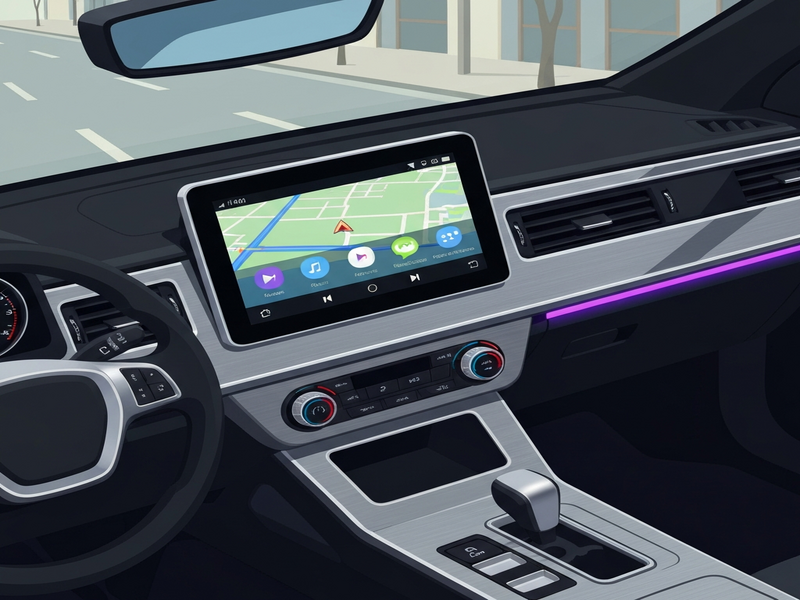
What’s New in Android Auto Settings?
Google’s latest patch introduces four major categories of settings:
- Notification Management: Choose which apps can push alerts while driving, set “Do Not Disturb” windows, and prioritize navigation prompts.
- Media Playback Controls: Separate volume sliders for navigation, media, and phone calls, plus a new “Auto‑Pause” feature that silences music during voice commands.
- Driver‑Assist Preferences: Toggle lane‑keep assistance, adaptive cruise control prompts, and real‑time traffic alerts on a per‑drive basis.
- Privacy & Data Sharing: Granular permissions for location, microphone, and camera usage, with a clear audit log of what each connected app accessed.
These changes are bundled under a refreshed “Settings” icon on the Android Auto home screen, making them discoverable without leaving the vehicle’s display.
Why These Settings Matter to You
Tech‑savvy drivers aged 25‑45 demand both safety and personalization. The new controls address three core concerns:
- Reduced Distraction: By silencing non‑essential notifications, drivers can keep focus on the road while still receiving critical navigation cues.
- Enhanced Audio Experience: Independent volume tracks prevent sudden jumps in music level when a navigation prompt arrives, creating a smoother listening environment.
- Transparent Data Use: With clearer privacy toggles, users can see exactly which apps are accessing location or microphone data, aligning with GDPR and CCPA expectations.
For fleet managers and enterprise users, these settings also simplify compliance reporting. The audit log can be exported via Android Enterprise, feeding directly into corporate security dashboards.
Step‑by‑Step: Accessing and Configuring the New Settings
Follow these concise steps to unlock the full potential of Android Auto’s latest features:
- Connect Your Phone: Plug your Android 12+ device into the car’s USB port or enable wireless Android Auto if supported.
- Open the Settings Icon: On the home screen, tap the gear‑shaped Settings icon located in the top‑right corner.
- Navigate to “App Notifications”: Here you can toggle individual apps, set priority levels, and enable the new “Do Not Disturb While Driving” mode.
- Adjust Media Controls: Select “Audio Settings” to reveal three independent sliders – Media, Navigation, and Calls. Enable “Auto‑Pause” to mute music during voice interactions.
- Configure Driver‑Assist: Under “Safety & Assistance,” turn on or off lane‑keep, adaptive cruise, and traffic‑alert overlays. Each option includes a brief description to help you decide.
- Set Privacy Preferences: Go to “Privacy & Permissions.” Review the audit log, revoke unnecessary permissions, and enable “One‑Time Access” for apps that only need temporary data.
- Save and Test: Press “Apply” at the bottom of the screen. A quick test drive will confirm that notifications, audio, and safety prompts behave as expected.
Tip: If you use third‑party voice assistants (e.g., OpenAI ChatGPT integration), make sure the “Microphone Access” toggle remains enabled for seamless interaction.
How UBOS Can Extend Your Android Auto Experience
While Android Auto handles the in‑car UI, UBOS offers a suite of tools that let developers and businesses build custom extensions, automate workflows, and monetize their apps directly from the vehicle’s dashboard.
Rapid App Development
Use the Web app editor on UBOS to prototype Android Auto‑compatible web apps without writing a single line of code. The drag‑and‑drop interface supports media controls, notification handling, and even voice‑assistant hooks.
Automation at Scale
Leverage the Workflow automation studio to sync vehicle telemetry with backend services—perfect for fleet tracking, predictive maintenance, or real‑time marketing triggers.
AI‑Powered Content Creation
Generate in‑car announcements, promotional messages, or driver‑assist scripts with the AI Article Copywriter or the AI SEO Analyzer. Both tools integrate seamlessly with Android Auto’s notification system.
Multimedia Enhancements
Enrich the driver experience with the AI Video Generator for on‑the‑fly video snippets, or the AI Chatbot template for conversational support while parked.
Voice Integration
Combine Android Auto’s voice commands with ChatGPT and Telegram integration or the ElevenLabs AI voice integration to deliver natural‑sounding prompts and alerts.
Enterprise‑Ready Platform
Explore the Enterprise AI platform by UBOS for large‑scale deployments, complete with role‑based access, audit trails, and compliance dashboards that mirror Android Auto’s new privacy logs.
Whether you’re a startup building the next generation of in‑car entertainment (UBOS for startups) or an SMB looking to streamline driver communications (UBOS solutions for SMBs), the platform’s modular architecture lets you plug directly into Android Auto’s new settings framework.
Need a quick prototype? Browse the UBOS templates for quick start and launch a fully functional Android Auto companion app in minutes.