

- Updated: February 3, 2026
- 6 min read
Android Auto Navigation Bug Causes Missing Car Icon – Workarounds and Fixes
Answer: The recent Android Auto navigation bug removes the car dashboard icon after an Android Auto update, but drivers can restore functionality by clearing cache, rolling back the update, or using third‑party navigation apps while waiting for an official fix.
Android Auto Navigation Bug: Why the Car Dashboard Icon Disappears and How to Fix It
Introduction
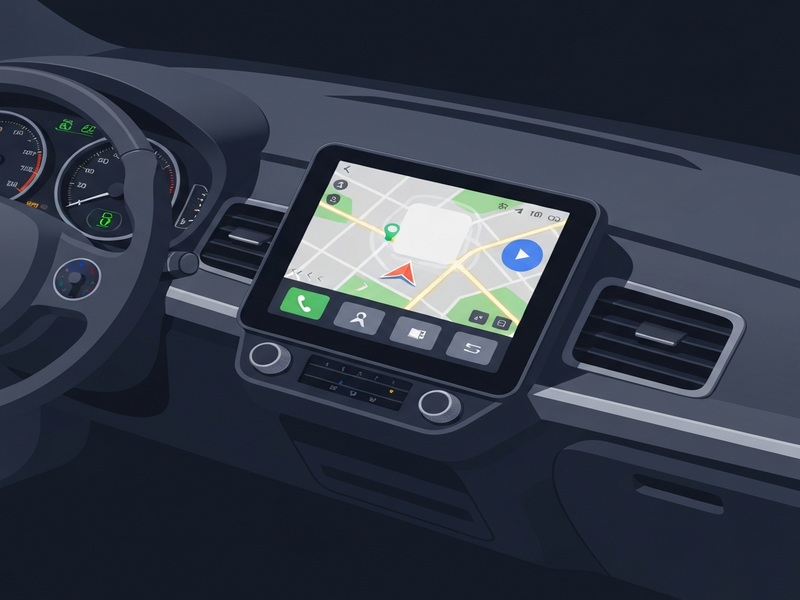
Tech‑savvy Android drivers who rely on Android Auto for turn‑by‑turn directions have reported a puzzling navigation issue that surfaced after the latest Android Auto update. The car dashboard icon—normally a green steering‑wheel symbol—vanishes, leaving the infotainment screen blank or showing a generic “no connection” message. This article breaks down the root cause, the impact on navigation, and practical Android Auto workarounds you can apply today.
What Is the Android Auto Bug?
The bug originates from a regression in the Android Auto 12.0.1 release, where the com.google.android.projection.gearhead package fails to register the navigation UI component after a system reboot. In plain terms, the software that draws the navigation icon on the car’s dashboard stops initializing, causing the icon to disappear.
Key technical details:
- Trigger: Installation of the Android Auto update released in early February 2026.
- Symptom: Missing car dashboard icon, “No apps available” error, and occasional Bluetooth disconnections.
- Scope: Affects most Android 13 devices paired with Android Auto‑compatible head units, especially those using OEM‑specific UI skins.
Impact on Navigation and Daily Driving
When the icon disappears, drivers lose immediate access to Google Maps, Waze, or any third‑party navigation app integrated with Android Auto. The consequences are more than an inconvenience:
| Scenario | Effect |
|---|---|
| Commuting in heavy traffic | Reduced ability to receive real‑time reroutes. |
| Long‑distance road trips | Increased reliance on phone‑only navigation, which can be unsafe. |
| Fleet management | Potential downtime for drivers using Android Auto as the primary interface. |
For businesses that depend on reliable navigation—such as delivery services or ride‑hailing platforms—the bug can translate into lost productivity and higher operational costs.
Workarounds and Fixes You Can Apply Right Now
While Google prepares an official patch, the following steps have proven effective for most users:
1. Clear Android Auto Cache and Data
- Open Settings > Apps & notifications.
- Find Android Auto and tap Storage & cache.
- Select Clear cache, then Clear storage.
- Reconnect your phone to the car and restart Android Auto.
2. Roll Back to the Previous Version
If you have Android SDK Platform‑Tools installed, you can uninstall the buggy version and install the last stable APK (12.0.0). Use the following ADB command:
adb uninstall com.google.android.projection.gearhead
adb install AndroidAuto_12.0.0.apk
Remember to re‑enable “Install unknown apps” for the source folder before proceeding.
3. Switch to a Third‑Party Navigation App
Apps like AI YouTube Comment Analysis tool (used here as an example of a third‑party integration) can run in Android Auto’s “Phone screen” mode, bypassing the missing dashboard UI. Simply set the app as the default navigation provider in Android Auto settings.
4. Use a Companion Device
Pair a secondary Android device (e.g., a tablet) with the car’s head unit via Bluetooth and run navigation there. This method isolates the buggy Android Auto instance from the primary phone.
5. Wait for the Official Update
Google has acknowledged the issue on the Android Auto issue tracker and plans to release a hotfix within the next two weeks. Enable Automatic updates to receive the patch as soon as it’s available.
What Android Police Is Saying
The problem was first highlighted by Android Police, which documented multiple user reports and provided early screenshots of the missing icon. Their coverage confirms that the bug is not isolated to a single device model, reinforcing the need for a universal workaround.
How UBOS Can Help You Build Resilient Navigation Solutions
For developers and enterprises looking to future‑proof their in‑car experiences, UBOS offers a suite of tools that integrate seamlessly with Android Auto and other telematics platforms.
- UBOS homepage – Explore the low‑code ecosystem that accelerates app development.
- UBOS platform overview – Learn how the platform’s modular architecture can host navigation micro‑services.
- AI marketing agents – Automate user onboarding for new navigation features.
- Workflow automation studio – Create automated update pipelines that push bug‑fixes to connected vehicles.
- Web app editor on UBOS – Build custom dashboards that can replace the missing Android Auto icon.
- UBOS for startups – Fast‑track your navigation‑focused startup with pre‑built templates.
- UBOS solutions for SMBs – Scale fleet navigation without heavy IT overhead.
- Enterprise AI platform by UBOS – Leverage AI to predict traffic patterns and proactively adjust routes.
- UBOS pricing plans – Choose a plan that fits your budget, from free trials to enterprise tiers.
- UBOS partner program – Collaborate with UBOS to co‑develop navigation extensions.
- UBOS portfolio examples – See real‑world case studies of in‑car AI solutions.
- UBOS templates for quick start – Jump‑start your project with ready‑made navigation UI kits.
- ChatGPT and Telegram integration – Add voice‑activated route queries via Telegram.
- OpenAI ChatGPT integration – Embed conversational AI for hands‑free navigation assistance.
- ElevenLabs AI voice integration – Deliver natural‑sounding turn‑by‑turn directions.
- Chroma DB integration – Store and retrieve high‑dimensional map embeddings efficiently.
- Telegram integration on UBOS – Push real‑time traffic alerts to drivers’ messaging apps.
- About UBOS – Learn about the team behind the platform.
- AI SEO Analyzer – Optimize your navigation app’s discoverability in app stores.
- AI Article Copywriter – Generate help‑center content for your navigation service.
- AI Video Generator – Create tutorial videos for new navigation features.
- AI Chatbot template – Offer instant support for drivers experiencing the bug.
- GPT-Powered Telegram Bot – Deploy a bot that can answer navigation queries on the fly.
- AI Image Generator – Produce custom map icons that can replace the missing dashboard symbol.
Conclusion
The Android Auto navigation bug is a reminder that even mature platforms can suffer regressions that affect everyday driving. By clearing caches, rolling back updates, or leveraging third‑party apps, you can keep your journeys on track while awaiting Google’s official fix. Moreover, developers and enterprises can turn this challenge into an opportunity by building resilient, AI‑enhanced navigation experiences on the UBOS platform. Proactive monitoring, automated rollout pipelines, and intelligent voice assistants will ensure that future updates improve rather than disrupt the driver’s experience.
Meta Description Suggestion: Android Auto’s latest update caused a navigation bug that hides the car dashboard icon. Learn why it happens, how it impacts drivers, and step‑by‑step workarounds—including cache clearing, rollback, and UBOS AI tools—to keep your journeys on track.