

- Updated: March 22, 2026
- 6 min read
AI‑Powered Mobile App QA: How Claude Automates Testing for Capacitor Apps
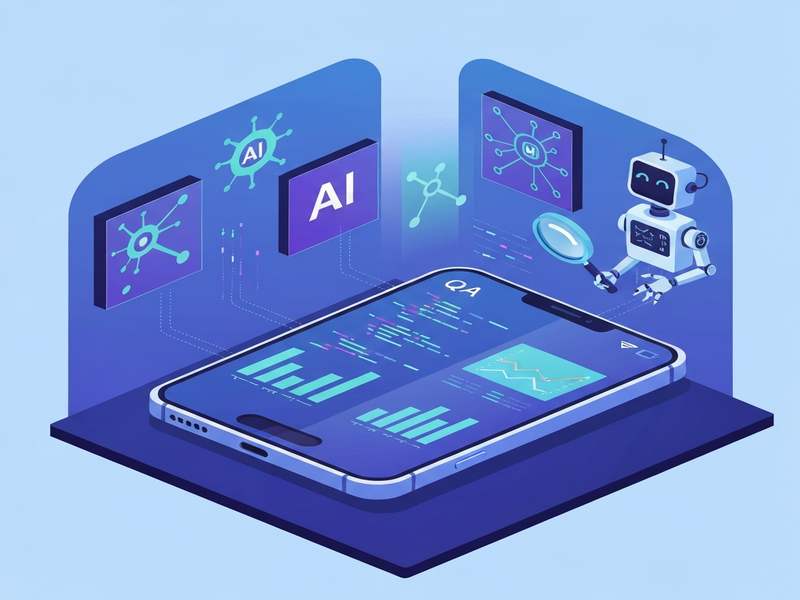
Claude can now automatically quality‑assure (QA) a Capacitor‑based mobile app on both Android and iOS, capturing screenshots, detecting visual regressions, and filing bug reports without human intervention.
The testing gap in Capacitor‑based mobile apps
Capacitor lets developers wrap a single React (or Vue/Angular) codebase in a native shell, delivering one app to the web, Android, and iOS. While this dramatically reduces development effort, it also creates a “no‑man’s‑land” for testing:
- Web‑focused tools like Playwright see only a browser, not the WebView inside the native container.
- Native frameworks such as XCTest (iOS) or Espresso (Android) cannot interact with HTML elements rendered inside the WebView.
- Result: developers often end up with exhaustive manual QA cycles, missed visual regressions, and delayed releases.
Enter AI‑enhanced QA. By teaching Claude, an advanced LLM, to drive the app, capture screenshots, and analyze them, a single developer can achieve continuous, cross‑platform quality checks.
How Claude automates QA for Android and iOS
The workflow can be broken into four MECE‑compliant stages:
- Environment preparation – Set up ADB reverse for Android and configure the iOS Simulator’s privacy database.
- Authentication & navigation – Inject a JWT into
localStorage(Android) or use a test user (iOS) to bypass login screens. - Screen sweep & screenshot capture – Use Chrome DevTools Protocol (CDP) for Android WebViews and
ios-simulator-mcpfor iOS to tap UI elements precisely. - AI analysis & bug filing – Run each screenshot through a vision model, flag layout breaks, and let Claude compose a bug report that is automatically uploaded to S3 and posted to the project forum.
This pipeline runs every morning at 08:47 AM, delivering a full‑coverage report before the development team starts their day.
Android: Leveraging Chrome DevTools Protocol
Android’s biggest advantage is the exposure of the WebView through CDP. The steps are:
# Find the WebView socket
WV_SOCKET=$(adb shell "cat /proc/net/unix" | \
  grep webview_devtools_remote | \
  grep -oE 'webview_devtools_remote_[0-9]+' | head -1)

# Forward to local port
adb forward tcp:9223 localabstract:$WV_SOCKET

# Verify connection
curl http://localhost:9223/json
Once the socket is forwarded, Claude sends WebSocket commands to:
- Inject the JWT:
Runtime.evaluatewithlocalStorage.setItem('token','…'). - Navigate to each route by setting
window.location.href. - Take a screenshot with
adb shell screencap -p /sdcard/screen.pngand pull it to the host.
The entire 25‑screen sweep completes in roughly 90 seconds, a speed that would be impossible with traditional UI automation.
For developers looking to integrate similar capabilities, the UBOS platform overview provides ready‑made CDP connectors that can be dropped into any CI pipeline.
iOS: Overcoming the WebKit sandbox
iOS does not expose CDP, so the solution required a combination of simulator tricks and accessibility queries:
- Bypass login – Change the login field to
type="text"and create a test userqatestso that AppleScript can type without the “@” issue. - Suppress notification prompts – Directly edit the Simulator’s
TCC.dbto pre‑approvekTCCServiceUserNotificationbefore app launch. - Precise UI tapping – Use
ios-simulator-mcp ui_describe_pointto map accessibility labels to coordinates, then execute taps withidb ui tap. - Screen capture – Capture the framebuffer via
simctl io booted screenshotafter each navigation step.
The iOS sweep initially took over six hours due to coordinate‑translation bugs. After calibrating the dropdown menu positions (an 11‑point X‑offset correction), the process stabilized at approximately 6 minutes per full run.
UBOS’s Workflow automation studio includes a visual mapper that automates the coordinate discovery step, dramatically reducing the manual effort required for new screens.
From screenshots to actionable bugs
Each captured image is sent to a vision model that evaluates:
- Broken layout grids (misaligned cards, overflow text).
- Missing assets (404 images, empty
<img>tags). - UI clipping (status bar overlap, safe‑area violations).
- Known “acceptable” states (e.g., “Preview” label on profile settings).
If an anomaly is detected, Claude composes a bug title in the format [Android QA] Shows Hub: RSVP button overlaps venue text and includes a direct link to the S3‑hosted screenshot. The report is posted to the project’s forum via a simple POST request.
Developers can extend this pipeline with AI SEO Analyzer or AI Article Copywriter to generate release notes automatically from the bug summary.
Key takeaways for AI‑enhanced mobile QA
1. Prefer protocol‑level control over UI tapping
Android’s CDP gave Claude direct DOM access, eliminating flaky coordinate clicks. When a native protocol is unavailable (iOS), invest in accessibility‑based mapping rather than hard‑coded coordinates.
2. Keep the test environment immutable
Every time the Android emulator restarts, adb reverse must be re‑applied. Automate this step in the CI script to avoid “localhost not reachable” failures.
3. Isolate AI agents in dedicated worktrees
Claude originally committed unrelated files because it operated in the main repo. Using a clean Git worktree for each AI‑run prevents accidental merges and preserves repository hygiene.
4. Validate before you push
Three “push‑and‑pray” cycles cost hours. Run the full QA sweep locally, review the generated bug list, and only then merge to main.
5. Leverage existing UBOS AI modules
UBOS offers plug‑and‑play integrations such as Chroma DB integration for vector‑based screenshot similarity, and ElevenLabs AI voice integration to read out critical failures during CI runs.
What developers can hope for next
Apple’s roadmap hints at exposing a WebKit‑compatible DevTools protocol for the Simulator. If realized, the iOS side of Claude’s workflow would mirror Android’s CDP approach, eliminating the need for coordinate gymnastics.
In the meantime, the community is building open‑source bridges (e.g., OpenAI ChatGPT integration) that translate WebKit messages into CDP‑like JSON, offering a stop‑gap for AI agents.
For startups and SMBs looking to adopt AI‑driven QA without building the stack from scratch, UBOS provides a turnkey solution:
- UBOS for startups – pre‑configured pipelines and templates.
- UBOS solutions for SMBs – scalable pricing and on‑demand support.
- Enterprise AI platform by UBOS – enterprise‑grade security and compliance.
Take the next step
If you’re a developer or QA engineer eager to replace manual regression testing with an AI‑powered, cross‑platform solution, start by exploring the Web app editor on UBOS. Build a Capacitor wrapper, plug in the AI Video Generator to create demo reels, and let Claude handle the nightly QA sweep.
Ready to see Claude in action? Check out the original article for the full technical deep‑dive, then head over to the UBOS pricing plans to pick a tier that matches your team size.
Empower your mobile development pipeline with AI today – because the future of QA is already here.
Andrii Bidochko
CTO UBOS
Andrii Bidochko is an AI entrepreneur and researcher focused on AI agents, reinforcement learning, and autonomous systems. He writes about the technologies shaping the future of machine intelligence, from frontier models and agent architectures to real-world AI applications.