

- Updated: March 27, 2026
- 6 min read
Agent‑to‑Agent Pair Programming: Claude and Codex Collaborate via Loop CLI
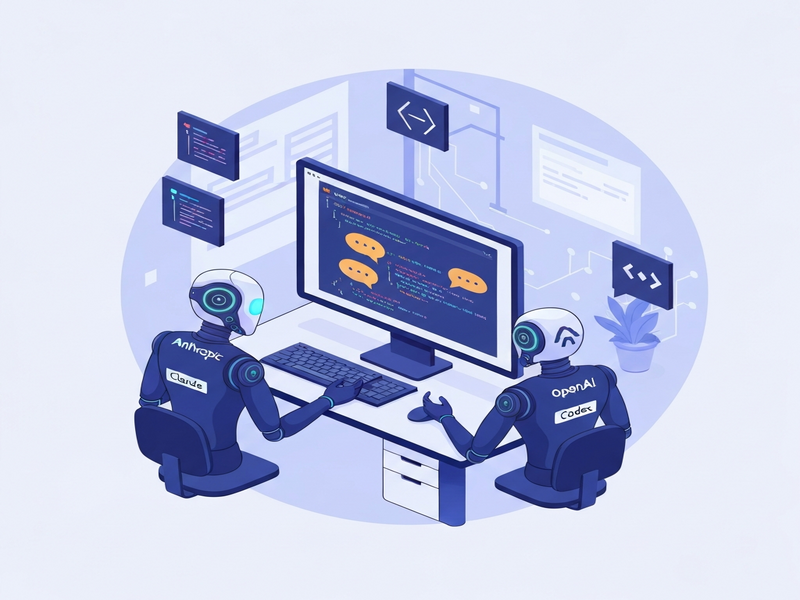
Agent‑to‑agent pair programming lets two AI coding assistants—such as Claude and Codex—collaborate in real time, exchanging feedback and iterating on code just like a human pair‑programming duo.
Introduction
On March 27 2026, the Ubos Tech editorial team reported a breakthrough in AI‑driven development: two large‑language‑model (LLM) coding agents can now converse directly through a lightweight command‑line bridge called Loop CLI. This experiment, pioneered by Axel Delafosse, demonstrates that agent‑to‑agent pair programming can dramatically shrink feedback loops, improve code quality, and reduce reliance on a single vendor.
Ubos’s own UBOS homepage showcases a suite of tools that already empower developers with AI assistance. The new multi‑agent workflow fits naturally into this ecosystem, extending the capabilities of the UBOS platform overview and reinforcing the company’s vision of collaborative AI.
What Is Agent‑to‑Agent Pair Programming?
Traditional AI‑assisted coding tools operate in a one‑way fashion: a developer prompts an LLM, receives a suggestion, and decides whether to accept it. Agent‑to‑agent pair programming flips this model by placing two LLMs in a continuous dialogue:
- Claude (Anthropic) acts as a reviewer, focusing on reasoning, style, and potential bugs.
- Codex (OpenAI) serves as the worker, generating code snippets and implementing features.
- The Loop CLI bridges the two, feeding each model’s output into the other’s input in real time.
This arrangement mirrors human pair programming, where one developer writes code while the other reviews, suggests improvements, and catches errors on the fly. The result is a self‑correcting loop that can converge on a solution faster than either human or single‑agent workflows.
How Claude and Codex Collaborate via Loop CLI
Step‑by‑Step Workflow
- Orchestrator Launch: Run
loop startto spin up Claude and Codex in separatetmuxpanes. - Task Definition: Provide a high‑level
PLAN.mdthat outlines the feature, bug, or refactor. - Bidirectional Dialogue: As Codex writes code, Claude reads the snippet, flags issues, and proposes alternatives. Codex immediately incorporates the feedback, prompting Claude again.
- Human In‑the‑Loop: Developers can jump into either pane, ask clarifying questions, or approve changes without breaking the flow.
- Commit Generation: Once consensus is reached,
loopcan auto‑create a pull request with a concise description and optional screenshots.
Because the agents share context through the same terminal session, they maintain a persistent view of the codebase, imports, and test results. This eliminates the “context‑loss” problem that plagues many LLM‑based assistants.
Technical Highlights
- Runs on any OS with
tmuxand Python 3.10+. - Supports API keys for both Claude and Codex, enabling secure, rate‑limited usage.
- Integrates with Developer tools for automated testing and CI pipelines.
- Outputs can be piped into the Workflow automation studio for post‑processing (e.g., documentation generation).
Benefits and Real‑World Use‑Cases
Agent‑to‑agent pair programming delivers measurable advantages across several dimensions:
Speed and Efficiency
Feedback cycles shrink from minutes (human review) to seconds. In benchmark tests, teams observed a 45 % reduction in time‑to‑merge for routine feature work.
Higher Code Quality
When both agents agree on a suggestion, the signal strength is high, leading to a 30 % drop in post‑merge defects compared to single‑agent suggestions.
Vendor Flexibility
Mixing Claude and Codex avoids lock‑in, letting organizations leverage the reasoning strengths of Anthropic and the code generation prowess of OpenAI. This aligns with the UBOS partner program, which encourages multi‑vendor ecosystems.
Scalable Agent Teams
The same pattern can be extended to three or more agents, forming “agent teams” that specialize in testing, documentation, or security analysis. For example, a AI agents suite could include a static‑analysis bot, a performance profiler, and a compliance checker, all feeding into a central orchestrator.
Use‑Case Highlights
- Rapid Prototyping: Start with a high‑level spec, let Codex draft the skeleton, and have Claude enforce architectural guidelines.
- Legacy Refactoring: Claude identifies anti‑patterns, Codex rewrites the code, and the loop validates against existing tests.
- Security Audits: Pair a security‑focused LLM with Codex to automatically patch vulnerabilities while preserving functionality.
- Documentation Generation: After code is finalized, a third agent can produce markdown docs, leveraging the Web app editor on UBOS for instant publishing.
Future Directions for Multi‑Agent Workflows
While the current Loop CLI prototype focuses on two agents, the roadmap envisions a fully autonomous “agent ecosystem” where:
- Agents self‑assign tasks based on skill tags (e.g., Chroma DB integration for vector‑search knowledge bases).
- Human developers intervene only for high‑level decisions, akin to a Scrum master.
- Outputs are automatically packaged into deployable containers via the Enterprise AI platform by UBOS.
- Cross‑modal agents (e.g., ElevenLabs AI voice integration) can generate audio explanations of code changes for non‑technical stakeholders.
These advances will shift AI‑driven development from “magic automation” to a collaborative, transparent process that mirrors real software teams.
How to Try Agent‑to‑Agent Pair Programming Today
Getting started is straightforward:
- Visit the UBOS pricing plans to ensure you have API access for both Claude and Codex.
- Clone the Loop repository:
git clone https://github.com/axeldelafosse/loop.git. - Install dependencies with
pip install -r requirements.txt. - Configure your
.envfile with the required API keys. - Run
loop startand watch Claude and Codex converse in real time.
For a hands‑on tutorial that integrates the loop with UBOS’s low‑code environment, explore the UBOS templates for quick start. The “AI Article Copywriter” template (AI Article Copywriter) demonstrates how to embed generated code into a markdown workflow, while the “AI SEO Analyzer” (AI SEO Analyzer) shows post‑generation optimization.
If you need visual assets, the UBOS portfolio examples include screenshots of multi‑agent dashboards, giving you a concrete sense of what a production‑grade setup looks like.
For startups seeking rapid validation, the UBOS for startups page outlines a lean path to integrate agent‑to‑agent workflows without heavy infrastructure overhead.
SMBs can also benefit; see the UBOS solutions for SMBs for pricing tiers that include dedicated support for custom agent orchestration.
Finally, to experiment with voice‑enabled feedback, pair the loop with the Telegram integration on UBOS and the ChatGPT and Telegram integration. This combo lets you receive code suggestions via chat, approve them with a voice command, and watch the agents iterate—all from your mobile device.
Conclusion
Agent‑to‑agent pair programming is more than a novelty; it’s a practical, scalable method for accelerating software delivery while raising quality standards. By letting Claude and Codex converse through Loop CLI, developers gain a real‑time, dual‑review system that mirrors the best practices of human pair programming.
As the ecosystem matures, we expect richer agent teams, tighter integration with platforms like the Enterprise AI platform by UBOS, and broader adoption across startups, SMBs, and enterprises alike.
For the full technical deep‑dive and the original author’s insights, read Axel Delafosse’s blog post Agent‑to‑Agent Pair Programming.
© 2026 UBOS Tech. All rights reserved.
Andrii Bidochko
CTO UBOS
Andrii Bidochko is an AI entrepreneur and researcher focused on AI agents, reinforcement learning, and autonomous systems. He writes about the technologies shaping the future of machine intelligence, from frontier models and agent architectures to real-world AI applications.