

- Updated: March 17, 2026
- 6 min read
Introducing Horizon: GPU‑Accelerated Infinite‑Canvas Terminal
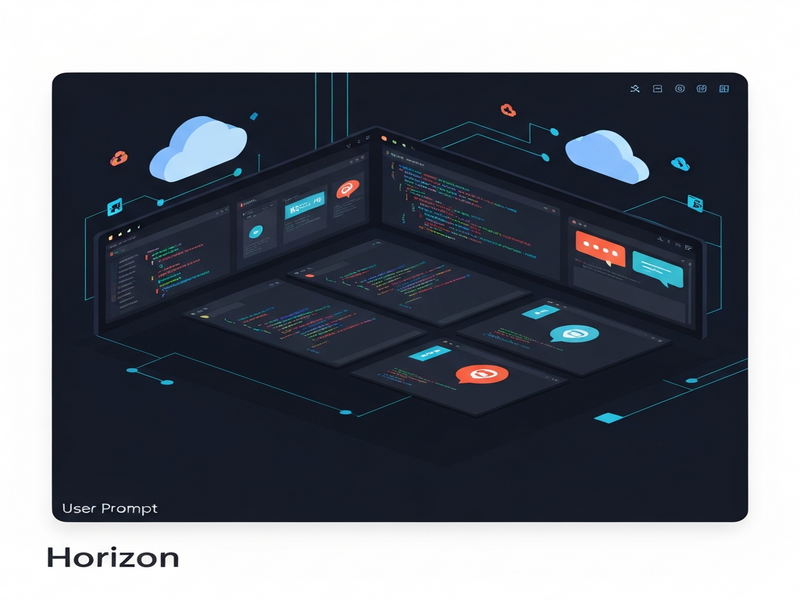
Horizon is an open‑source, GPU‑accelerated infinite‑canvas terminal that lets developers place, resize, and group every shell session on a boundless 2D workspace, while seamlessly integrating AI agents and Git tools.
Horizon Repository Launch: A GPU‑Accelerated Infinite Canvas for Modern Developers
The Horizon repository has quickly become the talk of the dev community. By combining the raw performance of GPU rendering with an infinite‑canvas UI, Horizon transforms the traditional tabbed or tiled terminal experience into a spatial, visual workflow. This article breaks down Horizon’s core capabilities, walks you through installation, and explains why it’s a game‑changer for developers, DevOps engineers, and AI enthusiasts.
Key Features of Horizon
- Infinite Canvas: Pan, zoom, and place terminals anywhere on a limitless 2D surface. A minimap keeps you oriented and lets you jump instantly to any region.
- GPU‑Accelerated Rendering: Built on the
wgpustack, Horizon leverages Vulkan, Metal, DX12, or OpenGL to deliver buttery‑smooth scrolling and instant redraws, even with dozens of active panels. - Full‑Featured Terminal Emulation: Powered by the Alacritty engine, it supports 24‑bit color, mouse reporting, scrollback, alt‑screen, and the Kitty keyboard protocol.
- AI Agent Panels: First‑class integration with Claude, Codex, and other large language models lets you run AI‑driven code assistants side‑by‑side with your shell.
- Git Status Panel: Real‑time repository monitoring, inline diffs, and hunk‑level details appear without leaving the canvas.
- Workspace Management: Color‑coded workspaces group related panels, and five auto‑layout modes (rows, columns, grid, stack, cascade) let you reorganize instantly.
- Live Settings Editor: Open a YAML editor with Ctrl+, to tweak configuration on the fly; changes apply instantly.
- Session Persistence: Close Horizon and return later; every panel’s position, scroll offset, and terminal history are restored exactly as you left them.
Installation and Usage Guide
Quick Binary Download (Recommended)
For most users, the fastest way to get started is to download a pre‑built binary from the Horizon launch announcement. Choose the package that matches your OS:
- Linux x64:
horizon-linux-x64.tar.gz - macOS arm64:
horizon-osx-arm64.tar.gz - macOS x64:
horizon-osx-x64.tar.gz - Windows x64:
horizon-windows-x64.exe
After downloading, extract the archive, make the binary executable (chmod +x horizon on Unix), and run it from your terminal.
Building from Source
If you prefer to compile Horizon yourself, ensure you have Rust 1.85+ installed. Then run:
git clone https://github.com/peters/horizon.git
cd horizon
cargo run --release
Linux users must install system headers for GPU rendering; see AGENTS.md in the repo for distro‑specific instructions.
Essential Keyboard Shortcuts
| Shortcut | Action |
|---|---|
| Ctrl+N | Create a new terminal panel |
| Ctrl+K | Quick‑navigate to any workspace |
| Ctrl+, | Open the live settings editor |
| Ctrl+M | Toggle the minimap |
| F11 | Enter fullscreen for the active panel |
Configuring Workspaces
Horizon reads a YAML file at ~/.horizon/config.yaml. A minimal example looks like this:
workspaces:
  - name: Backend
    cwd: ~/projects/api
    panels:
      - kind: shell
      - kind: claude
      - kind: git_changes
  - name: Frontend
    cwd: ~/projects/web
    panels:
      - kind: shell
      - kind: shell
Define as many workspaces as you need, and Horizon will restore them on every launch.
Benefits and Comparisons
Traditional terminals force you to juggle tabs or split panes, which often leads to context‑switching fatigue. Horizon’s spatial model eliminates that friction:
- Visual Memory Aid: By placing related panels next to each other, you leverage spatial memory, reducing the time spent searching for the right window.
- Scalable Collaboration: Teams can share a workspace snapshot (JSON export) and instantly reproduce the same layout on any machine.
- AI‑First Workflow: Embedding Claude or Codex panels means you can ask an AI to generate code, run it, and see the output without leaving the canvas.
- GPU Performance: Compared to CPU‑only terminal emulators, Horizon’s rendering stays fluid even with 50+ panels open, thanks to hardware acceleration.
- Integrated Git Insight: No need to open a separate Git client; the built‑in panel shows status, diffs, and even lets you stage changes directly.
When stacked against popular alternatives like tmux or iTerm2, Horizon offers a richer visual context while retaining the same level of configurability. For developers already using the UBOS platform overview, Horizon can be embedded as a custom widget, enabling AI‑driven automation via the Workflow automation studio. This synergy lets you trigger CI pipelines, spin up containers, or invoke the OpenAI ChatGPT integration directly from a terminal panel.
Real‑World Use Cases
- Full‑Stack Debugging: Keep backend logs, frontend dev server, and a database client on the same canvas. Zoom out to see the whole system at a glance.
- AI‑Assisted Code Review: Open a Claude panel, paste a diff, and ask the model to suggest improvements while you watch the changes in the Git panel.
- On‑Call Incident Response: Combine log tailing, metric dashboards, and a ChatGPT troubleshooting bot on one infinite board, reducing MTTR.
How Horizon Fits Into the UBOS Ecosystem
UBOS provides a suite of AI‑powered tools that complement Horizon’s capabilities. For instance, the AI marketing agents can be launched from a terminal panel to generate campaign copy while you monitor deployment logs. Startups can accelerate prototyping using UBOS for startups, and SMBs can leverage UBOS solutions for SMBs to embed Horizon into internal developer portals.
Enterprise customers benefit from the Enterprise AI platform by UBOS, which offers centralized policy management, role‑based access, and audit logging for every AI‑enabled terminal session.
Conclusion & Call‑to‑Action
Horizon redefines how developers interact with the command line by turning a linear list of tabs into a spatial, GPU‑accelerated canvas. Its open‑source nature, AI agent panels, and deep Git integration make it a compelling addition to any modern dev workflow.
If you’re ready to experience a limitless terminal, download Horizon from GitHub today. While you explore the infinite canvas, consider pairing it with UBOS’s Web app editor on UBOS to build custom dashboards, or try the UBOS templates for quick start to accelerate AI‑driven projects.
Stay updated on future releases by following the GPU‑accelerated terminal blog post and join the UBOS partner program to collaborate on next‑generation developer tools.
Explore more AI‑powered utilities on UBOS:
Template Marketplace Highlights
UBOS’s marketplace offers ready‑made AI apps that can be dropped into a Horizon panel with a single click. A few standout templates include:
- AI SEO Analyzer – instantly audit web pages from the terminal.
- AI Article Copywriter – generate blog drafts while you monitor publishing pipelines.
- AI Chatbot template – embed a conversational assistant next to your logs.
- GPT‑Powered Telegram Bot – receive alerts from your Horizon workspace on mobile.
- AI Video Generator – create marketing clips while you test deployment scripts.
These templates illustrate how Horizon can become the central hub for both development and AI‑enhanced productivity.
Ready to break free from tab‑constrained terminals?
Andrii Bidochko
CTO UBOS
Andrii Bidochko is an AI entrepreneur and researcher focused on AI agents, reinforcement learning, and autonomous systems. He writes about the technologies shaping the future of machine intelligence, from frontier models and agent architectures to real-world AI applications.