

- Updated: March 15, 2026
- 6 min read
DR DOS 9.0 Released – Clean‑Room Reimplementation of DOS for Retro‑Computing Enthusiasts
DR DOS 9.0 is a clean‑room, legally unencumbered reimplementation of the classic DOS operating system, released on March 14 2026, and available for free download to retro‑computing enthusiasts, developers, and educators.
A New Chapter for a Retro Legend
The original DR DOS, launched by Digital Research in 1988, was celebrated for its superior performance and compatibility compared with MS‑DOS. Decades later, the community‑driven DR DOS 9.0 revives Gary Kildall’s vision with a modern, clean‑room codebase that respects the legacy while removing legal baggage. This release marks the most complete and stable version to date, offering a full suite of commands, utilities, and low‑level access features that make it a perfect platform for learning, experimentation, and nostalgic enjoyment.
Key Features and Release Details
DR DOS 9.0 (Revision 330) ships with a comprehensive toolbox that mirrors the original DOS experience while adding modern conveniences. Below is a MECE‑structured overview of its core capabilities:
- Core File Management: Commands such as
CD,COPY,DEL,DIR,MD,MOVE,REN, andTYPEprovide full file‑system control. - Enhanced Text Editor: A full‑featured
EDITwith colored syntax, menu navigation, keyboard shortcuts, and clipboard support. - System Utilities:
MEMfor memory diagnostics,VERfor version info,DATE,CLS, andMOREfor paging. - Advanced Debugging Tools:
HEXDUMPfor binary inspection, plus built‑inMOUSEdriver support and aREBOOTutility. - Low‑Level Access Commands:
PEEK,POKE, andJMPenable direct memory manipulation—ideal for OS developers and hobbyist hackers. - Compatibility Layer: Seamless execution of classic DOS applications, making it a reliable testbed for legacy software.
The release is packaged as a single downloadable archive, complete with documentation, sample scripts, and a set of optional drivers for sound and graphics. It runs natively on modern x86‑64 hardware and is fully compatible with popular DOS emulators such as DOSBox and vDos.
Who Benefits from DR DOS 9.0?
Retro‑Computing Enthusiasts
For collectors and hobbyists who cherish the era of command‑line computing, DR DOS 9.0 offers an authentic experience without the legal concerns of the original binaries. The inclusion of classic utilities and the ability to run vintage games and productivity tools makes it a centerpiece for any retro‑PC showcase.
Developers and Educators
The low‑level PEEK/POKE/JMP commands provide a sandbox for teaching operating‑system concepts, memory management, and assembly‑level debugging. University courses on computer architecture can now incorporate a hands‑on DOS environment that runs on contemporary laptops, eliminating the need for legacy hardware.
Hobbyist Hackers and Makers
Makers building embedded systems or IoT devices often need a minimal, deterministic OS. DR DOS 9.0’s tiny footprint (under 2 MB) and direct hardware access make it a viable candidate for micro‑controller projects, especially when paired with modern development pipelines.
Software Preservationists
Archivists aiming to preserve classic software can rely on DR DOS 9.0 as a stable runtime environment, ensuring that legacy applications remain executable for future generations.
Download, Installation, and Legacy Relevance
The official download page provides a direct DR DOS 9.0 archive. After extracting the ZIP file, users can boot the DRDOS9.BIN image on real hardware or launch it via dosbox -c "boot drdos9.bin". Detailed installation instructions are included in the README.TXT file.
Legacy relevance extends beyond nostalgia. Many early Windows applications, BIOS utilities, and diagnostic tools were originally built for DOS. By providing a modern, open‑source DOS platform, DR DOS 9.0 enables developers to test compatibility, perform reverse engineering, and even repurpose old code for new projects.
Visual Overview
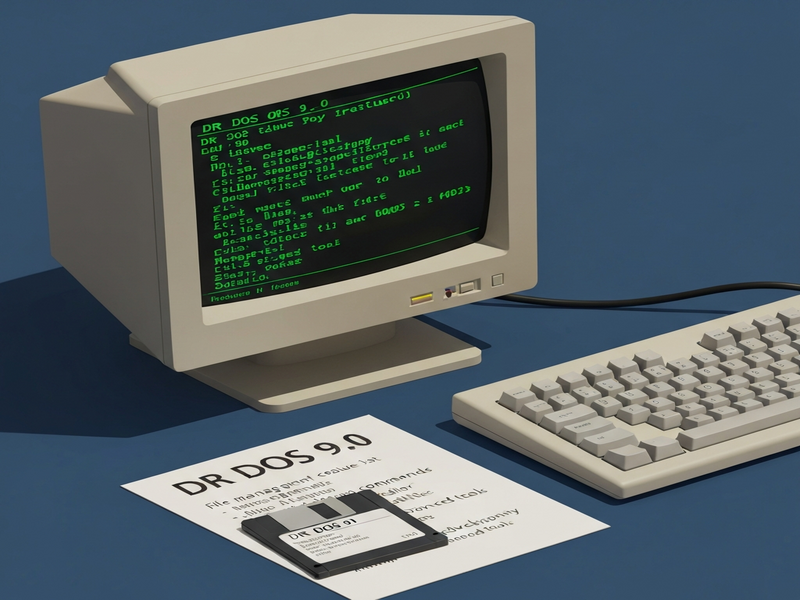
Figure 1: DR DOS 9.0 command prompt displaying the DIR listing of the root directory.
Explore Related UBOS Resources
While you’re diving into classic operating systems, you might also be interested in modern AI‑powered development tools. The UBOS homepage offers a suite of cloud‑native solutions that complement retro‑computing projects with AI automation.
Learn how the About UBOS team blends decades of software engineering expertise with cutting‑edge generative AI, creating platforms that accelerate both legacy and next‑gen development.
For a high‑level view of the ecosystem, check the UBOS platform overview, which details modular services ranging from AI chatbots to data pipelines.
Startups looking to prototype quickly can leverage UBOS for startups, which includes pre‑built templates and a low‑code Web app editor on UBOS.
Small‑to‑medium businesses benefit from UBOS solutions for SMBs, especially when integrating AI‑driven workflows via the Workflow automation studio.
Enterprises seeking a robust AI backbone can explore the Enterprise AI platform by UBOS, which supports large‑scale model deployment and data governance.
Pricing transparency is key; the UBOS pricing plans are tiered to fit individual developers up to Fortune‑500 corporations.
Browse real‑world implementations in the UBOS portfolio examples, showcasing how AI agents automate marketing, support, and analytics.
Jump‑start your next project with ready‑made assets from the UBOS templates for quick start, including chatbot frameworks and data visualizers.
If you’re curious about AI‑enhanced marketing, the AI marketing agents can generate copy, optimize campaigns, and analyze performance in real time.
Partners can expand their service offerings through the UBOS partner program, gaining access to co‑selling resources and technical support.
Featured UBOS Templates for Developers
- AI SEO Analyzer – instantly audit website SEO with generative AI.
- AI Article Copywriter – generate high‑quality blog posts in seconds.
- AI Chatbot template – deploy a conversational agent on any platform.
- GPT‑Powered Telegram Bot – combine the power of ChatGPT with Telegram integration.
- ElevenLabs AI voice integration – add realistic voice synthesis to your apps.
Original Announcement
The official press release detailing the launch of DR DOS 9.0 can be read on the original source site: DR DOS 9.0 release announcement.
Why DR DOS 9.0 Matters Today
In an era dominated by cloud services and AI, the revival of a classic OS may seem anachronistic—but it is precisely this contrast that fuels innovation. DR DOS 9.0 provides a sandbox where developers can experiment with low‑level code, educators can illustrate foundational concepts, and hobbyists can relive the golden age of personal computing. Coupled with modern AI tooling from UBOS, the possibilities for hybrid projects—such as AI‑enhanced DOS utilities or automated retro‑gaming pipelines—are virtually limitless.
Whether you are downloading the ISO to run a vintage game, integrating the OS into an embedded device, or using it as a teaching aid, DR DOS 9.0 stands as a testament to the enduring relevance of well‑engineered software. Grab the free download, explore the UBOS ecosystem for AI augmentation, and join the community that keeps the spirit of early computing alive.
Ready to dive in? Download DR DOS 9.0 now and start building your next retro‑AI project today!
Andrii Bidochko
CTO UBOS
Andrii Bidochko is an AI entrepreneur and researcher focused on AI agents, reinforcement learning, and autonomous systems. He writes about the technologies shaping the future of machine intelligence, from frontier models and agent architectures to real-world AI applications.