

- Updated: February 26, 2026
- 8 min read
Just Bash: A Secure Simulated Bash Environment for AI Agents
Just Bash by Vercel Labs: A Secure, Sandboxed Bash Engine for AI Agents
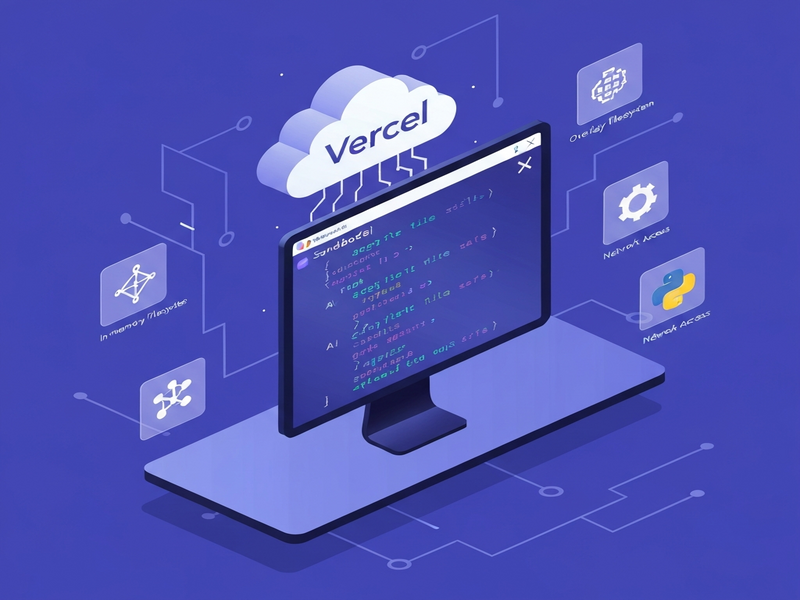
Just Bash is a TypeScript‑written, in‑memory Bash emulator that provides a sandboxed, secure shell environment for AI agents, enabling them to execute Linux commands without exposing the host system.
Vercel Labs released Just Bash in early 2024 as an open‑source project aimed at developers, DevOps engineers, and AI‑tool enthusiasts who need a lightweight, controllable terminal for automated workflows. The project quickly gathered over 1.3k stars on GitHub, reflecting strong community interest in a “Bash for agents” that balances power with safety.
Unlike traditional containers or full VMs, Just Bash runs entirely in memory, offering instant start‑up, zero‑disk footprint, and a built‑in execution‑limit system that prevents runaway scripts. This makes it ideal for AI‑driven automation, prompt engineering, and secure code generation pipelines.
Read the official source code and contribution guidelines on the Just Bash GitHub repository.
What Is Just Bash?
Just Bash provides a simulated Bash environment with an in‑memory virtual filesystem. It is written in TypeScript and can be imported as a Node.js module or used via a CLI binary. The core design goals are:
- Complete isolation from the host OS – only the virtual filesystem is exposed.
- Configurable network access, defaulting to no internet for maximum security.
- Execution protection against infinite loops, deep recursion, and command‑count abuse.
- Extensible command set, allowing custom TypeScript commands to be added at runtime.
Because it runs in a pure JavaScript runtime, Just Bash can be embedded in serverless functions, CI pipelines, or even browser‑based AI assistants.
Key Features
1. In‑Memory Filesystem (InMemoryFs)
The default filesystem lives entirely in RAM, meaning every execution starts from a clean slate unless you pre‑populate files via the constructor. This guarantees that no stray data leaks between runs.
2. Overlay & Read‑Write Filesystems
For scenarios where you need read‑only access to a real project directory, Just Bash offers Web app editor on UBOS‑style overlay filesystems. Writes stay in memory, preserving the original disk state.
3. Network Access Controls
Network calls are disabled by default. When enabled, you can whitelist URL prefixes and HTTP methods, mirroring the OpenAI ChatGPT integration security model. This prevents malicious scripts from reaching arbitrary endpoints.
4. Custom Command API
Developers can define new commands with defineCommand. For example, a AI SEO Analyzer could be exposed as a Bash sub‑command, letting AI agents invoke SEO checks directly from the shell.
5. Execution Limits & Protection
Built‑in limits such as maxCallDepth, maxCommandCount, and maxLoopIterations stop runaway scripts. When limits are hit, the engine returns a clear error with suggestions for adjustment.
6. AST Transform Plugins
Just Bash can parse Bash scripts into an abstract syntax tree (AST), apply plugins (e.g., logging, command collection), and re‑serialize the script. This is useful for audit trails and for building AI Video Generator pipelines that need to capture every shell step.
7. Vercel Sandbox Compatibility
The API mirrors @vercel/sandbox, allowing a seamless switch from Just Bash to a full VM sandbox when you need native binaries or heavy workloads.
Use Cases for Developers and AI Engineers
Just Bash shines in several real‑world scenarios:
- Prompt‑to‑Shell Automation: AI agents can translate natural‑language requests into Bash scripts, execute them safely, and return structured results.
- CI/CD Validation: Run linting, dependency checks, or configuration generation inside a sandboxed environment without polluting the build host.
- Data Extraction & Transformation: Combine
curl,jq, and custom commands to pull APIs, filter JSON, and store results in memory for downstream AI reasoning. - Educational Platforms: Offer interactive Bash tutorials where students experiment without risking the underlying server.
- Secure Chatbot Back‑ends: Pair with ChatGPT and Telegram integration to let users run safe shell commands via a chat interface.
These use cases align perfectly with the Enterprise AI platform by UBOS, which already provides orchestration layers for AI‑driven workflows.
Security Model: Defense‑in‑Depth
Security is the cornerstone of Just Bash. The model can be broken down into three layers:
Filesystem Isolation
All file operations are confined to the virtual filesystem. When using UBOS partner program‑provided overlays, read‑only directories are enforced at the mount level, preventing accidental writes.
Network Whitelisting
Network access must be explicitly enabled. The allowedUrlPrefixes and allowedMethods options act like a firewall, allowing only the URLs you trust. This mirrors the approach used in the Chroma DB integration, where data ingestion endpoints are tightly controlled.
Execution Limits
Limits on recursion depth, command count, and loop iterations stop denial‑of‑service attacks from within the sandbox. When a limit is breached, Just Bash aborts execution and returns a detailed error, making debugging straightforward.
For ultra‑high‑security environments, you can combine Just Bash with OS‑level containers or VMs, achieving a “defense‑in‑depth” posture that satisfies compliance requirements such as SOC 2 or ISO 27001.
Getting Started in Minutes
Below is a quick walkthrough that gets a developer from zero to a running Just Bash instance.
Step 1: Install the Package
npm install just-bashStep 2: Create a Bash Instance
import { Bash } from "just-bash";

const env = new Bash({
  files: {
    "/data/config.json": () => JSON.stringify({ apiKey: "REDACTED" })
  },
  env: { NODE_ENV: "production" },
  cwd: "/home/agent"
});
Step 3: Execute a Command
const result = await env.exec('echo "Hello, Just Bash!"');
console.log(result.stdout); // "Hello, Just Bash!\n"
Step 4: Enable Network for API Calls (Optional)
const netEnv = new Bash({
  network: {
    allowedUrlPrefixes: ["https://api.example.com/"],
    allowedMethods: ["GET", "POST"]
  }
});
await netEnv.exec('curl -s https://api.example.com/status | jq .');
For a visual, low‑code experience, explore the UBOS templates for quick start, which include pre‑configured Just Bash workflows.
Why Choose Just Bash Over Traditional Containers?
| Aspect | Just Bash | Docker / VM |
|---|---|---|
| Startup Time | Milliseconds (in‑process) | Seconds to minutes |
| Resource Overhead | Memory‑only, no OS kernel | Full OS + container runtime |
| Network Control | Whitelist‑based, default off | Network bridge, often unrestricted |
| File System Persistence | Ephemeral unless mounted | Persistent volumes required |
| Developer Experience | Single npm install, TypeScript API | Dockerfile, CLI, orchestration tools |
When you need rapid, repeatable command execution inside an AI workflow, Just Bash offers a leaner, safer alternative that integrates natively with JavaScript/TypeScript stacks.
<!– Real‑World Example: AI‑Powered SEO Analyzer
Imagine an AI marketing assistant that audits a website’s SEO health. Using Just Bash, the assistant can: The entire pipeline runs in seconds, never touching the host filesystem, and returns a JSON report that the AI agent can summarize for the user.Real‑World Example: AI‑Powered SEO Analyzer
curl (network whitelisted).html-to-markdown (built‑in command).grep and awk to extract meta tags.
Integrating Just Bash into the UBOS Ecosystem
UBOS provides a suite of low‑code building blocks that complement Just Bash perfectly:
- AI Chatbot template – use Just Bash as the backend executor for file‑system commands.
- AI Video Generator – generate scripts that call
ffmpegvia Just Bash (when you switch to Vercel Sandbox for binary support). - AI Article Copywriter – combine content generation with on‑the‑fly data scraping using Just Bash.
- AI LinkedIn Post Optimization – fetch competitor posts, analyze with
jq, and suggest improvements.
All of these integrations benefit from the Enterprise AI platform by UBOS, which handles authentication, scaling, and monitoring.
Pricing, Licensing, and Community Support
Just Bash is released under the Apache‑2.0 license, meaning you can use it freely in commercial projects. For teams that need managed hosting, UBOS offers UBOS pricing plans that include hosted Just Bash instances, monitoring dashboards, and priority support.
Community contributions are welcomed via pull requests. The project’s GitHub repository includes a detailed CONTRIBUTING.md and a roadmap for upcoming features such as WASM binary support.
Conclusion: A New Standard for Secure AI‑Driven Shell Automation
Just Bash fills a critical gap between raw shell access and heavyweight containers. By delivering a fast, sandboxed, and extensible Bash environment, it empowers AI agents to perform real‑world tasks—data extraction, system configuration, and automated reporting—without compromising security.
If you’re building AI‑enhanced developer tools, consider adding Just Bash to your stack today. Explore the UBOS portfolio examples for inspiration, and start a free trial on the UBOS homepage to experiment with pre‑built templates.
Ready to sandbox your next AI workflow? Learn more about UBOS and launch your first Just Bash‑powered project now.
Andrii Bidochko
CTO UBOS
Andrii Bidochko is an AI entrepreneur and researcher focused on AI agents, reinforcement learning, and autonomous systems. He writes about the technologies shaping the future of machine intelligence, from frontier models and agent architectures to real-world AI applications.