

- Updated: February 26, 2026
- 5 min read
Introducing Z Server Engine Ultra: A Memory‑Efficient LLM Inference Engine
Z Server Engine Ultra (ZSE) is a memory‑efficient LLM inference engine that delivers ultra‑fast token generation while cutting GPU memory usage by up to 90%, making it ideal for developers, data scientists, and enterprises that need high‑performance AI model deployment.
Why ZSE Matters for Modern AI Workloads
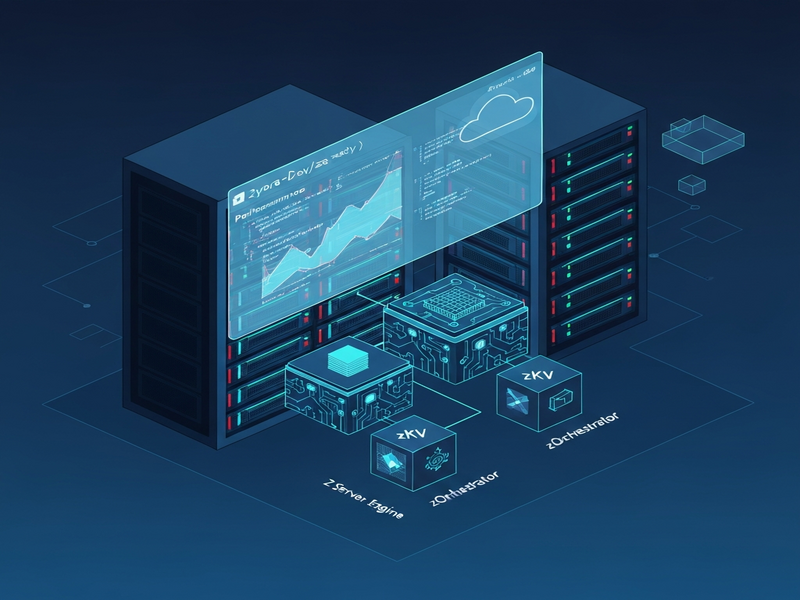
As large language models (LLMs) grow beyond 100 B parameters, the cost of inference skyrockets. ZSE’s open‑source repository on GitHub introduces a suite of innovations—zAttention, zQuantize, zKV, zStream, and the zOrchestrator—that together shrink the memory footprint without sacrificing speed. For tech enthusiasts, AI developers, and data scientists, this means you can run a 70 B model on a single 24 GB GPU, turning a previously prohibitive experiment into a production‑ready service.
ZSE Core Features Explained
zAttention – Adaptive CUDA Kernels
zAttention replaces generic attention kernels with three specialized implementations: paged, flash, and sparse attention. The engine automatically selects the most efficient kernel based on sequence length and GPU memory, delivering up to 2× faster token throughput on long‑context prompts.
zQuantize – Mixed‑Precision INT2‑8
Through per‑tensor INT2‑8 quantization, zQuantize reduces model size by 4‑8× while preserving the quality of generated text. The mixed‑precision approach lets you keep critical layers in higher precision, avoiding the hallucination spikes common in aggressive quantization.
zKV – Quantized KV Cache
The KV cache stores key‑value pairs for each transformer layer. zKV compresses this cache with sliding‑precision quantization, achieving up to 4× memory savings during long‑running conversations.
zStream – Layer Streaming & Async Prefetch
zStream streams model layers on‑the‑fly, pre‑fetching the next layer while the current one computes. This technique enables inference of a 70 B model on a 24 GB GPU by never loading the entire model into memory at once.
zOrchestrator – Smart Memory Recommendations
The Orchestrator monitors free GPU memory and suggests optimal configuration flags (e.g., --efficiency ultra). It acts like an AI‑powered system administrator, ensuring you get the best trade‑off between speed and memory usage.
Performance Benchmarks & Real‑World Use Cases
Benchmarks were run on an NVIDIA A100‑80GB GPU with NVMe storage (February 2026). Results show dramatic reductions in cold‑start latency and sustained throughput.
| Model | FP16 Memory | zQuantize (INT4/NF4) | Speedup vs. FP16 | Cold‑Start (s) |
|---|---|---|---|---|
| Qwen 7B | 14.2 GB | 5.2 GB (63 % reduction) | 11.6× | 3.9 |
| Qwen 32B | ~64 GB | 19.3 GB (NF4) / 35 GB (.zse) | 5.6× | 21.4 |
| Llama‑3.1 8B | 16 GB | 6 GB (INT4) | ≈9× | ≈5 |
These numbers translate into concrete use cases:
- Chat‑bot services: Deploy a 70 B conversational agent on a single consumer‑grade GPU, cutting infrastructure cost by >70 %.
- Real‑time code assistance: Use zStream to serve code‑completion models with sub‑second latency, even on edge devices.
- Batch document summarization: Leverage zKV to keep large context windows open across thousands of documents without OOM errors.
Installation & Quick‑Start Guide
Getting ZSE up and running takes less than five minutes on a Linux workstation.
Step 1 – Install the Python package
pip install zllm-zse[cuda]Step 2 – Pull a model from Hugging Face
zse serve meta-llama/Llama-3.1-8B-InstructStep 3 – Apply memory‑saving flags (optional)
zse serve meta-llama/Llama-3.1-70B-Instruct \\
  --max-memory 24GB \\
  --efficiency ultra \\
  --recommend
Step 4 – Test the endpoint
curl -X POST http://localhost:8000/v1/chat/completions \\
  -H "Content-Type: application/json" \\
  -d '{"model":"Llama-3.1-70B-Instruct","messages":[{"role":"user","content":"Explain ZSE in one sentence"}]}'
For containerised deployments, the official Docker image is available on GitHub Container Registry:
docker run --gpus all -p 8000:8000 ghcr.io/zyora-dev/zse:gpuNeed a visual editor for your API workflow? Check out the Workflow automation studio on UBOS, which lets you drag‑and‑drop ZSE calls into larger pipelines.
Integration Possibilities & UBOS Resources
ZSE’s OpenAI‑compatible API means you can plug it into any ecosystem that already talks to ChatGPT‑style services. Below are a few ready‑made integrations that accelerate time‑to‑value.
- OpenAI ChatGPT integration – swap the hosted OpenAI endpoint with your local ZSE server for zero‑latency responses.
- ChatGPT and Telegram integration – turn any ZSE model into a Telegram bot without writing code.
- Chroma DB integration – combine vector search with ZSE for RAG (retrieval‑augmented generation) pipelines.
- ElevenLabs AI voice integration – add high‑fidelity speech synthesis to your ZSE‑powered assistants.
For developers who want to prototype quickly, the UBOS templates for quick start include a pre‑configured “AI Article Copywriter” that already calls a ZSE‑hosted model for content generation.
If you’re a startup looking for a managed solution, explore UBOS for startups. For midsize businesses, the UBOS solutions for SMBs bundle ZSE with monitoring, scaling, and support.
Enterprise customers can leverage the Enterprise AI platform by UBOS, which adds role‑based access control, Prometheus metrics, and multi‑tenant isolation on top of ZSE.
Want to see ZSE in action? The UBOS portfolio examples showcase a real‑time AI‑driven help‑desk powered by ZSE and the “Customer Support with ChatGPT API” template.
For a deeper technical dive, read the AI inference guide on UBOS, which explains how ZSE’s kernel‑level optimizations compare with other open‑source engines like vLLM and DeepSpeed.
Finally, if you need a quick visual overview, the ZSE overview page on UBOS condenses the architecture into a single diagram (the same one you saw above).
Conclusion – Is ZSE the Right Choice for You?
For anyone who has hit the memory wall while scaling LLMs, ZSE offers a pragmatic, open‑source answer. Its combination of adaptive attention, aggressive quantization, and intelligent orchestration delivers a performance‑to‑cost ratio that rivals commercial inference services.
Ready to experiment? Start with the free UBOS pricing plans that include a sandbox environment for ZSE, then scale to the enterprise tier when you need multi‑tenant governance.
Stay updated on the latest ZSE releases, community contributions, and best‑practice guides by following the UBOS blog. Your next breakthrough AI product could be just a zse serve command away.
Andrii Bidochko
CTO UBOS
Andrii Bidochko is an AI entrepreneur and researcher focused on AI agents, reinforcement learning, and autonomous systems. He writes about the technologies shaping the future of machine intelligence, from frontier models and agent architectures to real-world AI applications.