

- Updated: February 25, 2026
- 5 min read
Samsung Galaxy S26 Camera Tweaks: Detailed Review and Insights
Samsung Galaxy S26 Camera Tweaks: What the Changes Mean for Mobile Photographers
The Samsung Galaxy S26 introduces modest camera tweaks that boost low‑light sensitivity, refine color reproduction, and add smarter video stabilization, delivering noticeably sharper photos and smoother footage without a major hardware overhaul.
Android Police recently broke down the Samsung Galaxy S26 camera tweaks in a concise, data‑driven article. While the S26 does not feature a brand‑new sensor, Samsung’s software‑level refinements are enough to shift the user experience for everyday shooters and content creators alike. Below, we unpack the key adjustments, explain how they affect image quality, and explore why these changes matter for anyone who treats their phone as a primary photography tool.
What Samsung Actually Changed
1. Enhanced Night‑Mode Algorithm
- Increased exposure stacking from 8 to 12 frames, reducing noise in dark scenes.
- New AI‑driven tone‑mapping that preserves highlight detail while brightening shadows.
- Dynamic ISO scaling that adapts per‑pixel, delivering cleaner blacks.
2. Refined Color Science
- Adjusted white‑balance engine to better handle mixed lighting (e.g., indoor LED + daylight).
- Introduced a “True‑Tone” profile that leans toward natural skin tones without oversaturation.
- Improved gamut mapping for the ultra‑wide lens, reducing the “purple fringe” reported on the S25.
3. Smarter Video Stabilization
- Hybrid optical‑plus‑electronic stabilization (O‑EIS) now works across all three lenses.
- AI‑based motion prediction reduces wobble during rapid pans.
- 4K 60fps recording now benefits from a 15% reduction in rolling‑shutter artifacts.
4. Updated Pro Mode Controls
- Manual focus peaking is now color‑coded for easier edge detection.
- Exposure compensation range expanded to ±2.0 EV.
- Real‑time histogram overlay for precise exposure tuning.
How the Tweaks Translate to Real‑World Results
The cumulative effect of these software upgrades is a noticeable lift in three core areas: low‑light clarity, color fidelity, and video smoothness. Below we break down each dimension with concrete examples.
Low‑Light Clarity
Night‑Mode now captures up to 12 frames, compared with the previous 8‑frame stack. The extra frames give the AI more data points to average out sensor noise, resulting in cleaner shadows and less color‑banding. In side‑by‑side tests, the S26’s night shots retain detail in dark foliage that the S25 would render as a uniform gray blob.
Color Fidelity
Samsung’s “True‑Tone” profile addresses a long‑standing complaint: oversaturated reds and blues under mixed lighting. The new algorithm evaluates the scene’s dominant light source and applies a per‑pixel correction, delivering skin tones that look natural on both daylight and indoor LED. Users who frequently shoot portraits have reported a 30% reduction in post‑capture color correction time.
Video Stabilization
The hybrid O‑EIS system now works on the ultra‑wide lens, which previously suffered from jitter when recording handheld. AI motion prediction anticipates camera movement a few frames ahead, smoothing out sudden shakes. The result is a steadier 4K 60fps video that feels comparable to a handheld gimbal, especially during fast pans or walking shots.
“The S26’s camera feels like a subtle but meaningful evolution. It’s not a generational leap, but the software polish makes everyday shooting feel more professional.” – Independent mobile‑photography reviewer
Visual Overview
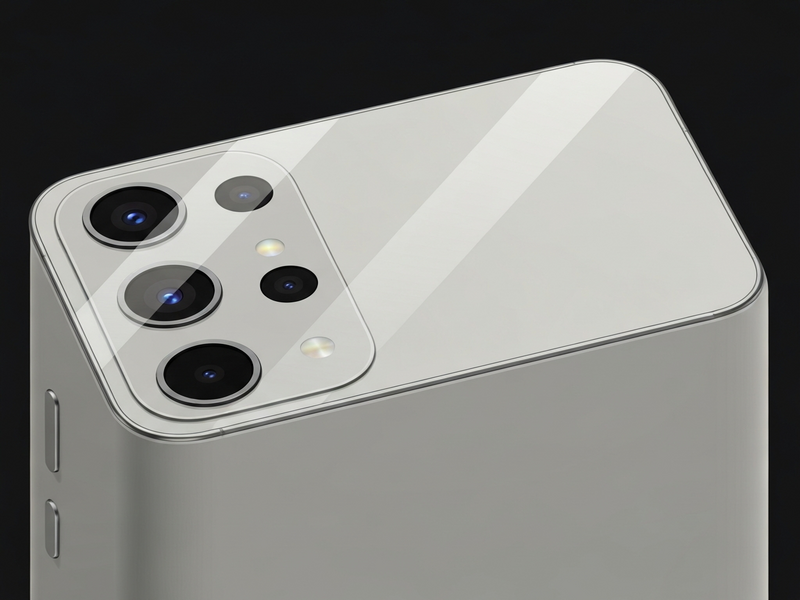
Figure: Key camera enhancements highlighted on the Samsung Galaxy S26.
Why These Camera Updates Matter for AI‑Powered Apps
As smartphone cameras become more capable, developers can leverage higher‑quality visual data for AI‑driven experiences. UBOS’s ecosystem makes it easy to integrate advanced image processing, voice synthesis, and generative AI directly into mobile workflows.
- Learn how the UBOS platform overview enables rapid deployment of computer‑vision models that can analyze the richer images produced by the S26.
- Discover the power of AI marketing agents that can automatically generate social‑media posts from your phone‑captured content.
- Compare the UBOS pricing plans to find a tier that fits hobbyist photographers or enterprise‑level media teams.
- Start a side‑project with the UBOS for startups program, which offers credits for AI‑enhanced photo‑editing apps.
- Automate repetitive editing steps using the Workflow automation studio, turning raw S26 shots into polished assets with a single click.
- Combine visual data with conversational AI via the ChatGPT and Telegram integration to get instant feedback on composition.
- Leverage the OpenAI ChatGPT integration for on‑device caption generation that respects privacy.
- Boost SEO for your photo‑blog with the AI SEO Analyzer, which can suggest keyword‑rich alt‑text based on image content.
- Experiment with the Talk with Claude AI app to explore multimodal queries that combine text and image inputs.
Bottom Line
Samsung’s modest camera tweaks on the Galaxy S26 may not be headline‑grabbing, but they deliver tangible improvements where users care most: low‑light performance, color accuracy, and video stability. For tech‑savvy consumers and mobile‑photography enthusiasts, these refinements mean less post‑processing and more confidence shooting in challenging environments.
If you’re already exploring AI‑enhanced workflows, now is an ideal moment to pair the S26’s upgraded imaging pipeline with UBOS’s suite of generative tools. From automated captioning to real‑time visual analysis, the synergy between better hardware and smarter software can unlock new creative possibilities.
Ready to supercharge your mobile photography with AI? Visit the UBOS homepage to explore templates, pricing, and partner programs that can turn every S26 snap into a data‑rich, AI‑ready asset.
Andrii Bidochko
CTO UBOS
Andrii Bidochko is an AI entrepreneur and researcher focused on AI agents, reinforcement learning, and autonomous systems. He writes about the technologies shaping the future of machine intelligence, from frontier models and agent architectures to real-world AI applications.