

- Updated: February 25, 2026
- 6 min read
Adobe Firefly Quick Cut: AI‑Powered Video Editing Enters Beta
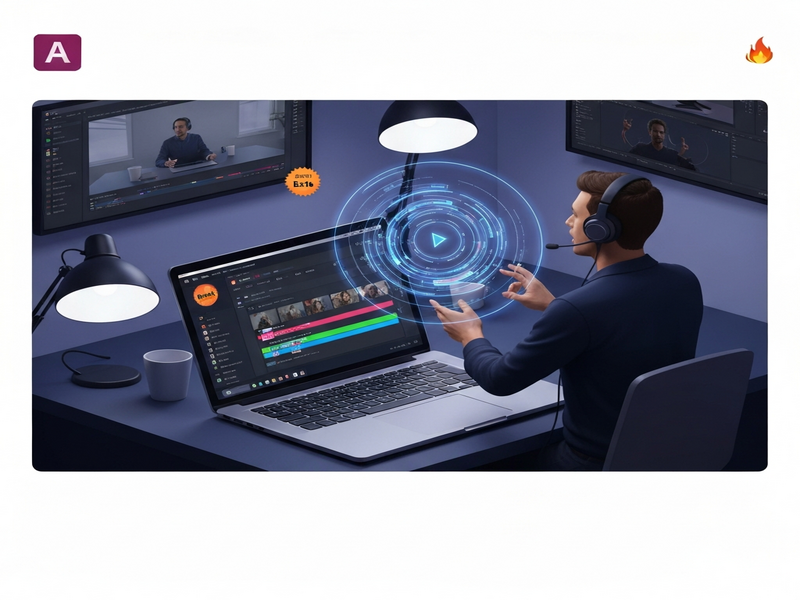
Adobe Firefly Quick Cut is an AI‑driven video editing feature that instantly stitches uploaded clips and generated footage into a coherent first‑draft video, letting creators skip the empty‑timeline stage and focus on storytelling.
Adobe Firefly Quick Cut: A Game‑Changer for Video Creators
When the pressure to produce high‑quality video content meets the endless hours of manual editing, creators crave a smarter solution. Adobe answered that call with Quick Cut, the newest addition to its Firefly suite. Announced in a beta launch this week, Quick Cut promises to turn raw footage into a polished rough cut with just a few text prompts.
Read the original announcement on The Verge for a deeper dive into the feature’s capabilities.
Feature Overview and Beta Launch Details
Automatic Clip Assembly
Quick Cut analyzes uploaded B‑roll, voice‑overs, or AI‑generated clips and arranges them according to a user‑provided narrative description. The AI respects aspect‑ratio preferences, target video length, and even pacing cues.
Text‑Prompt Driven Editing
Creators type simple prompts like “show the product in action, then cut to a customer testimonial, ending with a call‑to‑action” and the engine produces a draft timeline in seconds.
Hybrid Footage Support
Whether you upload your own footage or let Firefly generate supplemental scenes via generative AI, Quick Cut blends both sources seamlessly.
Editable Transcription Timeline
A built‑in transcription view lets you trim, reorder, or replace segments without leaving the editor, accelerating the refinement process.
The beta is currently open to Creative Cloud subscribers, with Adobe promising regular updates based on community feedback.
How Quick Cut Works and Who It’s Built For
Quick Cut follows a three‑step workflow:
- Upload or Generate Footage: Drag‑and‑drop raw clips, stock footage, or let Firefly create AI‑generated scenes.
- Enter a Narrative Prompt: Describe the story arc, key moments, or desired pacing in natural language.
- Review & Refine: The AI produces a draft timeline that you can edit, trim, or re‑prompt for adjustments.
The tool is tailored for:
- Freelance video editors looking to accelerate client turn‑around.
- Marketing teams that need quick video assets for campaigns.
- Content creators on platforms like YouTube and TikTok who must produce frequent, high‑quality videos.
- AI enthusiasts eager to experiment with generative video workflows.
What Adobe Leaders Are Saying
“Quick Cut empowers creators to upload their own B‑roll or generate new footage and instantly turn it into a structured first cut. Goodbye empty timeline. Hello momentum,” said Mike Polner, Head of Product Marketing for Creators at Adobe.
“There are some parts of video editing that really are tedious; they’re not the creative part. We’re interested in using generative AI and assistive AI to get you to the point where you can let your creativity shine,” added Mike Folgner, Senior Director of Product Management, in an interview with The Verge.
Why Quick Cut Matters in the AI Video Editing Landscape
AI‑powered video tools have surged in popularity, but most focus on single‑task automation—color grading, caption generation, or background removal. Quick Cut differentiates itself by tackling the entire initial assembly process, a step traditionally performed manually.
According to a recent UBOS generative AI report, 68% of marketers consider “first‑draft creation” the biggest bottleneck in video production. By automating this stage, Adobe positions Firefly as a direct competitor to emerging platforms like RunwayML and Descript’s Overdub video suite.
Moreover, Quick Cut’s integration with Adobe’s broader ecosystem (Photoshop, After Effects, and the new AI video editing tools) creates a seamless pipeline from raw footage to final export, reinforcing Adobe’s dominance in professional creative workflows.
Optimizing Your Quick Cut Workflow with SEO‑Friendly Practices
To maximize the reach of videos produced with Quick Cut, consider embedding the following keywords in titles, descriptions, and tags:
- Adobe Firefly
- AI video editing
- Quick Cut tutorial
- generative AI video
- beta launch Adobe AI tools
- video editing automation
These terms align with current search trends and help platforms like YouTube and Google Discover surface your content to audiences searching for “AI video editing” or “Adobe Firefly Quick Cut.”
Leverage UBOS Solutions to Extend Quick Cut’s Power
While Adobe’s Quick Cut accelerates the creative start, UBOS offers complementary tools that can further streamline production and distribution:
- UBOS homepage – Explore the full suite of AI‑enhanced SaaS solutions.
- UBOS platform overview – Understand how the platform integrates with existing workflows.
- AI video editing – Discover additional AI video tools that complement Adobe’s offering.
- AI marketing agents – Automate post‑production promotion and distribution.
- UBOS partner program – Join a network of creators and developers.
- UBOS pricing plans – Find flexible pricing for startups and enterprises.
- UBOS templates for quick start – Jump‑start projects with pre‑built AI workflows.
- UBOS portfolio examples – See real‑world case studies of AI‑driven video production.
- Web app editor on UBOS – Build custom interfaces for your Quick Cut pipelines.
- Workflow automation studio – Automate repetitive tasks beyond editing.
- Enterprise AI platform by UBOS – Scale AI video workflows across large teams.
- UBOS for startups – Tailored solutions for fast‑moving creators.
- UBOS solutions for SMBs – Affordable AI tools for small businesses.
- AI SEO Analyzer – Optimize video metadata for search.
- AI Video Generator – Create supplemental clips to feed Quick Cut.
- AI Chatbot template – Add interactive elements to video landing pages.
Conclusion: A New Era for Rapid Video Production
Adobe Firefly Quick Cut marks a pivotal shift from manual timeline assembly to AI‑assisted storytelling. By delivering a functional first draft in seconds, it frees creators to concentrate on narrative nuance, visual polish, and audience engagement. As the AI video editing market matures, tools that combine generative capabilities with seamless workflow integration—like Quick Cut—will set the benchmark for efficiency.
For creators who want to stay ahead of the curve, pairing Adobe’s Quick Cut with UBOS’s suite of automation and marketing AI tools creates a powerful end‑to‑end pipeline, from raw footage to optimized, searchable video assets ready for distribution.
Stay tuned for the next wave of updates as Adobe expands Quick Cut’s feature set and as UBOS continues to roll out new templates that further simplify AI‑driven content creation.
Andrii Bidochko
CTO UBOS
Andrii Bidochko is an AI entrepreneur and researcher focused on AI agents, reinforcement learning, and autonomous systems. He writes about the technologies shaping the future of machine intelligence, from frontier models and agent architectures to real-world AI applications.