

- Updated: February 23, 2026
- 7 min read
TruLens Tutorial: Instrumenting, Tracing, and Evaluating LLM Applications
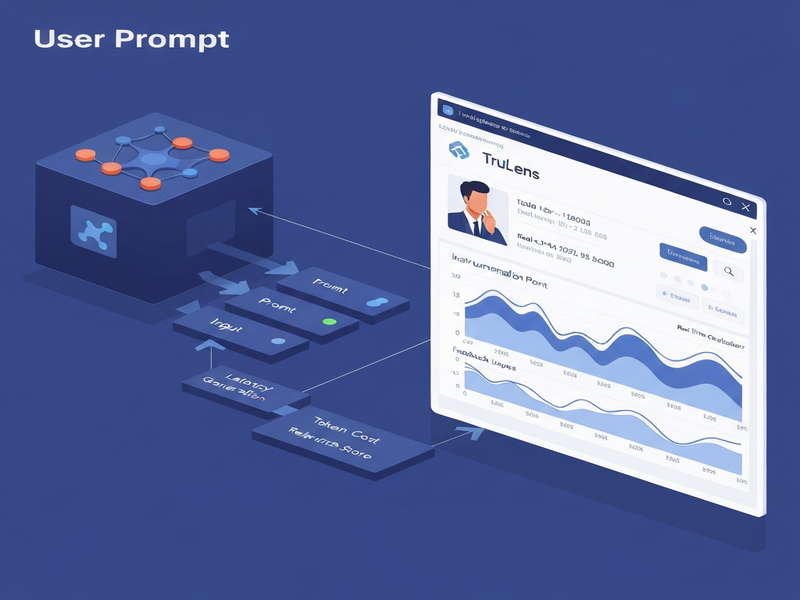
TruLens provides a complete framework for instrumenting, tracing, and evaluating LLM applications, turning opaque model calls into observable, measurable, and reproducible pipelines.
Why TruLens Is the Missing Piece in Your RAG Pipeline
Large Language Model (LLM) developers have long struggled with “black‑box” behavior—especially when building Retrieval‑Augmented Generation (RAG) systems that combine vector stores, prompt engineering, and OpenAI models. The new TruLens tutorial released on MarkTechPost shows how to add AI instrumentation, capture LLM tracing data, and run systematic AI evaluation across multiple prompt variants. This article distills the tutorial into a step‑by‑step guide, highlights the evaluation dashboard, and points you to UBOS resources that let you spin up the same workflow in minutes.
What Is TruLens and Why It Matters
TruLens is an open‑source observability stack built for LLM applications. It automatically creates spans for each function (retrieval, generation, and the root request), logs inputs/outputs, and attaches feedback functions that score groundedness, relevance, and citation quality. In short, it transforms every LLM call into a traceable artifact that can be compared across versions, much like A/B testing for web traffic.
- Works out‑of‑the‑box with OpenAI ChatGPT integration and other providers.
- Supports vector stores such as Chroma DB integration for fast semantic search.
- Provides a visual RAG pipeline dashboard for instant performance insights.
Step‑by‑Step: Instrumenting and Tracing Your LLM App
1️⃣ Set Up the Environment
Begin by installing the required packages. The tutorial uses trulens, trulens-providers-openai, chromadb, and the openai SDK. In a UBOS‑hosted notebook you can run:
pip install trulens trulens-providers-openai chromadb openai
UBOS makes this even easier with its Web app editor, which pre‑installs common AI libraries and provides a secure OPENAI_API_KEY vault.
2️⃣ Prepare Your Knowledge Base
The tutorial splits raw documents into overlapping chunks (≈350 tokens) to preserve context. Each chunk receives metadata (doc_id, title, chunk_index) that later appears in the trace. UBOS offers a ready‑made template for chunking and a Chroma DB integration component you can drop into your workflow.
def chunk_docs(docs, size=350, overlap=80):
    # … (same logic as the tutorial) …
3️⃣ Instrument Retrieval and Generation
TruLens uses the @instrument decorator to create OpenTelemetry spans. The following snippet shows how to instrument a retrieve method that queries Chroma and a generate method that calls the OpenAI model:
from trulens.core.otel.instrument import instrument
from trulens.otel.semconv.trace import SpanAttributes

@instrument(span_type=SpanAttributes.SpanType.RETRIEVAL,
            attributes={SpanAttributes.RETRIEVAL.QUERY_TEXT: "query",
                        SpanAttributes.RETRIEVAL.RETRIEVED_CONTEXTS: "return"})
def retrieve(self, query: str) -> list:
    return collection.query(query_texts=[query], n_results=self.k)

@instrument(span_type=SpanAttributes.SpanType.GENERATION)
def generate(self, query: str, hits: list) -> str:
    # Build prompt and call OpenAI
    …
By adding these spans, every query, the retrieved chunks, and the final answer become part of a single trace tree that the dashboard can visualize.
4️⃣ Define Feedback Functions (Evaluation Metrics)
TruLens ships with a library of feedback functions that score model output. The tutorial creates three metrics:
- Groundedness – checks whether the answer is supported by the retrieved context.
- Answer relevance – measures how well the response matches the user’s intent.
- Context relevance – evaluates the relevance of the retrieved chunks themselves.
UBOS’s AI evaluation module lets you reuse these functions across projects, and you can extend them with custom business rules (e.g., compliance checks).
5️⃣ Run Experiments and Capture Traces
With the TruApp wrapper you can record multiple app versions (e.g., a “base” prompt vs. a “strict citation” prompt) under the same TruSession. The tutorial runs a list of evaluation queries and stores the results in a SQLite database that the dashboard reads.
session = TruSession()
session.reset_database()

rag_base = RAG(gen_model="gpt-4o-mini", prompt_style="base")
rag_strict = RAG(gen_model="gpt-4o-mini", prompt_style="strict_citations")

tru_base = TruApp(rag_base, app_name="TruLens‑RAG", app_version="v1_base",
                  feedbacks=[f_groundedness, f_answer_relevance, f_context_relevance])
tru_strict = TruApp(rag_strict, app_name="TruLens‑RAG", app_version="v2_strict",
                    feedbacks=[f_groundedness, f_answer_relevance, f_context_relevance])

for q in EVAL_QUERIES:
    with tru_base as rec: rag_base.query(q)
    with tru_strict as rec: rag_strict.query(q)
6️⃣ Visualize Results in the Dashboard
After the runs, call run_dashboard(session). The interactive UI shows:
- A leaderboard comparing the two prompt styles across all three metrics.
- Per‑trace timelines that let you drill into latency, token usage, and individual feedback scores.
- Exportable CSV/JSON for downstream analytics.
The same dashboard is embedded in the UBOS AI instrumentation portal, so you can monitor production workloads without leaving the platform.
Deep Dive: Evaluation Metrics & Dashboard Walkthrough
Understanding each metric helps you decide where to invest engineering effort. Below is a concise cheat‑sheet:
| Metric | What It Measures | Typical Threshold |
|---|---|---|
| Groundedness | Proportion of answer sentences directly supported by retrieved chunks. | ≥ 0.75 for compliance‑sensitive use‑cases. |
| Answer Relevance | Semantic similarity between user query and final answer. | ≥ 0.80 (cosine similarity). |
| Context Relevance | How well the retrieved chunks match the query intent. | ≥ 0.70 average score. |
In the dashboard, each trace appears as a horizontal bar. Hovering over a span reveals the raw input/output JSON, and clicking the “Feedback” icon opens a modal with the exact score and the LLM‑generated rationale (e.g., “The answer cites chunk [C2] which contains the phrase …”). This level of transparency is what the tutorial calls “audit‑ready LLM tracing.”
Key Takeaways & Best‑Practice Checklist
From the tutorial and our own experience, the following practices consistently improve reliability and observability:
- Instrument every public function. Even helper utilities (e.g., prompt formatting) can become bottlenecks; instrument them to capture latency.
- Use overlapping chunks. Overlap of 80 tokens reduces boundary hallucinations during retrieval.
- Standardize feedback functions. Keep the same feedback definitions across experiments to ensure a fair leaderboard.
- Version your prompts. Encode prompt style in
app_versionso the dashboard can filter by version. - Persist traces. Store the SQLite DB in a durable volume (UBOS Enterprise AI platform offers managed persistence).
- Automate evaluation runs. Schedule nightly runs via UBOS Workflow automation studio to catch regressions early.
Next Steps: Build Your Own TruLens‑Powered RAG on UBOS
Ready to turn theory into production? UBOS provides a one‑click starter kit that bundles:
- A pre‑configured UBOS platform overview with OpenAI and Chroma connectors.
- Ready‑made AI SEO Analyzer template that demonstrates feedback‑driven ranking.
- The AI Video Generator template for multimodal output, showing how to attach additional feedback (visual relevance).
- Access to the UBOS partner program for dedicated support and co‑marketing.
- Transparent pricing via the UBOS pricing plans—you can start for free and scale as your trace volume grows.
If you’re a startup, check out UBOS for startups for credits and mentorship. For SMBs, the UBOS solutions for SMBs include built‑in compliance dashboards that align perfectly with TruLens’ audit trails.
Need a voice‑enabled assistant? Combine the ElevenLabs AI voice integration with your RAG pipeline and let TruLens trace audio‑to‑text conversions as well.
For a quick prototype, drag the UBOS templates for quick start into the Web app editor, replace the placeholder OpenAI key, and hit “Run”. The dashboard will appear automatically, showing you the first traces in seconds.
The full tutorial and source code are available in the original MarkTechPost article.
By adopting TruLens within the UBOS ecosystem, you gain end‑to‑end visibility, reproducible evaluation, and a scalable path from prototype to production. Whether you’re building a knowledge‑base chatbot, an AI‑driven support desk, or a compliance‑focused RAG system, the combination of instrumentation, tracing, and AI evaluation is the foundation for trustworthy, high‑performing LLM applications.
Andrii Bidochko
CTO UBOS
Andrii Bidochko is an AI entrepreneur and researcher focused on AI agents, reinforcement learning, and autonomous systems. He writes about the technologies shaping the future of machine intelligence, from frontier models and agent architectures to real-world AI applications.