

- Updated: February 18, 2026
- 6 min read
FreeBSD, Kerberos, LDAP Integration with FreeIPA IDM – A Complete Guide
FreeBSD can natively authenticate users against a FreeIPA/IDM server using MIT Kerberos and the lightweight nslcd daemon, providing a simple, secure, and maintenance‑free LDAP/Kerberos integration.
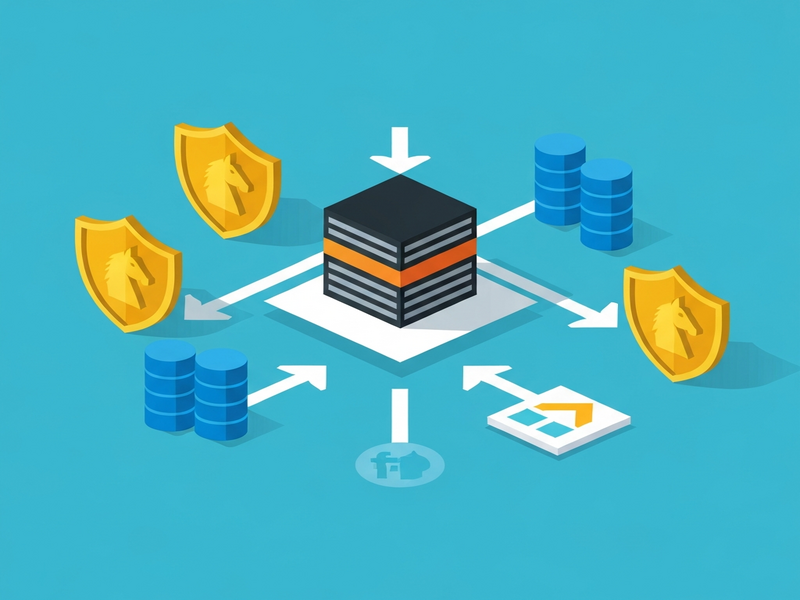
Native FreeBSD Kerberos / LDAP Integration with FreeIPA/IDM – A Complete Guide
This article explains how to configure FreeBSD 15 (or later) to use native MIT Kerberos and LDAP authentication against a FreeIPA/IDM domain. The steps are distilled from the original work of Christian Hofstede‑Kuhn (Larvitz) and expanded with additional best‑practice tips. For the full original write‑up, see Christian’s article. The guide is written for system administrators, security engineers, and DevOps professionals who need a reliable identity‑management solution on FreeBSD.
Why FreeBSD’s Switch to MIT Kerberos Matters
FreeBSD 15 replaced the older Heimdal implementation with the MIT Kerberos libraries, which are fully compatible with the Kerberos protocol used by FreeIPA/IDM. This change eliminates the need for complex sssd setups, reduces dependency bloat, and aligns FreeBSD with the de‑facto standard used by most Linux distributions.
Prerequisites
- A running FreeIPA/IDM server (version 4.10+ recommended).
- FreeBSD 15 (or newer) system with root access.
- Network connectivity (DNS or static
/etc/hostsentries) between the FreeBSD host and the IPA server. - Basic familiarity with
pkg,ssh, andpamconfiguration.
Step‑by‑Step Setup Summary
1. Switch to the “latest” package repository
mkdir -p /usr/local/etc/pkg/repos
sed 's/quarterly/latest/g' /etc/pkg/FreeBSD.conf > /usr/local/etc/pkg/repos/FreeBSD.conf
2. Install the required packages
pkg install -y nss-pam-ldapd pam_mkhomedir sudo doasThe nss-pam-ldapd package provides the nslcd daemon, while pam_mkhomedir auto‑creates home directories on first login.
3. Ensure DNS resolution (or add static hosts)
cat >> /etc/hosts <<EOF
172.27.33.200  ipa.example.org ipa
172.27.33.215  fbsd15.example.org fbsd15
EOF
If your network already resolves the IPA server via DNS, you can skip this step.
4. Register the FreeBSD host in FreeIPA
Run these commands on the IPA server (replace example.org with your realm):
kinit admin
ipa host-add fbsd15.example.org
ipa-getkeytab -s ipa.example.org -p host/fbsd15.example.org@EXAMPLE.ORG -k /root/fbsd15.keytab
chmod 644 /root/fbsd15.keytab
5. Transfer the keytab to the FreeBSD host
fetch -o /etc/krb5.keytab http://ipa.example.org/ipa/config/fbsd15.keytab
chmod 640 /etc/krb5.keytab
klist -k
Verify that the keytab contains the host/fbsd15.example.org principal.
6. Add the sshd user to the nslcd group
pw groupmod nslcd -m sshd7. Create /etc/krb5.conf
[libdefaults]
  default_realm = EXAMPLE.ORG
  dns_lookup_kdc = false
  dns_lookup_realm = false

[realms]
  EXAMPLE.ORG = {
    kdc = ipa.example.org
    admin_server = ipa.example.org
  }

[domain_realm]
  .example.org = EXAMPLE.ORG
  example.org = EXAMPLE.ORG
8. Configure nslcd
# /usr/local/etc/nslcd.conf
uid nslcd
gid nslcd
uri ldap://ipa.example.org
base dc=example,dc=org
sasl_mech GSSAPI
sasl_realm EXAMPLE.ORG
map passwd loginShell "/bin/sh"
9. Enable and start nslcd
service nslcd enable
service nslcd start
10. Update /etc/nsswitch.conf
group:   files ldap
passwd:  files ldap
hosts:   files dns
networks: files
services: files
11. PAM configuration for SSH
# Append to /etc/pam.d/sshd
auth       sufficient   pam_krb5.so no_warn try_first_pass
account    required     pam_krb5.so
password   sufficient   pam_krb5.so no_warn try_first_pass
session    optional     pam_mkhomedir.so mode=0700
session    required     pam_permit.so
Enable Kerberos in /etc/ssh/sshd_config:
GSSAPIAuthentication yes
GSSAPICleanupCredentials yes
GSSAPIStrictAcceptorCheck no
Restart SSH:
service sshd restart12. Verify the setup
kinit youruser@EXAMPLE.ORG
ssh fbsd15.example.org -l youruser
id youruser
If the id command returns the correct UID/GID from IPA, the integration is successful.
Benefits and Practical Use Cases
The native approach delivers several tangible advantages for enterprises and SMBs alike:
- Zero‑maintenance authentication daemon: No need for
sssdor Python‑heavy dependencies. - Unified credential management: Users keep a single password across Linux, Windows (via Samba), and FreeBSD nodes.
- Improved security posture: Kerberos tickets are short‑lived, and LDAP traffic is encrypted with GSSAPI.
- Scalable for cloud‑native workloads: Works seamlessly with containers and orchestration platforms that run on FreeBSD.
- Compliance ready: Aligns with PCI‑DSS, GDPR, and other standards that require strong authentication.
Typical scenarios where this integration shines:
- Hybrid data‑center environments mixing Linux, Windows, and FreeBSD servers.
- DevOps pipelines that need to pull source code from internal Git servers protected by Kerberos.
- Secure remote access for engineers using SSH keys backed by Kerberos tickets.
- Enterprise single sign‑on (SSO) for internal web applications hosted on FreeBSD.
Further Reading & Internal Resources
For deeper security hardening, consult our FreeBSD security guide. It covers firewall tuning, auditd configuration, and best practices for production deployments.
Our dedicated LDAP integration blog post walks through advanced LDAP schema extensions and troubleshooting tips.
Explore the broader ecosystem of UBOS solutions that complement identity management:
- UBOS homepage – an overview of the platform.
- About UBOS – learn about the team behind the technology.
- UBOS platform overview – see how AI and automation integrate with your infrastructure.
- Enterprise AI platform by UBOS – scale AI workloads across data centers.
- UBOS partner program – become a certified integration partner.
- AI marketing agents – automate campaign creation with AI.
- UBOS solutions for SMBs – affordable AI tools for small businesses.
- UBOS for startups – fast‑track your MVP with pre‑built templates.
- Workflow automation studio – design no‑code automations.
- Web app editor on UBOS – drag‑and‑drop UI builder.
- UBOS pricing plans – transparent pricing for every scale.
- UBOS portfolio examples – real‑world case studies.
- UBOS templates for quick start – jump‑start projects with ready‑made blueprints.
Our Template Marketplace also offers ready‑made AI utilities that can be combined with the Kerberos/LDAP setup for richer services:
- AI SEO Analyzer – boost your site’s search visibility.
- AI Article Copywriter – generate content automatically.
- AI Video Generator – create marketing videos from text.
- AI Chatbot template – embed a conversational agent behind your authentication layer.
- GPT-Powered Telegram Bot – receive alerts from your FreeBSD servers via Telegram.
- AI Email Marketing – personalize outreach using user attributes from LDAP.
Meta Description Suggestions
Choose one of the following concise meta descriptions (under 160 characters) for optimal click‑through rates:
- Learn how to integrate FreeBSD with FreeIPA using native Kerberos and LDAP – step‑by‑step guide for admins.
- Native FreeBSD Kerberos/LDAP with FreeIPA explained: setup, benefits, and real‑world use cases.
- Secure FreeBSD authentication via FreeIPA: MIT Kerberos, nslcd, and PAM configuration tutorial.
Conclusion
By leveraging FreeBSD’s built‑in MIT Kerberos support and the lightweight nslcd daemon, organizations can achieve a clean, maintainable, and highly secure identity‑management layer without the overhead of heavyweight daemons. The process outlined above is fully reproducible, works across cloud and on‑prem environments, and aligns with modern security standards. Pair this foundation with UBOS’s AI‑driven automation tools to unlock next‑generation workflows that are both intelligent and compliant.
Ready to modernize your FreeBSD authentication? Dive into the UBOS ecosystem, explore our templates, and start building secure, AI‑enhanced services today.
Andrii Bidochko
CTO UBOS
Andrii Bidochko is an AI entrepreneur and researcher focused on AI agents, reinforcement learning, and autonomous systems. He writes about the technologies shaping the future of machine intelligence, from frontier models and agent architectures to real-world AI applications.