

- Updated: February 18, 2026
- 6 min read
WordPress Launches AI Assistant to Transform Site Editing
WordPress has launched an AI assistant that lets users edit their sites with natural‑language prompts, generate images, translate content, and reorganize pages directly from the block editor.
WordPress Introduces AI‑Powered Site Editing – A Game‑Changer for Creators
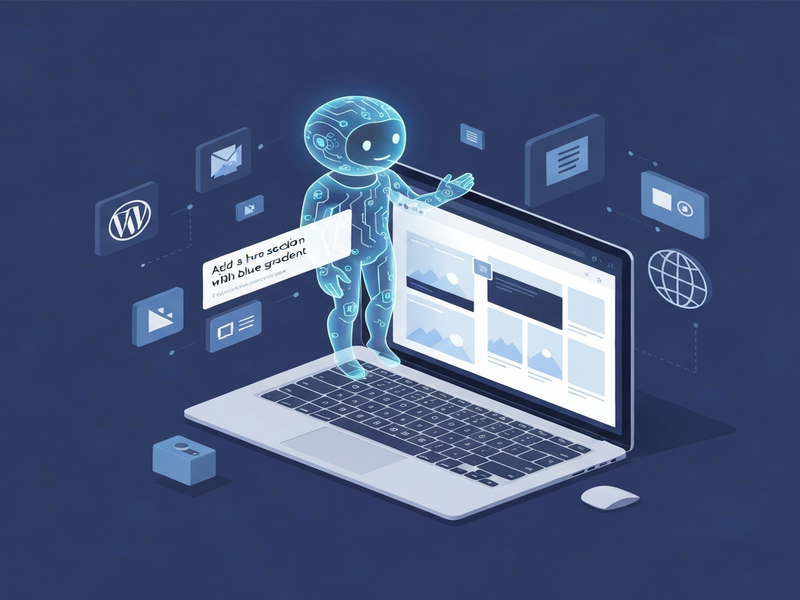
In a move that could reshape how millions of websites are built and maintained, WordPress unveiled its AI assistant on February 17, 2026. Integrated into the Gutenberg block editor and media library, the new tool empowers anyone—from seasoned developers to hobbyist bloggers—to command their site with simple text prompts. The assistant can draft copy, suggest headlines, generate custom images, translate pages, and even restructure site navigation without writing a single line of code.
What the Launch Means for the WordPress Ecosystem
The AI assistant arrives as part of WordPress 6.9, the latest major release that introduced block notes for collaborative editing. By tagging the assistant with @ai in a note, users can ask it to “rewrite this paragraph in a friendly tone” or “create a hero image for a summer sale.” The feature is opt‑in; site owners enable it in Settings → AI Tools. Sites built with the AI website builder launched last year have the assistant turned on by default, giving early adopters an immediate productivity boost.
Key Features and How Prompt‑Based Editing Works
The assistant lives in a dedicated sidebar within the Gutenberg editor. Its capabilities are grouped into four main categories:
- Content Generation: Write blog posts, product descriptions, or FAQs by describing the desired outcome.
- Image Creation & Editing: Leverage Google’s Nano Banana model to generate custom visuals or modify existing images.
- Translation & Localization: Instantly translate pages into over 30 languages while preserving SEO metadata.
- Site Structure Adjustments: Add new pages, reorder menus, or change typography with a single command.
Behind the scenes, the assistant calls OpenAI’s OpenAI ChatGPT integration for natural‑language understanding and Chroma DB integration for vector‑based content retrieval. This hybrid approach ensures fast, context‑aware responses even on large sites.
Prompt Workflow in Action
- Open the block you want to modify and type
@aiin a block note. - Enter a clear instruction, e.g., “Rewrite this intro to be more conversational and add a call‑to‑action.”
- The assistant analyzes the block, suggests edits, and lets you accept or refine the output.
- For image requests, describe the scene (“sunset over a mountain range with a bold headline”) and the AI returns a ready‑to‑use graphic.
“The AI assistant feels like having a co‑author, designer, and translator all in one sidebar,” said a beta tester from a leading e‑commerce brand.
Benefits for Site Owners, Developers, and Marketers
WordPress’s AI assistant is not a one‑size‑fits‑all gimmick; it delivers concrete value across three core user groups.
For Site Owners
- Reduce reliance on external agencies—simple edits can be done in minutes.
- Accelerate multilingual rollouts, opening new markets without hiring translators.
- Maintain brand consistency with AI‑driven style guidelines embedded in prompts.
For Developers
- Focus on complex logic while the AI handles repetitive content tasks.
- Leverage the Web app editor on UBOS to prototype custom blocks that interact with the assistant.
- Integrate with the Workflow automation studio to trigger AI actions on form submissions or content updates.
For Marketers
- Generate SEO‑friendly copy instantly using the AI SEO Analyzer and AI Article Copywriter templates.
- Produce video snippets with the AI Video Generator for social campaigns.
- Deploy AI marketing agents that personalize landing pages based on visitor behavior.
How WordPress AI Stacks Up Against Other AI Website Tools
Several platforms already offer AI‑driven site builders, but WordPress’s approach is distinct in three ways:
| Feature | WordPress AI Assistant | Competitor X (e.g., Wix ADI) | Competitor Y (e.g., Squarespace AI) |
|---|---|---|---|
| Native Integration with Existing Site | Full‑site editing within Gutenberg | Separate AI‑only builder | Limited to new pages only |
| Prompt Flexibility | Free‑form natural language | Template‑driven prompts | Pre‑set content blocks |
| Extensibility | Hooks into ChatGPT and Telegram integration and other UBOS services | Closed ecosystem | Limited third‑party plugins |
| Pricing Model | Included in core, optional premium add‑ons (UBOS pricing plans for advanced AI) | Subscription‑only | Tiered plans with AI add‑on |
Because the assistant lives inside WordPress, users retain full control over hosting, data privacy, and plugin ecosystems—advantages that many SaaS‑only builders cannot match.
SEO Advantages and an Internal Linking Strategy Powered by AI
Search engines love fresh, well‑structured content. The AI assistant helps you:
- Generate keyword‑rich headings and meta descriptions on the fly.
- Automatically create
alttext for images, improving accessibility and image search. - Suggest internal linking opportunities based on site topology, a feature we’ve seen in the UBOS partner program where AI recommends partner pages.
For example, a blog post about “AI content creation” can instantly link to relevant resources such as the AI Article Copywriter template, the AI SEO Analyzer, and the AI YouTube Comment Analysis tool. This not only improves user navigation but also distributes link equity throughout the site, a proven SEO boost.
Moreover, the assistant can audit existing content for duplicate meta tags, thin content, or missing schema, offering a quick remediation plan. By keeping the site’s semantic structure clean, WordPress sites become more AI‑friendly, increasing the likelihood of being featured in AI‑driven search experiences like ChatGPT’s “WebGPT” mode.
Conclusion: A New Era of Conversational Site Management
The WordPress AI assistant marks a pivotal shift from static page builders to conversational, intent‑driven site management. Whether you’re a solo blogger, a growing startup, or an enterprise looking to scale multilingual content, the tool offers a low‑friction path to faster publishing, richer media, and smarter SEO.
Ready to experience AI‑enhanced WordPress editing? Visit the UBOS homepage to explore complementary AI solutions, from the Enterprise AI platform by UBOS to the UBOS templates for quick start. If you’re a startup, check out UBOS for startups, and for SMBs, the UBOS solutions for SMBs can accelerate your AI adoption.
Stay ahead of the curve—integrate the AI assistant today and let your website write, design, and translate itself. For a deeper dive into the launch details, read the original Verge article.
© 2026 UBOS. All rights reserved.
Andrii Bidochko
CTO UBOS
Andrii Bidochko is an AI entrepreneur and researcher focused on AI agents, reinforcement learning, and autonomous systems. He writes about the technologies shaping the future of machine intelligence, from frontier models and agent architectures to real-world AI applications.