

- Updated: February 17, 2026
- 6 min read
Android Auto Beta Introduces In‑Car Video Streaming for Parked Vehicles
The Android Auto beta update now includes native video‑streaming support, allowing compatible apps to play video directly on the car’s infotainment screen while the vehicle is parked.
Introduction – Android Auto’s Latest Beta Milestone
Google’s Android Auto beta has taken a bold step forward with the rollout of an in‑car video‑streaming capability. Until now, Android Auto was limited to navigation, music, messaging, and voice‑first interactions. This new feature expands the platform into the realm of visual entertainment, positioning it as a more versatile car infotainment solution for tech‑savvy drivers.
Early testers report a smooth integration that respects driver safety by restricting playback to when the vehicle is stationary. The update arrives as part of the Android Auto beta program and is expected to become a standard feature in future stable releases.
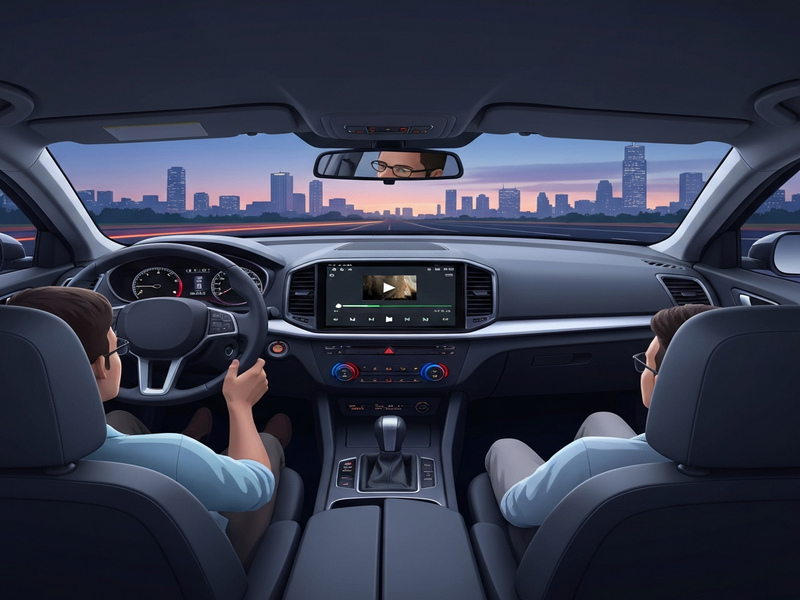
New Video Streaming Feature Details and Supported Apps
The beta introduces a dedicated Video Player module within Android Auto’s UI. When a supported app launches a video, the system detects the request and renders the content on the vehicle’s display, provided the car is parked and the driver has granted permission.
Supported Apps (Beta)
- YouTube – Full‑screen playback with adaptive bitrate.
- Netflix – Limited to selected titles due to DRM constraints.
- Spotify Video – Music videos and podcasts with visual components.
- Google Photos – Slideshows of personal media collections.
- Third‑party streaming services that adopt the new
android.auto.videointent.
Developers can enable video support by adding the android:auto:video flag to their manifest and handling the android.intent.action.VIEW intent with a VideoView or ExoPlayer instance. For a deeper dive into integrating AI‑enhanced features, see the OpenAI ChatGPT integration guide.
How the Feature Works In‑Car and User Experience
When a driver selects a video‑enabled app, Android Auto performs the following steps:
- Context Check: Verifies the vehicle is parked and the driver’s seat belt is fastened.
- Permission Prompt: Displays a one‑time dialog asking if video playback is allowed.
- Secure Rendering: Streams video through a sandboxed surface to prevent interference with critical vehicle functions.
- Audio Routing: Directs audio to the car’s speakers or Bluetooth headphones, respecting existing media sessions.
- Power Management: Pauses playback if the engine is turned on or the car starts moving.
The UI mirrors the familiar Android Auto layout, with a “Video” tab that appears alongside “Navigation” and “Media.” Users can swipe to full‑screen mode, adjust volume, and use voice commands via “Hey Google” to pause, skip, or change playback speed.
Pro tip:
Pair Android Auto with ChatGPT and Telegram integration to receive hands‑free video recommendations based on your preferences while you wait in the parking lot.
Performance Considerations and Limitations
While the beta showcases impressive functionality, there are technical constraints to keep in mind:
| Aspect | Details |
|---|---|
| Network Requirements | Stable 4G/5G or Wi‑Fi hotspot; adaptive bitrate mitigates buffering. |
| Battery Impact | Higher power draw; recommended to keep the engine running or use a high‑capacity battery. |
| Screen Size & Resolution | Optimized for 720p displays; 1080p may cause scaling artifacts on older head units. |
| Safety Restrictions | Playback automatically pauses when the car moves or the driver’s seat belt is unbuckled. |
Developers should also be aware of DRM limitations. Currently, only services that support Widevine Classic can stream protected content, which excludes some premium titles.
Comparison with Competing In‑Car Streaming Solutions
Several manufacturers have introduced proprietary video‑streaming platforms, such as Apple CarPlay’s “CarPlay TV” (still in limited rollout) and Tesla’s built‑in streaming apps. Below is a quick MECE‑styled comparison:
- Platform Openness: Android Auto’s beta is open to any third‑party app that follows the intent guidelines, whereas Apple’s solution remains tightly controlled.
- Device Compatibility: Android Auto works across a wide range of head units from manufacturers like Alpine, Pioneer, and Sony; Tesla’s solution is exclusive to its own hardware.
- Safety Enforcement: Both Android Auto and Apple CarPlay enforce parking‑only playback, but Android Auto provides a more granular permission model.
- AI Integration Potential: Android Auto can be extended with AI agents via the AI marketing agents framework, enabling personalized content suggestions.
- Pricing Model: Android Auto is free for end‑users, while some competitor services require subscription tiers; see UBOS pricing plans for a comparable SaaS model.
How to Join the Beta and Install the Update
Getting the video‑streaming beta is straightforward for Android enthusiasts:
- Open the Android Auto app on your phone.
- Navigate to Settings > Beta program and tap “Join.”
- Accept the terms and wait for the update to appear (usually within 24‑48 hours).
- After the update installs, connect your phone to a compatible head unit via USB or wireless Android Auto.
- When parked, open a supported video app and follow the on‑screen permission prompt.
For developers eager to test integration, the Workflow automation studio offers templates to simulate video intents and verify compliance with Android Auto’s safety policies.
Future Outlook for Android Auto
Google’s roadmap hints at several enhancements that could make Android Auto a true “living room on wheels.” Anticipated features include:
- Multi‑screen synchronization: Seamless handoff between the car display and personal devices.
- AI‑driven content curation: Leveraging Enterprise AI platform by UBOS to recommend videos based on driver habits and calendar events.
- Voice‑first video controls: Full control via Google Assistant, reducing the need for touch interaction.
- Enhanced DRM support: Broader compatibility with premium streaming services.
As the ecosystem matures, we expect tighter integration with other UBOS services. For instance, the UBOS templates for quick start already include a “Video Streaming Dashboard” that can be deployed in minutes, allowing developers to prototype new in‑car experiences without writing boilerplate code.
“The Android Auto video beta is a clear signal that Google is treating the car as an extension of the living room, not just a navigation hub.” – Industry Analyst, 2026
Conclusion
The Android Auto beta update with video streaming marks a pivotal evolution in car infotainment, blending safety‑first design with the demand for richer media experiences. While still in beta, the feature demonstrates Google’s commitment to an open, AI‑ready platform that can be extended through services like AI marketing agents and the Web app editor on UBOS. Early adopters who join the beta now will shape the future of in‑car entertainment and set the stage for more sophisticated AI‑driven interactions.
For a deeper look at the original announcement, read the Android Police article. Stay tuned as Google refines the experience and expands support to more apps and vehicle models.
© 2026 UBOS. All rights reserved.