

- Updated: February 14, 2026
- 6 min read
Samsung Internet Integrates Perplexity AI in One UI 9 – New AI‑Powered Browsing Features
Samsung Internet now integrates Perplexity AI in One UI 9, delivering AI‑powered search, contextual answers, and on‑demand assistance directly inside the mobile browser.
Samsung Internet Unveils Perplexity AI Integration in One UI 9
Samsung’s flagship mobile browser, Samsung Internet, received a major upgrade with the rollout of One UI 9. The centerpiece of this update is a native integration with Perplexity AI, an advanced large‑language‑model service that brings real‑time, conversational answers to web browsing. For Android enthusiasts, this means a smarter, faster, and more context‑aware browsing experience without leaving the app.
What’s New in One UI 9 for Samsung Internet?
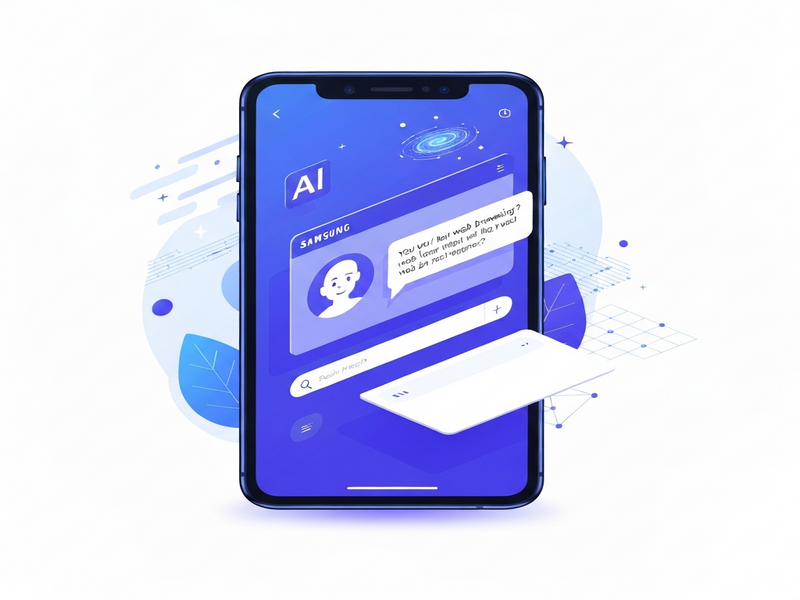
One UI 9, Samsung’s latest Android skin, introduces a suite of AI‑centric features that extend beyond the traditional browser toolbar. The most notable addition is the Ask AI button, powered by Perplexivity’s knowledge engine, which can answer questions, summarize articles, and even generate quick drafts for emails or notes—all while you surf the web.
Key Perplexity AI Features
- Contextual Q&A: Highlight any text on a page and tap the AI icon to receive concise answers sourced from the web.
- Summarization on the Fly: Long‑form articles are condensed into bullet‑point summaries, perfect for quick reads on the go.
- Smart Suggestions: While typing in the address bar, the AI predicts queries and offers relevant links before you finish.
- Multilingual Support: Perplexity’s language model handles over 30 languages, automatically translating queries and results.
- Privacy‑First Design: All AI requests are processed through encrypted channels, and users can opt‑out of data sharing at any time.
How the Integration Works
The integration is built on a lightweight SDK that communicates with Perplexity’s cloud endpoints. When a user invokes the AI, the browser sends the selected text and device context (URL, language, and screen size) to Perplexity’s servers. The response is rendered in a floating card that blends seamlessly with Samsung Internet’s UI, preserving the native look and feel.
User Experience Improvements and Real‑World Use Cases
Early adopters report that the AI assistant reduces the number of tabs needed for research and speeds up decision‑making. Below are common scenarios where the new features shine:
- Travel Planning: Ask the browser “What’s the weather in Tokyo next week?” and receive a concise forecast without opening a separate weather app.
- Shopping Comparison: Highlight a product name and ask “Is this the best price?” to get a quick price‑comparison summary.
- Learning on the Move: While reading a technical article, select a term and request a definition or example code snippet.
- Content Creation: Use the AI to draft a short social‑media post based on a news article, then copy it directly into your preferred app.
- Multilingual Communication: Translate a foreign‑language webpage into your native language with a single tap.
How Samsung Internet Stacks Up Against Competing Android Browsers
To understand the competitive landscape, let’s compare Samsung Internet’s AI capabilities with those of Google Chrome, Microsoft Edge, and the emerging Brave browser.
| Feature | Samsung Internet (One UI 9) | Google Chrome | Microsoft Edge | Brave |
|---|---|---|---|---|
| AI‑Powered Q&A | Perplexity AI native integration | Bard (limited rollout) | Copilot (beta) | None (focus on privacy) |
| On‑page summarization | Yes, via Perplexity | No | No | No |
| Multilingual AI | 30+ languages | Limited | Limited | None |
| Privacy Controls | Opt‑out, encrypted requests | Standard Google data policies | Microsoft telemetry | Ad‑blocker by default |
Industry Reaction: Analyst and Samsung Statements
“Integrating Perplexity AI directly into Samsung Internet is a strategic move that positions Samsung as a leader in mobile AI experiences. Users get instant, context‑aware knowledge without leaving the browser, which is a clear differentiator in the crowded Android ecosystem,” said Tech analyst Maya Patel of IDC.
Samsung’s product manager, Jin‑woo Lee, emphasized that the feature was built “with user privacy at its core” and highlighted the seamless hand‑off between browsing and AI assistance. The company also hinted at future expansions, such as AI‑driven ad‑blocking and personalized content feeds.
Implications for Developers and Enterprises
For developers, the Perplexity SDK opens a new channel to embed AI‑enhanced interactions within web apps that run on Samsung Internet. Enterprises can leverage this to create smarter mobile experiences, especially when combined with other AI services.
UBOS, a leading low‑code AI platform, already offers a suite of tools that complement Samsung’s browser AI:
- UBOS platform overview – a unified environment to build, train, and deploy AI models that can be called from mobile browsers.
- AI marketing agents – automate campaign creation and analysis, which can be triggered by browser‑based AI queries.
- Workflow automation studio – design end‑to‑end processes that react to Perplexity AI responses, such as auto‑filling forms or generating reports.
- UBOS templates for quick start – jump‑start projects with pre‑built templates like the AI Chatbot template or the AI SEO Analyzer.
- Enterprise AI platform by UBOS – scale AI workloads across the organization while keeping data secure.
- UBOS partner program – collaborate with Samsung developers to co‑create AI‑enhanced mobile solutions.
By combining Samsung Internet’s on‑device AI with UBOS’s backend capabilities, businesses can deliver hyper‑personalized experiences, such as real‑time product recommendations that appear as you browse an e‑commerce site.
Showcase: UBOS Templates That Complement Mobile AI
Below are a few UBOS marketplace templates that pair naturally with Samsung’s new AI features:
- AI Article Copywriter – generate blog drafts from a short prompt, perfect for on‑the‑go content creation.
- AI Survey Generator – instantly create feedback forms based on user queries.
- Web Scraping with Generative AI – pull structured data from visited pages and feed it into analytics pipelines.
- AI LinkedIn Post Optimization – refine professional updates directly from the browser.
- AI Video Generator – turn summarized article content into short video snippets.
- AI Audio Transcription and Analysis – transcribe podcasts you discover while browsing and extract key insights.
External Reference
For a deeper dive into the technical details, see the original coverage on Android Police.
Conclusion: A New Era for Mobile Browsing
The Perplexity AI integration marks a pivotal moment for Samsung Internet, turning a conventional web browser into an intelligent assistant. By delivering contextual answers, multilingual support, and privacy‑first design, Samsung not only differentiates itself from Chrome and Edge but also sets a benchmark for future AI‑driven mobile experiences.
Whether you’re a power user, a developer looking to embed AI, or an enterprise seeking to boost productivity, the new features in One UI 9 open a world of possibilities. Explore how UBOS can help you harness this momentum—visit the UBOS homepage to start building AI‑enhanced solutions today.
Ready to supercharge your mobile workflow? Dive into the UBOS pricing plans and discover the tools that make AI integration effortless.