

- Updated: February 13, 2026
- 6 min read
iOS Keyboard Issues Spark WWDC 2026 Countdown and Threat of Android Switch
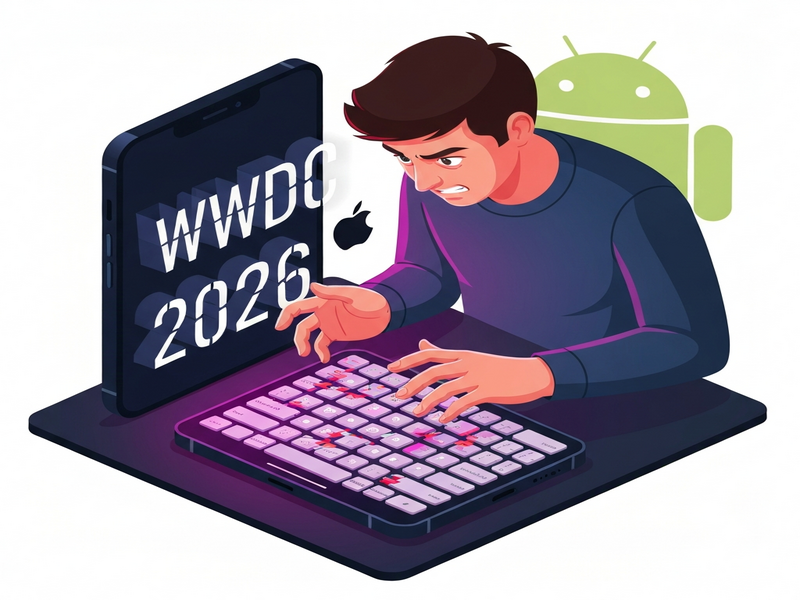
Apple must resolve the iOS keyboard issue before the WWDC 2026 countdown expires, or a growing number of power users will abandon iOS for Android.
The ticking timer, visible on the original countdown site, has turned a technical annoyance into a rallying cry for developers, designers, and everyday iPhone owners who rely on a flawless typing experience.
Why the iOS Keyboard Issue Is More Than a Minor Glitch
Since the rollout of iOS 17, users have reported a cascade of problems that have only intensified with each subsequent update. By the time iOS 26 arrived, the keyboard—once hailed as “the most intuitive on any smartphone”—has become a source of daily frustration.
- Missed keystrokes: Letters that are correctly tapped simply do not appear.
- Hostile autocorrect: The predictive engine often replaces correct words with unrelated suggestions.
- Lag and freeze: The keyboard stalls during rapid typing, causing missed messages.
- Inconsistent language switching: Switching between keyboards (e.g., English to Spanish) fails half the time.
- Battery drain: Background processes tied to the keyboard consume more power than usual.
These issues affect not only casual texters but also developers who rely on on‑device input for testing, designers crafting UI/UX flows, and enterprise teams that use iPhones as primary communication tools. The cumulative effect is a loss of productivity and a growing sentiment that Apple’s “it just works” promise is slipping.
The WWDC 2026 Countdown: A Deadline With Real Consequences
Apple’s Worldwide Developers Conference (WWDC) has traditionally been the stage for major software announcements. This year, a community‑driven countdown has been set to the estimated dates of June 9‑13, 2026. The timer is not just a gimmick; it represents a deadline that many users have declared as the point of no return.
When the countdown reaches zero without a public acknowledgment or a concrete fix for the keyboard, the pledge is simple: switch to Android for at least two years. The rationale is clear—if Apple cannot guarantee a reliable typing experience, users will seek alternatives that do.
Key milestones of the countdown:
- Initial community alert (January 2024)
- First public petition to Apple (March 2024)
- Media coverage spikes (July 2024)
- WWDC 2026 kickoff – the final chance for Apple to act
Apple’s Response and What an Android Switch Means for the Ecosystem
In early 2025, Apple issued a brief statement acknowledging “intermittent keyboard performance issues” and promised a fix in a future iOS release. However, the statement lacked a timeline, leaving the community uneasy.
For developers, an UBOS platform overview offers a parallel path to build cross‑platform experiences that are not tied to a single OS keyboard. Companies can leverage Enterprise AI platform by UBOS to create custom input solutions that work seamlessly on both iOS and Android, mitigating the risk of a forced migration.
Switching to Android also opens doors to a broader set of AI‑enhanced tools. For instance, the AI marketing agents can automate outreach across multiple platforms, while the Workflow automation studio helps teams re‑engineer their processes without being locked into a single ecosystem.
What Users Are Saying—and Why It Matters Beyond the Keyboard
Social media threads, developer forums, and Reddit AMAs have exploded with personal anecdotes:
“I switched back to Android for a month and the difference was night and day. My productivity apps finally responded to my typing speed.” – iOS power user, March 2025
These stories highlight three broader trends:
- Brand loyalty is eroding: Even long‑time iPhone enthusiasts are willing to consider alternatives when core functionality fails.
- Cross‑platform development is gaining urgency: Tools like Web app editor on UBOS enable developers to create responsive interfaces that behave consistently across devices.
- AI‑driven productivity tools are becoming decisive: Solutions such as the AI SEO Analyzer and AI Article Copywriter help content teams stay agile, regardless of the underlying OS.
For startups, the stakes are even higher. A broken keyboard can delay app testing cycles, increase support tickets, and ultimately affect time‑to‑market. The UBOS for startups program offers a sandbox environment where teams can prototype on both iOS and Android simultaneously, reducing dependency on any single platform’s quirks.
SMBs also feel the pressure. The UBOS solutions for SMBs include pre‑built templates—like the AI YouTube Comment Analysis tool—that can be deployed without worrying about keyboard compatibility.
How Developers Can Reduce Keyboard Friction Right Now
While waiting for Apple’s official fix, developers can adopt several practical measures to improve the user experience on iOS devices:
A. Leverage Alternative Input SDKs
Integrate third‑party keyboards that are vetted for reliability. The Telegram integration on UBOS provides a lightweight, low‑latency input channel that can be toggled when the native keyboard misbehaves.
B. Use AI‑Assisted Text Correction
Deploy the OpenAI ChatGPT integration to offer real‑time grammar and spelling suggestions that bypass the built‑in autocorrect. This reduces the “hostile autocorrect” complaints while keeping the typing flow smooth.
C. Implement Voice‑First Interactions
For scenarios where typing is critical, the ElevenLabs AI voice integration can convert spoken input to text with high accuracy, sidestepping the faulty keyboard entirely.
D. Cache User Input Locally
Store typed characters in a local buffer and sync them once the keyboard stabilizes. This technique is demonstrated in the Chroma DB integration, which offers fast, vector‑based storage for transient data.
E. Provide Clear Fallback UI
Design a fallback text area that appears when the system reports a keyboard error. Users can then continue typing without interruption, preserving the workflow.
AI Templates That Keep You Productive, No Matter the OS
UBOS’s template marketplace offers dozens of ready‑made solutions that can be deployed instantly, ensuring that your team’s productivity does not hinge on a single device’s keyboard.
- AI SEO Analyzer – Optimize content on the fly, whether you type on iOS or Android.
- AI Article Copywriter – Generate drafts with voice input or minimal typing.
- AI Chatbot template – Deploy conversational agents that work across platforms.
- GPT‑Powered Telegram Bot – Offer instant support without relying on the native keyboard.
- AI Video Generator – Create marketing videos using voice commands.
By integrating these templates, businesses can maintain a consistent output pipeline, even if a segment of their workforce temporarily migrates to Android devices.
What You Can Do Right Now
1️⃣ Stay Informed: Bookmark the UBOS homepage for real‑time updates on AI‑driven workarounds.
2️⃣ Explore Alternatives: Test the UBOS partner program to access exclusive tools that reduce reliance on native keyboards.
3️⃣ Leverage Templates: Jump‑start your next project with UBOS templates for quick start, especially those built for cross‑platform compatibility.
4️⃣ Join the Conversation: Share your experiences on social media using #iOSKeyboardCountdown. Your feedback helps shape future Apple updates and informs the broader tech community.
5️⃣ Consider Pricing Options: Review the UBOS pricing plans to find a cost‑effective solution for scaling AI‑enhanced workflows.
Apple’s next move will be closely watched. Whether the company delivers a fix before the WWDC 2026 deadline or users migrate en masse to Android, the ripple effects will reshape how developers think about platform dependence. By proactively adopting AI‑powered, cross‑platform tools today, you can stay ahead of the curve—no matter which keyboard you end up using.
Andrii Bidochko
CTO UBOS
Andrii Bidochko is an AI entrepreneur and researcher focused on AI agents, reinforcement learning, and autonomous systems. He writes about the technologies shaping the future of machine intelligence, from frontier models and agent architectures to real-world AI applications.