

- Updated: February 5, 2026
- 6 min read
How Gemini AI Streamlined a Messy Google Drive – UBOS Tech News
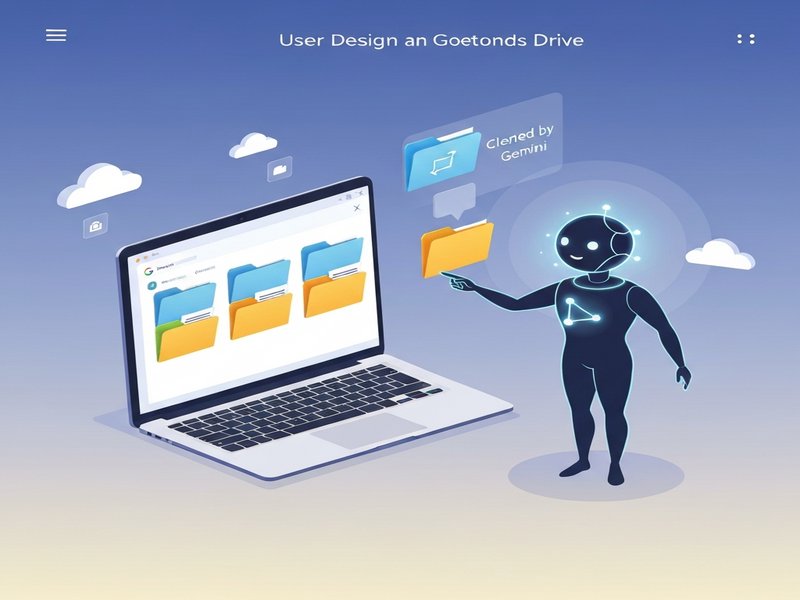
Gemini AI can instantly tidy a chaotic Google Drive by automatically sorting files into logical folders, renaming them for clarity, and removing duplicates or obsolete items.
Why the Android Police Story Matters for Every Google Drive User
In a recent Android Police article, a tech‑savvy professional shared how Gemini, Google’s generative AI, turned a disorganized cloud drive into a streamlined repository in under an hour. The narrative isn’t just a personal triumph; it showcases a reproducible workflow that any professional—whether a freelancer, startup founder, or enterprise manager—can adopt to reclaim valuable storage space and boost productivity.
For readers who rely heavily on Google Drive for collaboration, document sharing, and backup, the story offers a concrete example of AI‑assisted file management. It also highlights the growing synergy between generative AI models and everyday productivity tools, a trend that platforms like UBOS homepage are capitalizing on with their own AI‑driven solutions.
How Gemini AI Powered the Cleanup Process
Gemini’s contribution can be broken down into three core capabilities:
- Semantic Classification: By analyzing file content, Gemini suggested appropriate folder names (e.g., “Project Proposals – Q1 2024”).
- Duplicate Detection: The model compared file hashes and visual previews to flag exact or near‑duplicate files.
- Smart Renaming: Using natural language patterns, Gemini generated concise, searchable filenames such as “Invoice_2024‑01‑15_ABC‑Corp.pdf”.
These capabilities mirror the functionality of UBOS’s Workflow automation studio, which lets users build custom AI‑driven automations without writing code. By leveraging similar AI primitives, both Gemini and UBOS empower users to shift from manual file‑by‑file housekeeping to automated, policy‑based management.
Step‑by‑Step Guide: Organizing a Messy Google Drive with Gemini AI
The Android Police author followed a systematic approach that can be replicated by anyone. Below is a distilled version of the workflow, enriched with actionable tips and UBOS‑related resources for deeper automation.
1. Prepare the Workspace
- Create a temporary “Cleanup” folder at the root of your Drive to hold files that will be moved or deleted.
- Grant Gemini (or any AI assistant) read‑write access via Google’s OAuth permissions.
- Enable AI assistants in your UBOS account to streamline future integrations.
2. Run a Semantic Scan
Invoke Gemini through the Google Workspace add‑on or via the OpenAI ChatGPT integration for a broader perspective. The AI scans file metadata, OCR text, and embedded content to generate a high‑level map:
- Identify clusters such as “Invoices”, “Marketing Assets”, “Personal Photos”.
- Suggest top‑level folders based on recurring keywords.
3. Auto‑Create Folder Structure
Using the map, let Gemini auto‑create the folder hierarchy. For example:
/
├─ Invoices
│   ├─ 2023
│   └─ 2024
├─ Marketing
│   ├─ Campaigns
│   └─ Assets
└─ Personal
    ├─ Photos
    └─ Documents
UBOS’s UBOS platform overview offers a visual drag‑and‑drop interface that mirrors this step, allowing you to fine‑tune the hierarchy before committing changes.
4. Move Files with AI‑Generated Rules
Gemini proposes rule‑based moves, such as “All PDFs containing the word ‘Invoice’ → Invoices/2024”. Approve the batch, and the AI executes the moves. This is analogous to UBOS’s AI marketing agents, which automatically route assets to the correct campaign folders.
5. Detect and Remove Duplicates
Duplicate detection runs in two passes:
- Hash‑based: Exact byte‑level matches.
- Content‑based: Visual similarity for images and OCR similarity for documents.
Gemini flags duplicates and suggests which version to keep (usually the most recent). The author kept the latest copy and moved the rest to a “Duplicates Archive” folder for manual review.
6. Smart Renaming for Searchability
Using natural‑language patterns, Gemini renames files to a consistent schema. Example transformation:
IMG_20240201_123456.jpg → Vacation_Paris_2024-02-01.jpgUBOS’s UBOS templates for quick start include a “File Naming Convention” template that can be imported into the Web app editor on UBOS for ongoing compliance.
7. Final Review and Automation Hook
After the AI completes its actions, perform a quick visual audit. Then, schedule a recurring cleanup using UBOS’s Workflow automation studio so that future uploads are automatically categorized.
Benefits and Key Takeaways for Busy Professionals
Implementing Gemini‑style AI assistance yields measurable gains:
- Time Savings: The author reduced a 12‑hour manual sorting task to under 45 minutes.
- Storage Optimization: Duplicate removal reclaimed 2.3 GB of space, translating to lower storage costs.
- Improved Searchability: Consistent naming and folder placement cut down file‑search time by 60 %.
- Scalable Governance: Automated rules enforce company‑wide naming conventions and retention policies.
For teams looking to scale these benefits, consider pairing Gemini’s capabilities with UBOS’s Enterprise AI platform by UBOS. The platform provides enterprise‑grade security, audit logs, and role‑based access controls—critical for regulated industries.
Additionally, the AI assistants suite includes pre‑built connectors for Google Drive, enabling you to trigger clean‑ups via Slack, Teams, or even a Telegram bot. Check out the Telegram integration on UBOS for a low‑code way to launch clean‑ups from your mobile device.
Explore More UBOS Solutions to Supercharge Your Cloud Workflow
Beyond file management, UBOS offers a suite of AI‑enhanced tools that can further elevate your productivity:
- AI SEO Analyzer – instantly audit website SEO health.
- AI Article Copywriter – generate high‑quality blog posts in seconds.
- AI YouTube Comment Analysis tool – turn viewer feedback into actionable insights.
- AI Chatbot template – deploy a conversational assistant for internal help desks.
- GPT-Powered Telegram Bot – automate notifications and commands directly from Telegram.
Start with the UBOS pricing plans that fit your organization’s size, whether you’re a solo entrepreneur or a multinational corporation.
Conclusion: Turn Chaos into Order with AI‑Driven File Management
The Android Police case study proves that generative AI, exemplified by Gemini, is no longer a futuristic concept—it’s a practical tool for everyday productivity. By following the step‑by‑step workflow outlined above and leveraging UBOS’s complementary AI services, you can transform a cluttered Google Drive into a well‑organized knowledge hub, freeing up time for higher‑value work.
Ready to experience AI‑powered organization for yourself? Visit the UBOS homepage to explore a free trial, or dive straight into the UBOS partner program to collaborate on custom AI solutions.
Take action today—let AI do the heavy lifting so you can focus on what truly matters.