

- Updated: February 5, 2026
- 6 min read
OpenClaws Agents: From Helpful Tools to Malware Attack Surface – UBOS News
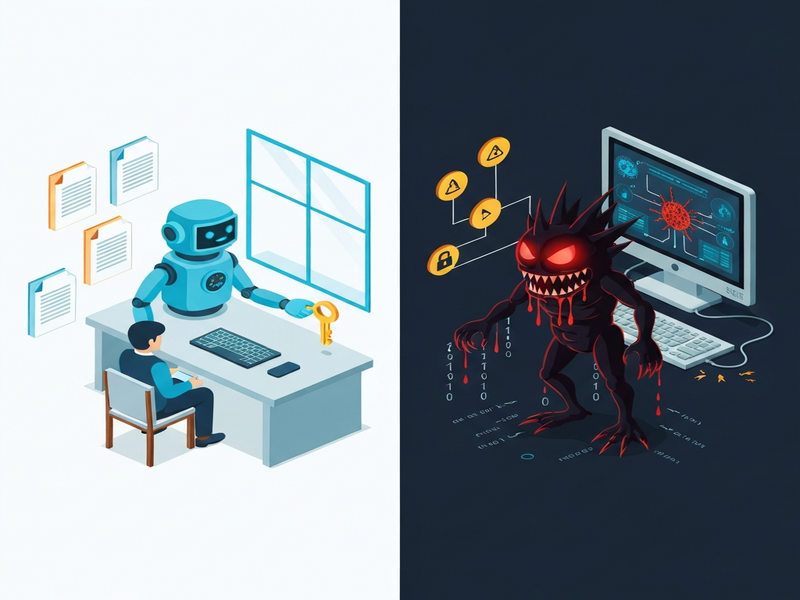
OpenClaws agent skills can transform harmless markdown files into a full‑blown supply‑chain attack vector, allowing threat actors to deliver macOS malware directly to corporate devices.
Introduction: From Magic to Malware
In a recent 1Password blog post, security researcher Jason Meller exposed how the very features that make OpenClaws agents powerful—deep system access, persistent memory, and a flexible “skill” marketplace—also create a fertile attack surface. This article breaks down the risk, explains how malicious markdown skills operate, evaluates the impact on corporate environments, and offers concrete mitigation steps for users, skill registries, and developers.
Why OpenClaws Agent Skills Are a Security Concern
OpenClaws agents act as personal AI assistants that can read files, invoke local tools, and retain long‑term state. The skill concept—essentially a markdown document paired with optional scripts—lets anyone publish a reusable capability. While this openness fuels rapid innovation, it also mirrors the “package manager” problem that has plagued open‑source ecosystems for years.
- Unrestricted Execution: Skills can embed shell commands, scripts, or binary payloads directly in markdown.
- Implicit Trust: Top‑downloaded skills are often assumed safe, encouraging users to run them without verification.
- Cross‑Platform Portability: The Agent Skills specification is shared across multiple AI agents, meaning a malicious skill can propagate beyond OpenClaws.
For enterprises, the danger is amplified because agents typically run on machines that store privileged credentials, API keys, and corporate data. A single compromised skill can therefore become a “one‑click” infection vector.
How Malicious Markdown Skills Operate
At first glance, a skill appears as a simple SKILL.md file with a description and a list of prerequisites. In reality, the markdown can contain:
- Obfuscated Commands: One‑liners that decode and execute payloads.
- External Links: URLs that point to malicious staging servers.
- Bundled Scripts: Executable files packaged alongside the markdown, bypassing any Model Context Protocol (MCP) checks.
Typical attack flow:
- A user installs a “popular” skill (e.g., a Twitter integration).
- The skill’s prerequisite section directs the user to download a “core” component.
- The provided link leads to a staging page that serves an obfuscated shell command.
- The command decodes a payload, disables macOS quarantine attributes, and launches a second‑stage infostealer.
This chain is indistinguishable from legitimate setup instructions, making it especially effective against developers who habitually copy‑paste commands from documentation.
Potential Impact on Corporate Devices
When a malicious skill executes on a corporate workstation, the consequences can be severe:
| Asset | What the Malware Targets |
|---|---|
| Browser Sessions | Cookies, session tokens, saved passwords |
| Credential Stores | 1Password vaults, macOS Keychain entries |
| Developer Tools | SSH keys, API tokens, CI/CD secrets |
| Cloud Access | AWS, GCP, Azure credentials cached locally |
Beyond data exfiltration, the malware can establish persistence, allowing attackers to maintain long‑term footholds and pivot to other internal systems. For security analysts and IT administrators, the rapid spread of a single malicious skill across an organization can resemble a supply‑chain breach on steroids.
Mitigation Strategies for End‑Users
If you or your team have experimented with OpenClaws, follow these immediate actions:
- Isolate the Device: Disconnect from corporate networks and VPNs.
- Engage Incident Response: Treat any skill installation on a work device as a potential breach.
- Rotate Secrets: Reset browser cookies, 1Password master passwords, SSH keys, and cloud API tokens.
- Audit Logs: Review recent sign‑ins for email, source control, and cloud consoles.
- Use a Sandbox: Run future skill experiments on an air‑gapped VM with no corporate credentials.
Hardening Skill Registries
Registries act like app stores for AI agents. To protect the ecosystem, operators should implement the following controls:
- Content Scanning: Automatically detect one‑liner installers, base64‑encoded payloads, and quarantine‑removal commands.
- Publisher Reputation: Require verified identities and display trust scores.
- Link Friction: Add warnings for external URLs and require user confirmation before any download.
- Version Audits: Periodically review top‑ranked skills and purge malicious ones.
- Provenance Metadata: Store cryptographic hashes of skill files to enable integrity verification.
Secure Development Practices for Agent Frameworks
Framework creators must assume that skills will be weaponized. Recommended safeguards include:
- Default‑Deny Execution: Disallow arbitrary shell commands unless explicitly whitelisted.
- Fine‑Grained Permissions: Grant time‑bound, revocable access to browsers, keychains, and file systems.
- Sandboxing: Run skill‑provided scripts inside isolated containers.
- Audit Trails: Log every skill invocation, command execution, and external request.
- Real‑Time Mediation: Require user approval for any network call or credential access.
Why This Matters for UBOS Users and Partners
UBOS’s platform overview emphasizes secure, low‑code AI automation. The OpenClaws incident underscores the importance of integrating robust permission models and provenance tracking—features that UBOS already embeds in its Workflow automation studio and Web app editor on UBOS. By leveraging UBOS’s built‑in sandboxing and role‑based access controls, organizations can safely experiment with AI agents without exposing the same attack surface highlighted by the OpenClaws supply‑chain breach.
Take Action Today
Whether you’re a security analyst, DevOps engineer, or a product leader, the lessons from OpenClaws are clear:
- Never run unverified agent skills on production machines.
- Adopt a zero‑trust stance for any code that can execute locally.
- Leverage platforms like UBOS homepage that prioritize secure AI orchestration.
- Explore our UBOS templates for quick start to build safe, compliant AI workflows.
- Consider joining the UBOS partner program to stay ahead of emerging threats.
Further Reading & Tools
Our ecosystem offers a range of AI‑powered utilities that illustrate how secure integrations should look:
- AI SEO Analyzer – demonstrates safe data processing without hidden shell calls.
- AI Article Copywriter – a template that respects content provenance.
- ChatGPT and Telegram integration – showcases secure webhook handling.
- ElevenLabs AI voice integration – an example of controlled external API usage.
- Enterprise AI platform by UBOS – built with enterprise‑grade security and auditability.
The promise of AI agents is undeniable, but as OpenClaws has shown, the line between “magic” and “malware” can be razor‑thin. By applying rigorous security hygiene, leveraging trusted platforms like UBOS, and staying vigilant about skill provenance, organizations can reap the benefits of AI automation without handing attackers a backdoor.